AppBuild.diy vs DaySmart – You might be wondering which is best for your studio? Here’s our take: DaySmart Body Art is the engine room, i.e. the software that keeps a tattoo or piercing studio running: calendar, consent forms, deposits, POS, inventory, payroll. AppBuild.diy is the shop window on every client’s phone, i.e. your studio’s own branded app, with booking, push, a flash gallery and loyalty.
Different jobs. The mistake is assuming you must choose one instead of the other, when the smarter question is which problem you’re actually solving today. Let’s break it down with no spin…
The 30-second version
- DaySmart Body Art is full studio-management software – multi-artist scheduling, consent forms, deposits, POS, inventory, payroll, reporting. Built to run the business.
- AppBuild.diy is a no-code builder that publishes your studio’s own native iOS/Android app – booking, unlimited push, loyalty, gallery – with a free tier and AI-assisted setup. Built to own the client relationship.
- Pick DaySmart if you need a back-office system to manage artists, consent, stock and payments.
- Pick AppBuild.diy if you want a branded app on clients’ home screens that fills chairs and brings collectors back.
- Honestly? Many studios benefit from both as they solve different problems.
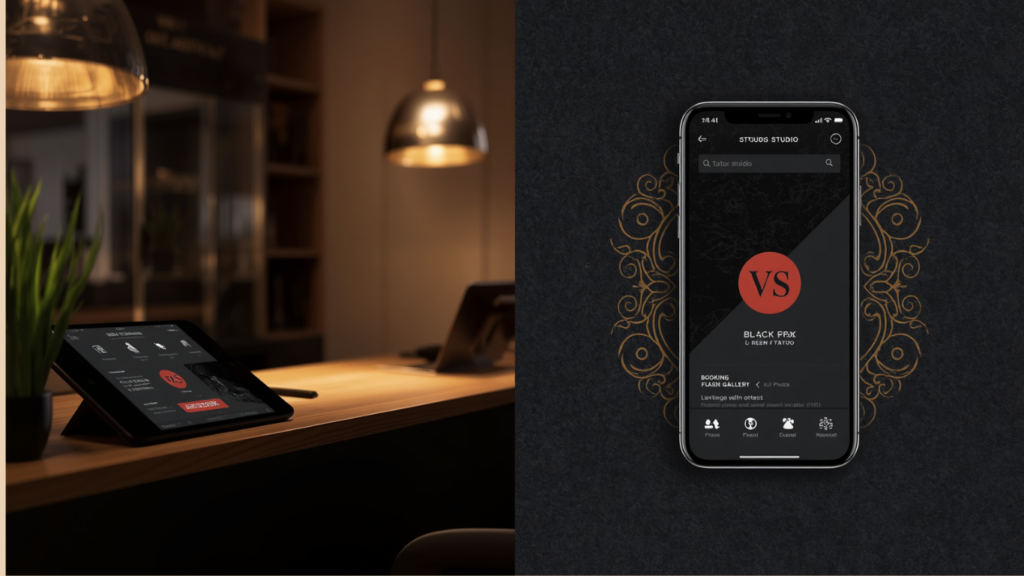
What DaySmart Body Art does well
DaySmart is a mature, capable platform, and it’s earned its place in plenty of studios:
- Multi-artist scheduling with individual calendars and coordination.
- Consent forms and compliance handled digitally – a genuine tattoo/piercing-specific need.
- Deposits, contactless payments, gift cards and stored client payment details.
- Inventory, payroll and reporting, plus QuickBooks integration.
- Marketing tools to attract new clients, with tiered plans as your team grows.
If your pain is operational – juggling six artists, staying compliant, tracking stock and running payroll – DaySmart is built precisely for that, and AppBuild.diy doesn’t try to replace it.
Where AppBuild.diy comes in
Here’s the gap management software leaves: it runs the studio beautifully, but your clients never get a branded app. They fill in a consent form and pay; they don’t carry your studio in their pocket. The relationship lives in your back office, not on their home screen. AppBuild.diy flips that.
1. Your studio’s own app, on the App Store. A native iOS/Android app under your brand and logo. It’s marketing, credibility and retention rolled into one icon – something a management back-end simply isn’t designed to give clients.
2. Push notifications that fill the diary. A cancellation, a guest-artist week, a flash drop – push it to every client at once and watch the chair fill. Unlimited push is included, and for a studio that’s the difference between a quiet Tuesday and a booked one.
3. A flash gallery and content clients actually browse. Portfolios, flash sheets, artist bios, aftercare guides — a living shop window inside the app, not a form they open once.
4. Loyalty for repeat collectors. Big pieces take sessions and collectors come back. Native in-app loyalty rewards give them a reason to return to your studio specifically.
5. Free to start, and you control it. No-code, AI-assisted, free tier to build and preview. No developer, no big upfront spend — and you make changes yourself in minutes.
Side-by-side comparison
| Feature | AppBuild.diy | DaySmart Body Art |
|---|---|---|
| Primary job | Your studio’s branded client app | Studio management / back office |
| Native iOS & Android app under your brand | Yes | No, software for running the studio |
| Online booking | Yes | Yes |
| Consent forms & compliance | No | Yes (a key strength) |
| Multi-artist scheduling & payroll | No | Yes |
| POS, inventory, reporting | Via integrations | Yes, built in |
| Unlimited push notifications | Yes, included | Marketing tools, not a branded-app push channel |
| Flash gallery & content | Yes | No |
| Digital loyalty rewards | Yes, native | Gift cards / campaigns |
| Free option | Free tier | Two-week free trial |
| Build approach | No-code DIY + AI setup | Subscription software |
| Range | 17 business types; wraps Base44/Lovable | Tattoo & piercing studios |
Last updated June 2026.
The honest take
If your problem is running a multi-artist studio – compliance, consent, stock, payroll, POS – DaySmart Body Art is purpose-built for that and AppBuild.diy is not pretending to compete on payroll. Buy DaySmart for the engine room.
But operations software won’t put your brand on a client’s phone, fill a cancellation in five minutes, or reward a collector for coming back. That’s a customer-facing job, and it’s exactly what AppBuild.diy does – a branded native app with push, gallery and loyalty, free to start. The strongest studios often run both: DaySmart behind the counter, AppBuild.diy in the client’s pocket.
Manage the studio with one. Own the relationship with the other.
AppBuild.diy vs DaySmart – FAQ
Does AppBuild.diy replace DaySmart Body Art? Not really as they solve different problems. DaySmart runs the studio (consent, payroll, POS, inventory); AppBuild.diy gives you a branded client app with booking, push and loyalty. Many studios use both.
Can AppBuild.diy take bookings? Yes. Clients can book through your branded app. If you need deep operational tools like consent forms and payroll, that’s DaySmart’s territory.
What’s the standout reason to add AppBuild.diy? Push notifications and a branded app. Filling a last-minute cancellation by pushing every client at once is something management software isn’t built to do.
Do I need a developer or a big budget? No. AppBuild.diy is no-code with AI-assisted setup and a free tier — build and preview before you pay.
Is it a real native app? Yes — published to the App Store and Google Play under your studio’s brand, not a web wrapper.
Can I show my flash and portfolio? Yes — galleries and content are built in, so the app doubles as a browsable shop window.
I’m a solo artist — is this overkill? If you only need a diary and deposits, a lighter booking tool may be enough. AppBuild.diy makes most sense when you want a branded app, push and loyalty to grow the studio.
AppBuild.diy vs DaySmart – The bottom line
DaySmart Body Art is excellent studio-management software for running the business. AppBuild.diy is the better fit for owning the client relationship — a branded native app with push, gallery and loyalty that fills chairs and brings collectors back, starting free. They’re complementary more than competitive.
Last Updated on June 8, 2026 by Becky Halls
0 thoughts on “AppBuild.diy vs DaySmart Body Art: Run the Studio, or Own the App?”