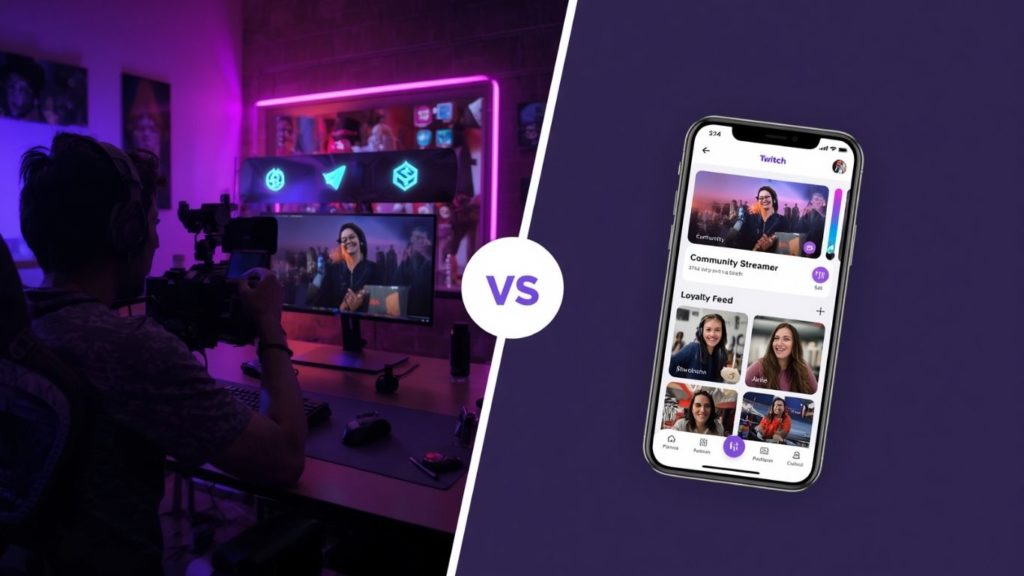
I’ve declared today ‘Twitch Tuesday’ so thought why not compare two of the leading platforms for all you Twitch streamers: AppBuild.diy vs Streamlabs.
Streamlabs has earned a huge, devoted following, and rightly so. It is a properly capable streaming suite: free broadcasting software, hundreds of overlay themes, alerts, a Cloudbot, multistreaming to Twitch, YouTube, TikTok, Kick and more, and a tip page that takes no platform cut. For a streamer who needs to go live, look great and collect tips without losing a slice, it is hard to fault. So let me give it full credit before I draw the contrast, because Streamlabs does the broadcasting job genuinely well. The point is that it powers your stream on platforms you do not own, and it is not trying to be an app of your own. That is the gap AppBuild.diy fills, and the two sit happily side by side.
Streamlabs is free broadcasting software with overlays, alerts and tips. AppBuild.diy is a no-code builder for a branded streaming app, where a streamer’s content sits alongside loyalty, a shop, events and push, under your own name, and it also starts free. Both serve a creator. They do different jobs. Here is my honest take…
The 30-second version
- Streamlabs is a broadcasting suite: free streaming software, 300+ overlay themes, alerts, Cloudbot moderation, multistreaming to Twitch, YouTube, TikTok, Kick and Facebook, and a tip page with no platform cut, with an Ultra plan around $27/month for extra apps.
- AppBuild.diy is a no-code builder that publishes a native iOS and Android app under your brand, with content, loyalty, a shop, events and unlimited push, a free tier and AI-assisted setup, across 17 business types.
- Pick Streamlabs if you want free, polished broadcasting software with overlays, alerts and zero-cut tips.
- Pick AppBuild.diy if you want your own branded app, off-platform, where your community, merch and loyalty live under your name, also starting free.
What Streamlabs does well
Streamlabs is a deep, dependable broadcasting suite, and it earns its following. Its strengths:
- Free broadcasting software, with everything needed to record and go live, plus hundreds of overlay themes installed in a click.
- Alerts and Cloudbot, with built-in alerts, widgets and moderation tools ready out of the box.
- Multistreaming, sending one stream to Twitch, YouTube, TikTok, Kick and more without extra CPU load.
- Zero-cut tips, with a tip page that takes no platform fee, only standard processing.
If your need is going live, looking professional and collecting tips without a platform cut, Streamlabs does that genuinely well, and AppBuild.diy does not try to replace it as broadcasting software.
Where AppBuild.diy goes further
Here is the honest read on Streamlabs. It is excellent, and it is built to power your broadcast across Twitch, YouTube, TikTok and Kick, where your audience lives inside platforms you do not control. That is exactly right for the stream itself. But a streamer who wants a home for their community that they actually own, off-platform, where merch, content, loyalty and direct contact do not depend on a feed, needs an app with their own name on it. AppBuild.diy gives you that owned app, and it also starts free.
1. Your own branded app, off the streaming platforms. AppBuild.diy publishes a genuinely native iOS and Android app under your name, where your content and schedule sit alongside a merch shop, events, loyalty and a community feed. That matters because Mobiloud reports app conversion rates running roughly three times higher than mobile websites, and your own icon gives your community a home that lives with you, not with whichever platform you happened to stream to.
2. Loyalty that turns viewers into a lasting community. A view is a moment. Loyalty is a relationship. Loyalty research compiled by Queue-it shows repeat customers spend significantly more than first-timers and drive the majority of many businesses’ revenue, and AppBuild.diy puts loyalty and unlimited push at the core, so your most engaged followers earn rewards, get perks and stay close to you in an app that is yours, not rented from a platform.
“Streamlabs is a brilliant free broadcasting suite, and the audience still lives on Twitch and the rest, not in something the streamer owns,” says Ian Naylor, Founder of AppBuild. “After fifteen years I have seen how much it matters to own your channel. We built AppBuild so the creator has their own icon, with the merch, the content and the loyalty in an app that is theirs, and you can start for free.”
3. A free tier and a creator business that is more than a broadcast. You build and preview your app before spending a penny, and the app carries everything around the stream, not only the live show. A merch shop, events, a loyalty scheme for your community and offers all live under your own brand.
4. It reaches well beyond streaming. AppBuild.diy offers a unique steaming template, amongst others, and can wrap existing Base44 and Lovable projects into native store-ready apps, so a creator who also sells products, coaches or runs events builds for all of it on one tool.
“The broadcasting software makes the stream, and the creators who build something lasting want a home they own off the platforms too,” adds Becky Halls, Strategist at AppBuild. “Keep Streamlabs for going live. Just give your community an app with your name on it, where the merch, the content and the loyalty all belong to you.”
Side-by-side comparison
| Feature | AppBuild.diy | Streamlabs |
|---|---|---|
| What it is | A full branded app | Broadcasting software suite |
| Native iOS & Android app under your brand | Yes | No, streaming software |
| Primary job | Your own community app | Go live, overlays & tips |
| Broadcasting & overlays | No, complementary | Yes (a core strength) |
| Multistreaming | Via integrations | Yes, Twitch/YouTube/TikTok/Kick |
| Off-platform home you own | Yes | No, lives on the platforms |
| Zero-cut tips | Via your own checkout | Yes, tip page no platform cut |
| Digital loyalty rewards | Yes, native | No |
| Shop, events & content | Yes | Merch integration |
| Unlimited push notifications | Yes, included | On-stream alerts |
| Free tier | Yes, build and preview free | Yes; Ultra ~$27/mo for extras |
| Range | 17 business types; wraps Base44/Lovable | Live streamers |
Features and pricing change frequently, so confirm current details with each provider before deciding.
The honest take
If your need is free, polished broadcasting software with overlays, alerts and zero-cut tips, Streamlabs is an excellent, generous suite and a sensible choice. I would not pretend AppBuild.diy beats it as broadcasting software, and it does not try to.
But if you want your own branded app, off the streaming platforms, where your community, merch and loyalty live under your name and you reach followers directly with push, that is AppBuild.diy’s lane, and it starts free too. Most serious streamers want both the broadcasting suite and an owned app, with the app firmly theirs.
AppBuild.diy vs Streamlabs – FAQ
Does AppBuild.diy do broadcasting and overlays like Streamlabs? No, and it does not try to. Streamlabs is purpose-built for going live, overlays and alerts. AppBuild.diy builds your own branded app around the stream, with content, loyalty, a shop and push. They complement each other rather than compete.
Is it a real native app? Yes, published to the App Store and Google Play under your brand, a home for your community that you own.
Can I use Streamlabs and AppBuild.diy together? Yes, and that is the point. Keep Streamlabs for broadcasting, overlays and tips, and use AppBuild.diy for your own branded app, loyalty and push off-platform.
Why have an app if I already stream on Twitch? The platforms host your stream, but your audience there belongs to them. Your own app gives you a direct, owned channel for merch, content, loyalty and push that no platform controls.
Which is cheaper to start? Both start free. Streamlabs’ core broadcasting software is free, with Ultra around $27/month for extras; AppBuild.diy’s free tier lets you build and preview your own branded app before paying. Always check current pricing.
Do I need a developer? No. AppBuild.diy is no-code with AI-assisted setup, so you build and edit the app yourself.
AppBuild.diy vs Streamlabs – The bottom line
Streamlabs is a free, capable broadcasting suite with overlays, alerts and zero-cut tips. AppBuild.diy is the better fit when you want your own branded app, off-platform, with your community, loyalty and push under your name, also starting free.
Streamlabs powers the broadcast. AppBuild.diy gives the streamer an app they own. Start free with AppBuild.diy →
Last Updated on June 23, 2026 by Becky Halls
0 thoughts on “AppBuild.diy vs Streamlabs: Power the Broadcast, or Own the Streamer’s App?”