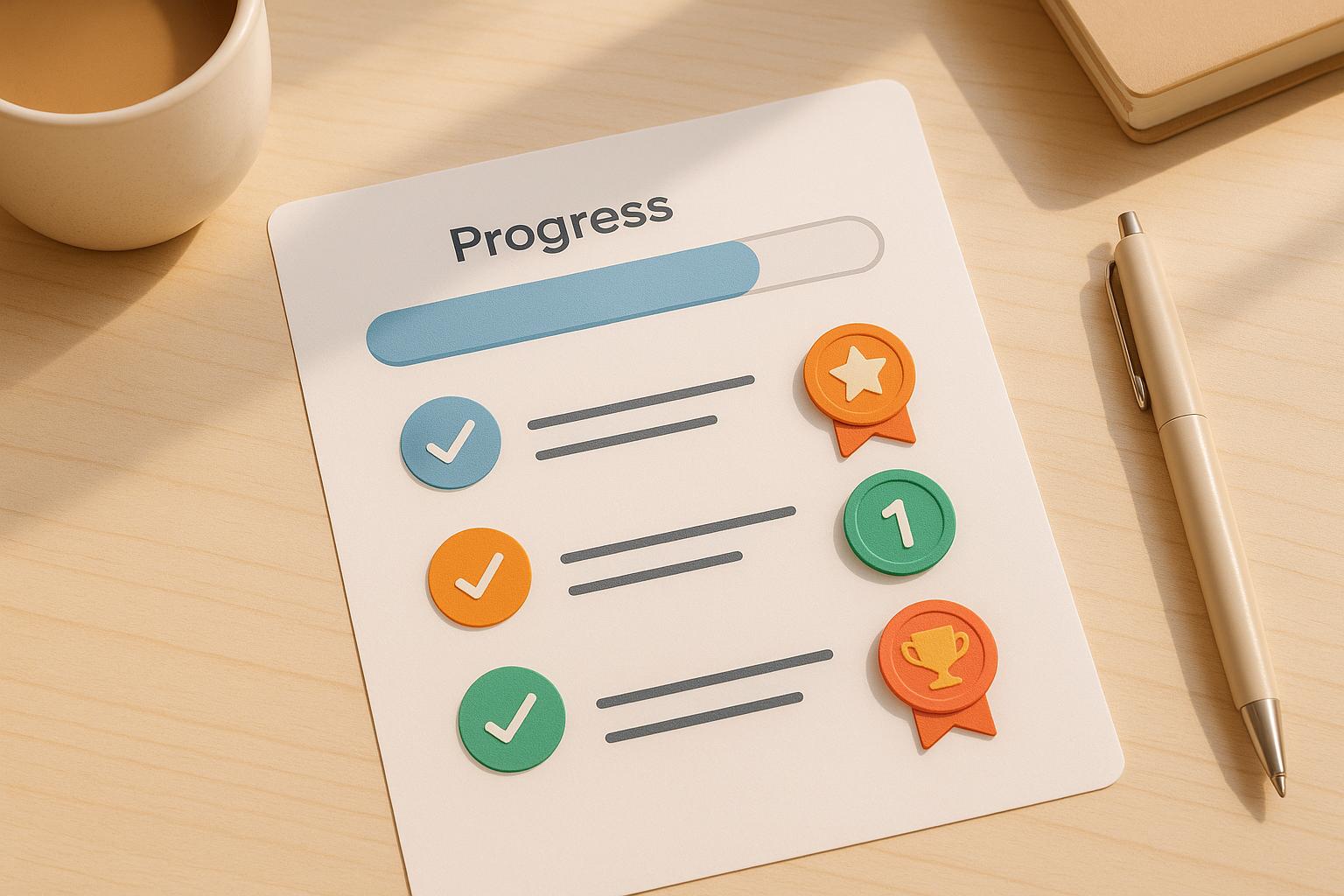
Gamification makes onboarding more engaging by adding fun elements like progress bars, rewards, and challenges. This approach simplifies learning, motivates users, and improves retention. Examples like Dropbox and Attention Insight show how gamified onboarding can boost user activation by up to 47% and increase engagement with key features. By breaking the process into small, interactive steps, users are guided toward discovering app features without feeling overwhelmed.
Key benefits include:
- Higher Engagement: Progress bars and checklists encourage users to complete tasks, increasing completion rates by 20–50%.
- Better Feature Adoption: Interactive challenges introduce features gradually, helping users reach their “aha moment” faster.
- Improved Retention: Rewards, badges, and milestones create emotional connections, reducing drop-offs by 15–30%.
No-code tools like AppInstitute make it easy for businesses to add gamified elements without coding. Start with a simple checklist, offer rewards, and track results using analytics to refine the experience. Gamification isn’t just about fun – it’s a proven way to guide users, boost engagement, and drive long-term success.

Gamification Impact on User Onboarding: Key Metrics and Benefits
Top 5 Best Examples of Gamified #UX – User Onboarding Gamification

Benefits of Gamification in User Onboarding
Gamification can transform user onboarding by driving engagement, boosting feature adoption, and improving retention – three key factors for small businesses creating apps on platforms like AppInstitute. By rewarding users and showing clear progress during setup, you encourage them to stick around and fully explore your app’s potential. Let’s break down these benefits further.
Higher Engagement and Completion Rates
Using progress bars and checklists can make onboarding feel like a series of small, achievable goals. For example, showing “Step 2 of 4 complete” motivates users to finish the process rather than abandoning it midway. This approach often leads to a 20–50% increase in task completion rates. Each completed step not only keeps users engaged but also lays the groundwork for them to explore your app’s core features.
Better Feature Adoption
Gamification helps users discover your app’s essential features without overwhelming them. Instead of throwing every option at them upfront, you can guide them through interactive challenges or missions, allowing them to uncover features gradually. This method helps users reach their “aha moment” faster, especially in no-code environments.
Take Fullstory, for instance – they used Appcues to create role-based guides that personalized feature discovery, leading to higher activation rates. Similarly, Sololearn incorporates coding quizzes during onboarding, giving users hands-on practice with features to build confidence. For no-code apps, onboarding checklists with tooltips – like prompts to set up push notifications or complete a profile – encourage users to adopt critical features early on. These early wins naturally translate into better long-term retention.
Stronger Long-Term Retention
Gamification fosters habits and builds emotional connections through milestones, streaks, and celebrations. When users feel a sense of achievement, they’re more likely to keep coming back. For instance, Dropbox saw a significant increase in its user base by offering early incentives.
Small businesses that add gamified elements to their no-code apps often see 15–30% improvements in retention thanks to ongoing rewards like badges and milestone celebrations. Social features, such as leaderboards, introduce friendly competition, keeping users engaged over time. The trick is creating a reinforcing loop where each completed action motivates the next, turning casual users into loyal advocates.
Key Gamification Elements for Onboarding
When incorporating gamification into your onboarding process, focus on elements that simplify, motivate, and reward users. Key tools include progress bars and checklists for clarity, badges and milestones for recognition, and rewards and incentives to encourage completion. Each of these plays a role in guiding users toward that all-important “aha moment”, making the onboarding experience both engaging and effective.
Progress Bars and Checklists
Progress bars and checklists help break the onboarding process into smaller, more manageable steps. They show users where they stand and what remains to be done. For instance, displaying “Step 2 of 5” gives a clear sense of progress, while a checklist might include tasks like “Enable notifications”, “Complete your profile”, or “Try your first core action.” These visual tools reduce uncertainty and give users a sense of control, which can significantly improve completion rates.
A short onboarding process – ideally 3 to 7 steps – tends to work best. Use clear, straightforward labels for each step, such as “Set up your first project” instead of something vague like “Configure workspace parameters.” Make checklists interactive by allowing users to check off tasks, and consider adding a small celebration, like a “Great job!” message, when a step is completed.
Badges and Milestones
Badges and milestones serve as markers of achievement, tapping into users’ desire for recognition and progress. For example, awarding a badge like “First Project Created” or “Onboarding All-Star” when a user completes their profile or performs a critical action reinforces positive behavior and encourages continued engagement.
Focus on celebrating meaningful milestones, such as completing the first session, using a key feature, or finishing the onboarding checklist. Display badges prominently on a user’s profile or dashboard to showcase their accomplishments. Pair these achievements with celebratory elements – like confetti animations or congratulatory messages – to make the experience more memorable and emotionally rewarding. These moments of recognition can deepen a user’s connection to your app and motivate further exploration.
Rewards and Incentives
Rewards provide users with a tangible reason to complete onboarding. These can include monetary perks like “Get $10 off your first month”, feature-based rewards such as unlocking premium features or extra storage, or social incentives like leaderboards or shareable achievements. Tailor rewards to suit your app – subscription services might offer discounts, while SaaS tools could unlock advanced features.
Even for no-code apps built on platforms like AppInstitute, it’s possible to set up rewards without technical expertise. Use promo codes, feature unlocks, or push notifications to celebrate completed steps. Offering “micro-rewards” after key actions can keep users motivated throughout the process, while a larger reward at the end of onboarding provides a satisfying conclusion.
sbb-itb-539ae66
How to Add Gamification to No-Code Apps
You don’t need coding expertise to add gamification to your app. Platforms like AppInstitute make it easy for small businesses with drag-and-drop editors and pre-built templates. Start by defining a clear onboarding goal, like encouraging users to make their first purchase or complete their profile within 24–72 hours. Then, outline the key actions leading to that goal. For example, a restaurant app might guide users to enable notifications, explore the menu, and place an order. An e-commerce app might focus on getting users to complete their profile, add items to their cart, and proceed to checkout. Once you’ve mapped these steps, transform them into a gamified flow. Next, let’s dive into specific elements that can boost engagement.
Create Engaging Welcome Screens
Using AppInstitute’s drag-and-drop tools, you can design a personalized welcome screen that asks users 1–3 simple questions to customize their experience. For instance, a fitness app might ask, “What’s your goal: lose weight, build muscle, or stay active?” This information helps tailor the onboarding process. Make the screen interactive with buttons or a short video, ending with a clear call-to-action like “Continue.” Keep the tone conversational and highlight a single benefit that resonates with U.S. users, such as, “Get your first online order in under 10 minutes.” To keep things fun, trigger a celebration animation once users complete this initial step, building positive momentum.
Set Up Onboarding Checklists
Create a checklist of 3–7 essential tasks that deliver core value. These might include:
- Completing a profile
- Adding the first product
- Enabling push notifications
- Inviting a team member
Use your no-code editor to add a checklist widget or a simple progress tracker. Make sure each task links directly to the screen where it can be completed. Offer small rewards for finishing the checklist, like a $10 credit, a limited-time discount, or access to premium content. Show users their progress with visual cues, such as a percentage bar or completed steps. And, of course, celebrate their success with an animation when the checklist is done.
Add Leaderboards and Social Sharing
For apps involving multiple users or teams, leaderboards can spark friendly competition. Platforms that support user lists and custom fields let you rank users or teams based on metrics like completed tasks, onboarding time, or referrals. For example, you can create a numeric field (e.g., “onboarding_score”) that updates with each completed action, then display rankings using a sorted list.
To keep the competition motivating, limit leaderboards to smaller groups, like within an organization. You can also encourage users to share milestones on social media – such as launching the app or completing the onboarding checklist. Pre-fill messages like, “We just launched our new app – order ahead and skip the line!” Pair social sharing with referral incentives, such as “Give $5, Get $5” credits, which are proven to drive growth.
Test and Improve Onboarding Flows
Once your gamified elements – like interactive screens, checklists, and leaderboards – are in place, it’s time to optimize. Use A/B testing to compare different onboarding approaches, such as a personalized welcome screen versus a standard one. Focus on metrics like activation rates, checklist completion, or first purchase rates. AppInstitute’s analytics tools can track user behavior, from app installs to specific milestones, helping you identify where users drop off.
For example, if a gamified element attracts attention but doesn’t improve activation, tweak the incentive or reposition it. Run tests long enough to gather reliable data, then implement the most effective version. Keep refining based on analytics, ensuring your onboarding flow stays engaging and effective over time.
Measuring Gamified Onboarding Success
Tracking the right metrics is crucial to understanding whether your gamified onboarding efforts are hitting the mark. Some of the most telling data points include the onboarding completion rate (the percentage of users who finish your checklist or guided flow), activation rate (how many users experience that “aha moment”, such as placing their first order or completing a key task), and short-term retention (whether users return on day 1, day 7, and day 30). Another critical measure is time-to-value – how quickly users go from signing up to completing their first significant action. For consumer apps, this might be measured in minutes, while for business tools, it could take hours. These metrics help determine if gamification is driving users toward meaningful outcomes rather than just entertaining them.
To make your metrics actionable, clearly define what “completion” means – such as finishing a specific flow or checklist. Use event tracking (e.g., onboarding_step_1_completed or checklist_completed) to monitor each step and calculate your completion rate. For activation, identify 1–3 key actions that predict long-term engagement, like sending an invoice or publishing a post, and set a target timeframe – typically 24–72 hours for consumer apps or up to 7 days for more complex tools. This structured tracking allows for clear comparisons between gamified and non-gamified onboarding flows.
In addition to completion and activation, keep an eye on engagement signals like interaction rates with progress bars, achievement pop-ups, and leaderboards, as well as how quickly users complete tasks. These insights can help pinpoint where users drop off, both before and after adding gamification elements. The results can showcase how gamification boosts overall engagement.
Key Metrics to Track
Focus on the metrics that directly impact your business outcomes. Here’s what to prioritize:
- Onboarding Completion Rate: Measures whether users stick with the entire onboarding process, indicating how well gamification maintains their interest.
- Activation Rate: Tracks whether users hit their first major milestone – such as making a purchase or completing a profile – within your desired timeframe.
- Short-Term Retention: Looks at user return rates on day 1, day 7, and day 30 to assess whether gamification encourages ongoing engagement.
- Time-to-Value: Evaluates how quickly users move from sign-up to completing their first meaningful action.
- Feature Adoption Rate: Tracks how many users engage with the core features introduced during onboarding, which often correlates with higher trial-to-paid conversions and improved customer lifetime value.
For U.S. businesses, these metrics tie directly to trial-to-paid conversion rates and customer lifetime value. Using cohort analysis, you can compare users who experienced gamified onboarding with those who didn’t. Then, track metrics like trial-to-paid conversion, early churn (inactivity or cancellations within 30–60 days), and average revenue per user over the first 90 days. This approach helps you see whether gamified onboarding leads to more paying customers and higher revenue.
Using AppInstitute Analytics for Insights

AppInstitute’s built-in analytics tools make it simple for small businesses to track gamified onboarding performance. Start by reviewing onboarding funnel reports, which break down how many users complete each step – like the welcome screen, profile setup, or first purchase – and highlight where drop-offs occur.
Monitor engagement metrics such as daily and weekly active users, session counts, and screen views during the first 7–14 days to evaluate if gamified elements are keeping users engaged. Use event tracking to measure specific interactions tied to gamification, like checking off a task, unlocking a reward, or sharing on social media. This helps quantify how often users interact with these features.
To assess the effectiveness of gamified elements, keep an eye on conversion metrics for key actions like placing a first order, submitting a form, or confirming a booking. If you’re testing a new gamified feature – like offering a discount for completing setup – split your users into two groups and compare their completion, activation, and retention rates using AppInstitute’s analytics dashboard. These insights allow you to fine-tune your onboarding process, ensuring it consistently drives user activation and revenue.
Conclusion
Gamification transforms static tutorials into engaging, interactive experiences that encourage users to complete essential steps. By breaking down the setup process into smaller, game-like tasks – complete with progress bars, checklists, and rewards – you can guide users to their “aha moment” much faster. This approach boosts feature adoption and helps retain users in the long term. When users can visualize their progress, celebrate small achievements, and earn rewards for completing key actions, they’re much more likely to stay engaged and, ultimately, become paying customers.
For small businesses with tight budgets, gamification can reduce support costs and speed up user activation. Simple techniques like onboarding checklists, congratulatory messages for completing profiles, or small incentives (like discounts, bonus features, or unlocked content) can make a big difference. These elements can significantly improve trial-to-paid conversion rates and reduce early churn – critical outcomes when every customer matters.
And the best part? You don’t need a developer to make this happen. AppInstitute’s drag-and-drop tools make it easy to implement gamification without custom coding. With industry-specific templates and user management features, you can customize onboarding flows to fit your audience perfectly. Built-in push notifications also help you send reminders or celebrate milestones, keeping users on track. Over 100,000 businesses have already used AppInstitute to build apps, and with plans starting at just $39/month, it’s an affordable, accessible solution for non-technical teams to create and refine gamified onboarding.
To get started right away, identify three to five key onboarding actions – like creating an account, completing a profile, enabling notifications, or making a first purchase. Use AppInstitute to design a simple checklist with a progress bar, add a reward or celebratory message for completion, and enable analytics to monitor engagement. After a few weeks, review the data to spot drop-off points and adjust steps, messaging, or rewards as needed. For instance, Attention Insight saw a 47% increase in user activation after introducing gamified onboarding with an interactive welcome screen and guided walkthroughs. They also boosted heatmap creation rates from 47% to 69%. This streamlined strategy not only enhances activation and conversion but also strengthens user retention.
FAQs
How does gamification help keep users engaged during onboarding?
Gamification boosts user engagement during onboarding by turning it into an interactive and enjoyable experience. Incorporating elements like rewards, challenges, and progress tracking encourages users to stay engaged and complete the process.
When onboarding feels fun and rewarding, users are more likely to connect with the app, making it easier to build long-term loyalty and keep them coming back.
What are some easy ways to add gamification without coding?
Adding gamification to your platform doesn’t have to involve complex coding. Start with features like reward systems, where users can collect points or badges for completing specific tasks. Another great option is implementing loyalty programs to encourage users to keep coming back. Want to keep them engaged? Use push notifications to send reminders or share progress updates that motivate them to stay active. To simplify the process, explore tools with drag-and-drop functionality or customizable templates that allow you to design interactive elements effortlessly.
What are the best ways to measure the success of gamified onboarding?
To gauge how well gamified onboarding is working, businesses need to keep an eye on a few critical metrics. Start with user engagement, onboarding completion rates, and time spent on tasks – these numbers reveal how well the gamified elements grab attention and encourage users to stay involved.
Beyond that, tracking user retention rates and gathering feedback can highlight areas that might need tweaking. This feedback loop helps ensure the onboarding process aligns with what users expect. By diving into these data points, businesses can adjust their strategies to make the onboarding journey more engaging and effective.
Related Blog Posts
- How to Onboard Teams to No-Code Platforms
- How to Automate User Onboarding in Apps
- Retention Metrics for PWAs: Ultimate Guide
- 10 Mobile App Onboarding Tips for Small Businesses
Last Updated on December 16, 2025 by Becky Halls
0 thoughts on “How Gamification Improves User Onboarding”