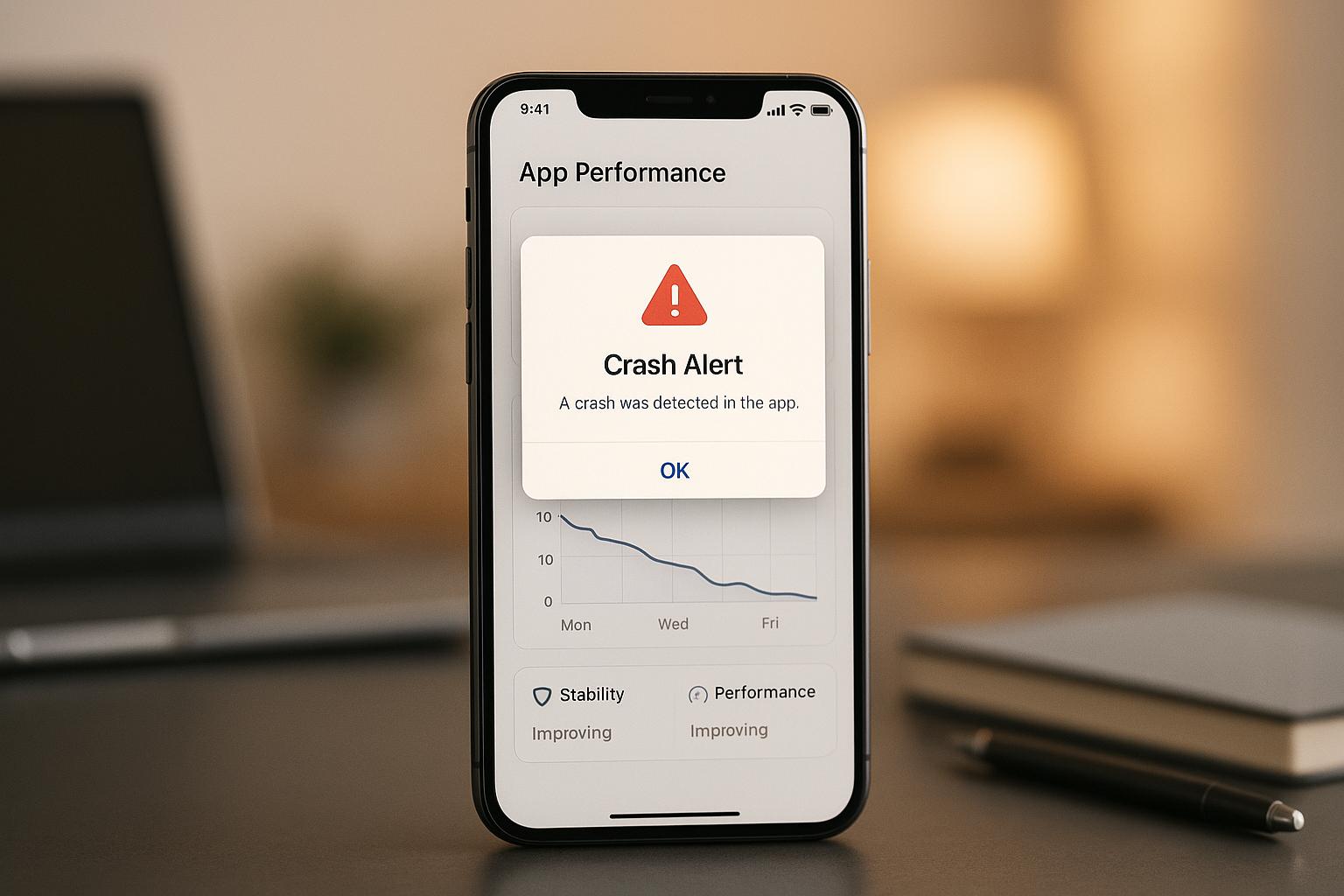
When apps crash, users often abandon them, leading to poor reviews and lost trust. Crash alerts solve this by instantly notifying developers about issues like crashes, memory leaks, and freezing. These alerts provide detailed diagnostic data, including stack traces, device info, and user actions, enabling developers to quickly identify and fix problems.
Key Benefits of Crash Alerts:
- Immediate Notifications: Developers are alerted in real-time, reducing the time to address issues.
- Detailed Diagnostics: Alerts include stack traces, memory usage, device specifics, and user actions.
- Prioritized Fixes: Systems rank issues by severity, user impact, and frequency.
- Improved Stability: Monitoring crash trends ensures updates don’t introduce new issues.
- User Retention: Fewer crashes lead to better user experiences and higher app ratings.
Setting up an effective crash alert system involves choosing tools with real-time alerts, error grouping, and multi-platform support. Customizing notifications prevents alert fatigue, while tracking metrics like crash rates, resolution times, and user retention measures the system’s impact. Regular reviews and scaling ensure the system evolves with your app.
Crash alerts are essential for maintaining app reliability, protecting your brand, and ensuring a smooth user experience.
How to monitor your latest release with Firebase Crashlytics and Performance Monitoring


How Real-Time Crash Alerts Work
Real-time crash alerts operate by monitoring your app at the operating system level for any signs of trouble. Whether it’s a full crash, an Application Not Responding (ANR) error, or a memory leak, the system is designed to act instantly. When a crash occurs, the operating system notifies your crash reporting tool, which immediately begins collecting diagnostic data before the app shuts down completely. This quick reaction ensures that no critical information is lost during the crash.
The tool captures a snapshot of your app’s state at the moment of failure. This includes details about what the user was doing, how much memory was available, and which functions were running. This snapshot serves as a comprehensive diagnostic record, allowing developers to analyze the issue later.
What sets real-time alerts apart from traditional crash reporting is their proactive nature. Instead of waiting days or weeks to review crash logs, developers receive instant notifications, enabling them to investigate and address issues immediately. This rapid response helps identify the root cause before it affects more users, compare app performance across devices or operating systems, and make quick adjustments to reduce user disruption. This real-time data collection lays the groundwork for deeper diagnostics, which we’ll explore in the next section.
Crash Detection and Reporting Systems
When your app crashes, crash detection systems gather multiple layers of diagnostic data to provide a full picture of what went wrong. At the core of this is the stack trace, which outlines the exact sequence of function calls leading up to the crash, pinpointing the problematic part of your code.
In addition to stack traces, these systems collect device information such as OS version, device model, and available memory. This helps determine whether the issue is tied to specific devices or operating systems, which is critical for prioritizing fixes.
Other key data includes application logs that record user actions leading up to the crash and environment variables that capture the app’s runtime state. Memory usage data is also collected to identify resource constraints that may have contributed to the failure. Together, these elements provide the context developers need to replicate and resolve issues efficiently.
Advanced algorithms also play a role by grouping related crashes into logical categories. This feature consolidates similar crash reports, highlighting broader issues and reducing troubleshooting time. By focusing on related problems together, developers can address bugs more effectively and understand their overall impact.
Crash reporting systems don’t just focus on traditional crashes – they also flag ANR errors and memory leaks, which, although different, can be just as disruptive. ANR errors occur when the app’s main thread is blocked for too long, making it appear frozen to users. Memory leaks, on the other hand, gradually degrade performance until the app eventually crashes due to an Out of Memory error.
How Notifications Are Delivered
When a crash happens, developers are alerted through various channels to ensure that critical issues get the attention they need. These alerts can come via email, SMS, push notifications, or team collaboration tools like Slack and Microsoft Teams.
Each notification includes detailed diagnostic data, such as the error type and message, stack trace, device specifications (OS version, device model, available memory), app version details, and user segment data showing which groups are affected. Some systems even provide breadcrumb logs – a record of user actions leading up to the crash – offering valuable context about what the user was doing when the issue occurred.
The severity of a crash often determines how notifications are delivered. For instance, a crash affecting 50% of users might trigger an SMS and a Slack alert, while a less severe issue might only generate an email. This multi-channel approach helps prevent alert fatigue while ensuring major problems are addressed immediately. Most tools also allow customization, letting you decide which channels to use for specific severity levels and which team members should be notified.
Crash reporting systems prioritize alerts based on factors like the number of users affected, the percentage of app sessions impacted, the severity of the crash, and the user segments involved. For example, a crash preventing 10,000 users from opening the app takes precedence over one affecting 10 users in a rarely-used feature. Systems may also flag crash trends, giving higher priority to issues that are increasing in frequency. Additionally, identifying affected user segments – such as paying customers or new users – helps teams allocate resources more effectively.
It’s also important to distinguish between errors and crashes. Errors indicate something went wrong within the app but didn’t cause it to terminate – examples include failed network requests or invalid user inputs. Crashes, on the other hand, result in the app shutting down unexpectedly, forcing the user to restart. Because crashes have a direct impact on user experience, they demand immediate attention to prevent negative reviews and user churn.
Setting Up a Crash Alert System
Setting up an effective crash alert system involves selecting the right tools, configuring them properly, and fine-tuning alerts to avoid overwhelming your team with unnecessary notifications.
Choosing and Configuring Crash Reporting Tools
When evaluating crash reporting tools, prioritize those that offer real-time alerts and error grouping. Error grouping is especially helpful as it categorizes similar issues, allowing you to focus on recurring problems rather than treating each crash as a separate incident.
Make sure the tool supports iOS, Android, and web apps. Features like session replay can be invaluable, letting you see the exact sequence of user actions leading to a crash. This makes it much easier to replicate and resolve issues. Additionally, look for customizable dashboards that allow you to display key metrics in a way that suits your team’s workflow. Integration with your existing development tools and CI/CD pipelines is another must-have, as it streamlines the process of tracking and fixing bugs.
Once you’ve chosen a tool, integrate it during the development phase. Test the setup by simulating crashes to ensure the tool collects all necessary diagnostic data. After launch, monitor real-world crash reports to establish a baseline for your app’s performance. This helps you identify unusual patterns quickly. Configure alerts to focus on critical issues, and set thresholds to distinguish between minor errors and major crashes that require immediate attention. This way, your team can prioritize effectively without being overwhelmed.
Customizing Alerts to Prevent Alert Fatigue
Alert fatigue occurs when your team is inundated with so many notifications that even critical issues can get ignored. To avoid this, take a smart and strategic approach to configuring alerts.
Use customizable settings to determine which crashes require immediate attention and which can wait for periodic reviews. Group related errors to minimize duplicate alerts, and implement tiered notifications to ensure that only high-impact issues trigger immediate responses. Less urgent problems can be logged for later review during scheduled monitoring.
Breadcrumb logs are another useful tool. They capture user actions leading up to a crash without adding unnecessary alerts. Deployment tracking can also help by highlighting issues caused by recent updates, so your team can focus on fixing problems introduced by new code rather than revisiting older, low-priority issues.
Lastly, configure notification rules based on team availability. This ensures that critical alerts reach the right people at the right time, improving response efficiency.
How AppInstitute Simplifies Crash Monitoring
If you’re building your app with AppInstitute, crash monitoring becomes part of their streamlined approach to app management. Known for its drag-and-drop editor and industry-specific templates, AppInstitute makes it easy for small businesses to create professional apps without needing a large development team.
AppInstitute supports iOS, Android, and Progressive Web Apps (PWAs), so it’s essential to use a crash reporting tool that works across all these platforms. Once your app is live through AppInstitute’s App Store submission service, crash monitoring becomes a key part of post-launch maintenance. You can even pair the platform’s push notification capabilities with your crash reporting tool to keep your team updated on critical issues in real time.
For small businesses, simplicity is key. By integrating a crash reporting tool that aligns with AppInstitute’s user-friendly approach, you can monitor crashes, track app performance across devices, and make necessary adjustments – without writing any code. If you’re using AppInstitute’s App Stores Premium plan, which supports tablet devices, configure your alerts to flag tablet-specific issues, as crash patterns can vary between phones and tablets. A dedicated account manager included in the Premium plan can also help you interpret crash data and prioritize fixes that matter most to your audience.
For agencies leveraging AppInstitute’s reseller program, establishing a standardized crash monitoring workflow ensures consistent quality across all client apps. Create templates for alert configurations that can be tailored to individual client needs while maintaining best practices across your portfolio. This approach not only saves time but also ensures reliable app performance for every client.
Using Crash Data to Improve App Performance
Once you’ve set up crash alerts, the next step is turning that raw data into actionable insights. Crash reports tell you where and why your app is failing, and analyzing this data systematically can lead to noticeable improvements in stability.
Prioritizing Issues by Severity and User Impact
Not all crashes are created equal, so it’s essential to prioritize them based on their impact. For instance, a crash affecting 10,000 users on iOS 18 that prevents the app from launching should take precedence over one affecting 50 users on an older device and a less critical feature.
Start by looking at crash frequency – how often each issue occurs. A crash happening 500 times a day needs quicker attention than one that occurs twice a week. But frequency alone doesn’t paint the whole picture. You also need to consider how many users are affected. A crash that happens frequently for a small group may be less critical than one that occurs less often but impacts thousands.
Assess the nature of the crash. Does it completely block functionality, like preventing users from checking out in an e-commerce app? Or is it a minor inconvenience, such as an issue in a rarely used settings menu? Crashes that disrupt key features should always be at the top of your list.
Segment the data by device and operating system to identify broader patterns. For example, if 85% of crashes occur during checkout on Android devices with less than 2GB of RAM, it’s clear that memory usage in that process needs optimization.
To stay organized, create a priority matrix. Plot crashes on two axes: frequency and severity. High-frequency, high-severity crashes need immediate fixes. High-frequency but low-severity issues should also be addressed promptly to prevent user frustration from building up. Meanwhile, low-frequency but high-severity crashes should still be tackled if they affect critical user journeys or important customer segments.
You can also calculate an impact score by multiplying crash frequency by the number of affected users. For example, a crash occurring 100 times a day and affecting 50 users yields an impact score of 5,000, while another crash happening 20 times a day but impacting 500 users scores 10,000. This method helps focus resources on fixes that will have the most significant effect.
User segmentation adds another layer of refinement. For example, issues affecting premium subscribers in the U.S. might take priority over those impacting free trial users. Feedback from users can also provide valuable context, like how a crash caused them to lose progress, adding another dimension to your prioritization process.
Once you’ve prioritized issues, keep an eye on crash trends over time to confirm that your fixes are improving stability.
Tracking Crash Trends Across Updates
Fixing immediate issues is important, but tracking crash trends over time offers insights into your app’s overall stability. Every new update brings the possibility of introducing new problems, so monitoring these trends helps identify issues quickly and measure whether stability is improving or declining.
Compare crash rates before and after each update. For example, if crash rates jump by 300% after releasing version 2.5, reviewing recent code changes becomes a top priority. These trends give you a clear picture of app health and guide your future updates. Establish a baseline crash rate before an update, then monitor changes afterward to determine if a new feature has unintentionally hurt your app’s performance.
Use deployment tracking tools to link specific code changes to shifts in crash rates. For instance, if 40% of crashes in version 2.4 are traced back to a single memory leak, addressing that issue should become an immediate priority.
Pay attention to recurring patterns across updates. If a crash appears in version 2.3, seems fixed in 2.4, but reappears in version 2.5 in a slightly different form, it could signal a deeper architectural issue rather than isolated bugs. Breadcrumb logs can help trace the sequence of events leading to crashes.
Track the severity of crashes over time. Even if the total number of crashes remains steady, an increase in critical issues suggests a decline in stability. Measure the percentage of crash-free sessions to gauge reliability. For instance, if the crash-free user percentage rises from 92% to 95% over three months, that’s a clear sign of improvement.
Normalize crash data by tracking crashes per 1,000 active users. This ensures that as your user base grows, you can see whether crashes are increasing proportionally or if stability is genuinely declining.
Finally, use crash data to inform sprint planning. Quantify the impact of each crash to allocate resources effectively. This approach helps you strike a balance between adding new features and maintaining a stable, reliable app.
sbb-itb-539ae66
Measuring the Impact of Crash Alerts
After rolling out crash alerts and addressing any issues, it’s crucial to evaluate how effective the system is. By tracking specific metrics, you can validate the value of your crash alert system and uncover areas needing improvement.
Key Metrics to Track
Certain metrics are closely tied to app stability and user satisfaction, making them essential for assessment.
- Crash rate: This measures the percentage of sessions that end in a crash. For example, if your app’s crash rate drops from 5% to 2% after implementing crash alerts, that’s a 60% improvement in stability. Aim for a crash-free user rate above 99%, which is a common industry benchmark.
- Mean time to resolution (MTTR): This tracks the time it takes to detect and fix crashes. Top-performing apps often resolve critical issues within 24–48 hours and non-critical ones within 1–2 weeks. If your MTTR improves from 7 days to 3–4 days, it shows a marked improvement. A strong crash alert system should notify teams within seconds or minutes.
- User retention rates: Crashes can drive users away. If crash alerts reduce crashes by 70%, you could see a 15–25% boost in retention.
- Crash-free user percentage: This metric shows the proportion of users who experience no crashes over a given period.
- Session length and frequency: Apps that crash less often tend to see users engaging for longer periods and returning more frequently.
- App store ratings and reviews: Fewer crash-related complaints in reviews often follow the implementation of effective crash alerts.
For business impact, focus on metrics like conversion rates. For instance, if your app handles $50,000 in daily transactions and crashes cause a 2% loss, that’s $1,000 per day. Reducing crashes by 80% with alerts could recover a significant portion of that revenue.
Another important metric is the cost of crashes, which includes lost revenue, support costs, and user acquisition expenses. If crashes cost you 10,000 users monthly, and acquiring each user costs $5, that’s a $50,000 loss. Cutting churn in half could save $25,000 each month.
- Support ticket reduction: A decrease in crash-related support tickets can also translate into savings. For example, reducing tickets from 200 to 50 per month at $10 per ticket saves $1,500 monthly. Compare this against the cost of your crash monitoring tool, which typically ranges from $100 to $500 per month, to highlight the return on investment.
- Alert signal-to-noise ratio: This measures how efficient your alert system is. Ideally, 80–90% of alerts should be actionable. If you receive 500 alerts daily but only 50 lead to fixes, your system might need better filtering to reduce false positives and alert fatigue.
- Crashes resolved before widespread impact: Track the percentage of crashes fixed before they affect a large number of users. Ideally, 70–80% of crashes should be resolved after impacting fewer than 1,000 users.
By defining these metrics, you can establish clear baselines and measure ongoing improvements effectively.
Setting Performance Baselines
To measure progress, you need a starting point. Collect historical crash data over a representative period, typically 2–4 weeks of normal app usage. This will help establish a baseline for comparison.
Record key metrics like crash rate, resolution time, and user retention during this period. Also, note the number of crashes per session, the types of devices and OS versions affected, and which features or user flows are most problematic. This data becomes your benchmark for evaluating future improvements.
Segment baselines by user groups for more targeted insights. For example, if Android users experience crashes twice as often as iOS users, set specific goals to address that disparity.
Create a dashboard to visualize baseline metrics, such as crash rate trends, MTTR by severity level, crash-free user percentages, and crash distribution across devices and OS versions. This makes it easier to track improvements over time.
Compare your metrics to industry standards. For example, if your app is a productivity tool, research typical crash rates for similar apps. If your rates are higher than average, it may signal the need for further refinement.
Set specific improvement goals based on your baseline. For instance, if your crash rate is 3%, aim to reduce it to 1.5% within three months. If your MTTR is 7 days, work toward cutting it down to 3 days. Time-bound, measurable goals help you stay on track.
Review baselines quarterly to account for changes in your app and user base. New features, expanded markets, or additional device support can shift your baseline. Regular reviews ensure your metrics stay relevant and your targets realistic.
Analyze anomaly patterns in your baseline data. For instance, if crash rates spike during peak usage hours, it could indicate a need for infrastructure scaling rather than bug fixes. Recognizing these patterns helps you allocate resources effectively.
Finally, document the cost baseline. Calculate the current cost of crashes in terms of lost revenue, support expenses, and user churn. For example, if a $300/month crash monitoring tool saves $25,000 in revenue and $1,500 in support costs each month, it’s a clear win.
Use these baselines to guide sprint planning and resource allocation. If 40% of crashes are caused by a single issue, such as a memory leak, prioritizing that fix can significantly stabilize your app. Understanding the impact of each crash type helps you balance new feature development with maintaining overall app reliability.
Maintaining Your Crash Alert System
Your crash alert system isn’t a “set it and forget it” tool. As your app grows – whether through new features, a larger user base, or a more complex codebase – your monitoring setup must grow with it. Without proper upkeep, your system can either flood your team with unnecessary alerts or fail to catch critical issues that impact users.
Regular System Reviews and Updates
Keeping your crash alert system in sync with your app’s evolution is critical. As user behavior shifts and new features roll out, thresholds and alert rules may need adjustments to stay relevant.
Quarterly audits are a great way to evaluate your system. Use these reviews to check if your alert rules align with your app’s current state and if critical crash types are being monitored effectively. Analyze historical data to spot recurring crash patterns or gaps in your monitoring. For example, are there crashes your system isn’t tracking but should? Are certain issues resurfacing despite previous fixes?
To avoid overwhelming your team, set precise thresholds and route alerts to the right people. For instance, direct notifications about specific code components to the developers responsible for them. Regularly review which crash types generate the most alerts and assess whether your team is responding effectively. Also, ensure errors are grouped accurately to avoid redundant alerts.
When launching new features or major updates, establish new performance baselines beforehand. During the rollout, temporarily increase monitoring sensitivity to catch unexpected issues early. Feature-specific alerts can help you isolate problems in new code without lumping them in with issues from existing features. If you notice spikes in crash rates for particular user segments or devices, this data can guide your priorities – whether it’s fixing bugs or rolling back changes.
Custom thresholds can help your team focus on the most critical issues. For example, set alerts for when crash rates exceed 2% or when a certain number of users are impacted within a short time frame. Use severity levels to differentiate between urgent issues and those that can wait for the next sprint. Regularly refine your alert rules to eliminate noise from low-priority or known issues.
Documentation is key. Record your alert configurations, including thresholds, routing logic, and the reasoning behind your choices. Document common crash patterns that don’t require immediate action and explain why. Create runbooks for frequent scenarios so team members can respond quickly and consistently. This documentation ensures that knowledge isn’t lost as team members come and go. Keep a changelog of updates to your alert system, noting when and why thresholds were adjusted.
Modern observability platforms can take automated actions, like assigning issues to the right team or creating tickets in your tracking system when crashes hit certain thresholds. However, automation should be carefully designed to avoid adding unnecessary noise. Only automate actions that are clear and appropriate responses to specific crash patterns.
As your app becomes more complex, your monitoring strategy must keep pace.
Scaling Your Crash Monitoring Infrastructure
While regular updates keep your system effective, scaling ensures it can handle the demands of a growing user base. A crash reporting setup that works for 10,000 users might falter when scaled to 100,000, leading to delayed alerts or missed critical issues.
Evaluate whether your current crash reporting tool can handle the growth you’re expecting. Some tools may have limits on the number of events they can process or store. To manage data volume, consider sampling strategies. For example, capture 100% of crashes from critical user segments while sampling a smaller percentage from less critical ones. This approach balances cost and visibility, ensuring you don’t overlook issues affecting your most important users.
Make sure your tool captures all key error types, like out-of-memory (OOM) and application not responding (ANR) errors, as your app scales. Advanced observability platforms can provide more than just crash reports – they often include network logs, session recordings, and repro steps, which make troubleshooting faster and more efficient.
Test your system under peak load to identify bottlenecks. If your alert setup can’t handle the increased volume without overwhelming your team, you might need to expand your team or create specialized on-call rotations. Many modern platforms can intelligently route alerts to the right people, reducing the burden on your team.
Scaling also comes with costs – both in infrastructure and engineering time. Some crash reporting tools charge based on event volume, which can get pricey as your user base grows. To manage costs, implement data retention policies. Keep detailed crash data for recent issues but archive or delete older, less relevant data. Focus your monitoring efforts on the most critical features and user flows rather than trying to track every possible error.
If your crash reporting tool shows signs of struggling – like delayed alerts, missing crucial error types, or escalating costs – it might be time to consider an upgrade. Look for tools with better data capture, improved workflows, and features that integrate seamlessly with your development process. Regularly evaluate the market for new tools, as technology in this space is evolving.
Ultimately, your crash alert system should justify its costs. Use strategies like sampling to reduce expenses while maintaining visibility into key issues. When exploring new tools, prioritize not just their features but also how well they fit into your existing workflow.
Conclusion
Crash alerts are changing the way developers tackle issues, shifting the focus from reactive fixes to proactive solutions. With real-time crash reporting, you can spot problems as they happen – long before they impact a significant portion of your users. This not only safeguards your app’s stability but also helps protect your business reputation.
But crash alerts go beyond just fixing bugs. They provide insights into how users interact with your app, offering data that can inform improvements to boost retention, app ratings, and overall user satisfaction. Tracking crashes over time gives you a clear picture of your app’s health and helps you align updates with what users actually need. After all, frequent crashes can drive users away, but quick detection and resolution create the reliability users expect. This directly contributes to better retention rates and opens the door to deeper technical enhancements.
Modern crash monitoring tools have come a long way from basic error reporting. Today’s platforms provide rich context – think network logs, session recordings, user segments, and environmental data – that simplifies root cause analysis. They also streamline workflows by directing alerts to the right team members, cutting down on unnecessary notifications and allowing developers to focus on building new features instead of firefighting infrastructure issues.
As your app grows, the value of crash insights only increases. Establishing performance baselines and tracking metrics like crash frequency, resolution times, and user satisfaction creates a continuous feedback loop for improvement. Every crash report becomes an opportunity to make your app stronger and refine your development process.
If you haven’t already adopted a crash alert system, now is the time. Integrate crash reporting into your development workflow, configure alerts that match your team’s needs, and set benchmarks to track your progress. Regularly reviewing and updating your processes ensures you stay on top of issues and keep improving.
In today’s competitive landscape, a reliable crash alert system isn’t just helpful – it’s essential.
FAQs
How do crash alerts enhance user retention and boost app ratings?
Crash alerts are essential for keeping your app running smoothly. They send real-time notifications whenever something goes wrong, helping developers pinpoint and fix crashes quickly. This means fewer headaches for users and a better overall experience.
When issues are resolved promptly, users are less likely to get frustrated or abandon your app altogether. Plus, a seamless experience often leads to positive reviews, which can do wonders for boosting your app’s ratings on platforms like the App Store and Google Play.
What should you look for in a crash reporting tool to improve app performance?
When choosing a crash reporting tool, prioritize features that help you swiftly spot, analyze, and fix issues. Tools with real-time alerts are invaluable for addressing crashes as they occur. Detailed error logs can help you zero in on the root cause, while user insights shed light on how crashes impact your audience.
It’s also worth considering tools that integrate smoothly with your app development platform and offer clear, intuitive dashboards. These features can simplify troubleshooting, ensuring your app runs smoothly and keeps users satisfied.
How can businesses prioritize crash fixes to enhance app stability and user satisfaction?
To tackle crash fixes effectively, businesses should dive into crash data analysis to spot patterns and recurring issues. Prioritize addressing crashes that impact the highest number of users or disrupt essential app functions. These types of crashes tend to have the greatest influence on user satisfaction and overall experience.
Using real-time crash alerts allows developers to identify and address problems quickly, reducing downtime and enhancing app performance. By staying on top of crash monitoring and leveraging actionable insights, businesses can deliver a more seamless and dependable experience to their users.
Related Blog Posts
- Improving App Responsiveness: Key Metrics To Track
- How to Automate User Onboarding in Apps
- Top 7 Error Monitoring Tools for Cross-Platform Apps
- How to Analyze App Test Results for Better Performance
Last Updated on December 1, 2025 by Becky Halls
0 thoughts on “How Crash Alerts Improve App Performance”