Lots of people are building vibe-coded apps with Lovable or Base44, stitching it all together, and have ended up with something that’s genuinely good. BUT… Then you try to send your first push notification to a user’s phone, and the whole thing fell over like a deckchair! Welcome to one of the most common questions we get at AppBuild.diy: how do I get real push notifications on my vibe-coded app?
Here is the short version. Your web app cannot properly do it on its own, at least not in the way you are picturing. The good news is that this is a solved problem, and solving it does not mean rebuilding a single thing you made. Let’s get into why push is such a headache for AI-built apps, and how to get those little “come back and use me” taps working the way real apps do.
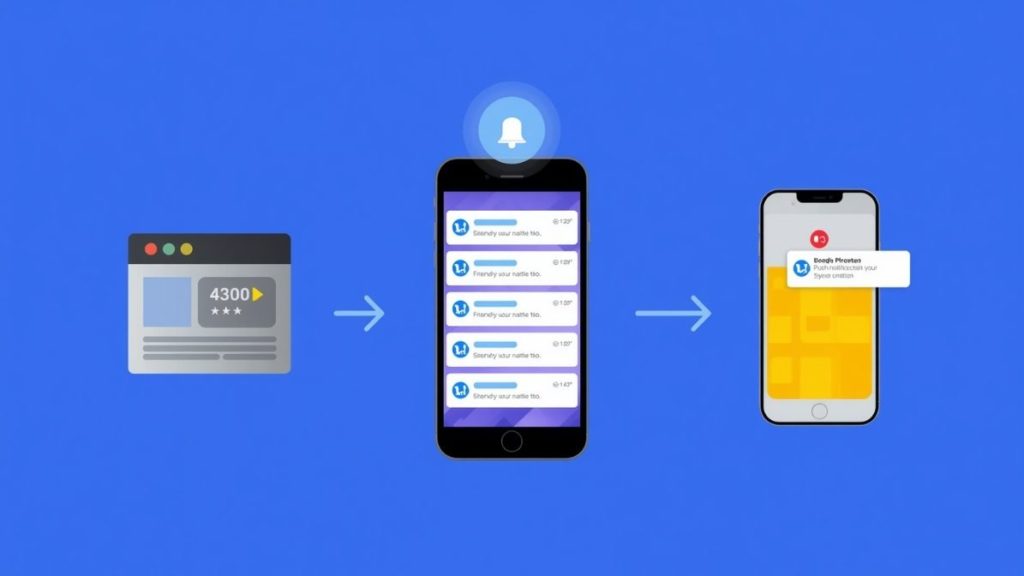
Why can’t my vibe-coded app send push notifications already?
Because tools like Lovable and Base44 build web apps, and a web app lives in a browser. Push notifications, the proper kind that land on the lock screen even when the app is closed, are a native mobile feature. Browsers have been inching towards web push for years, but on iPhones in particular the road is full of potholes.
Here is the bit that trips everyone up: On iOS, a web app can only send push notifications after the user manually installs it to their home screen, and even then there is no background sync and no App Store presence. A normal browser tab receives nothing, no matter how many times someone taps “allow”. So your growth plan turns into this: convince every user to find the share button, scroll to “Add to Home Screen”, tap it, then grant permission in a second step. Most people will not do step one, let alone all four.
“People are always surprised by this one. They assume push is a checkbox you flip on. On a raw web app it is not. It is a fiddly, half-supported feature that behaves differently on every phone, and on iPhone it barely counts. The moment you wrap the app natively, push just works the way people expect, on both stores, for everyone who taps allow. It is night and day.” David Hall, CEO AppBuild.diy
Do push notifications even matter that much?
Honestly, yes, and the numbers are not subtle. Push is the single cheapest way to drag a dormant user back into your app, and if you have spent any time building something you know that getting people to come back is the whole ballgame.
Look at the retention data. In one of the largest studies going, users who got push notifications in their first 90 days retained at roughly three times the rate of those who got none. Three times. That is not a marketing tweak, that is the difference between an app that grows and an app that becomes a graveyard of one-time downloads. When your web app cannot reliably send push, you are not missing a nice-to-have. You are missing the main lever for keeping anyone at all.
And it is not just retention. Push is how you tell a customer their order shipped, their booking is tomorrow, their favourite thing is back in stock, their streak is about to break. Take that channel away and you are left with email, which people ignore, and hope, which is not a strategy.
What actually happens when you “wrap” a vibe-coded app for push?
Right, this is the useful bit. Wrapping is not shoving your website into a phone-shaped frame and calling it a day. A proper native wrap connects your app to the real push systems that Apple and Google run, so your notifications go through the same pipes that Instagram and your banking app use.
In practice that means we register your app with Apple Push Notification service and Firebase Cloud Messaging (the plumbing behind iOS and Android push), handle the device tokens, wire up the permission prompt so it appears at a sensible moment rather than slapping people in the face on first launch, and give you a way to actually send the things. The user taps “allow” once, in the normal native way, and from then on your notifications land on the lock screen whether the app is open, closed, or forgotten at the bottom of a folder. No home-screen install ritual, no browser weirdness, no iPhone asterisks.
“The bit I love is watching someone send their first real push message. They built this clever app, they were proud of it, but it felt a bit trapped in the browser. Then we wrap it, they fire off a test notification, and it buzzes on their own phone on the sofa. You can see it land. That is the moment it stops feeling like a website and starts feeling like their app.” Max Irwin, AppBuild.diy
Can’t I just bolt push on myself with a plugin?
You can try, and some brave souls do. There are libraries and services that promise web push in a few lines, and if you are technical and patient you might get something working for Android. But you will still hit the iOS wall, still be at the mercy of the home-screen install problem, and still be debugging notification code that an AI wrote and nobody fully understands.
That is the quiet cost of vibe coding that nobody mentions up front. The code looks tidy and reads like a stranger wrote it in a hurry, with the same logic scattered in three places and no notes. Push is exactly the sort of feature where that bites, because it touches permissions, background behaviour, device tokens and platform-specific rules all at once. You fix one thing, another breaks, and a fortnight vanishes. Meanwhile the app you were excited about sits unlaunched.
The maths is simple. Your time is worth something, and the “quick” DIY route to push is neither quick nor reliable. Handing over the plumbing while you keep the part you are good at, the idea and the product, is usually the better trade.
What’s the right order: fix, wrap, then notify?
Yes, and the order matters more than people think. Fix first, wrap second, publish and notify third.
We start by going through your Lovable or Base44 app and sorting the niggles, the things that break on a real phone, the slow screens, the rough edges a demo hides. Then we wrap it as a genuine native app for iOS and Android, which is where push, offline behaviour, proper app navigation and home-screen presence all come from. Then we handle the actual App Store and Google Play submissions, certificates, provisioning and all, and get your notification system live so you can send from day one.
“Push is one of those things that has to be built in at the wrap stage, not stapled on later. We fix the app, wrap it so it behaves like a real native app on both platforms, get it through review, and set up push so it works for every user, not just the handful who jump through hoops. Same app you built, finished off properly, with the one feature that keeps people coming back switched on.” David Hall, CEO AppBuild.diy
Will wrapping change how my app looks or works?
No, and this is the reassuring part. Wrapping does not touch your design, your logic or your lovingly typed prompts. Your app looks and behaves exactly as you built it. What changes is everything around it: it now installs from the App Store and Google Play, it behaves like a native app, and it can send push notifications to real phones. Same face, proper body.
You did the creative, valuable 80 percent. The wrap is the boring, technical 20 percent that turns a promising web app into something you can actually launch, grow and notify. That is the whole service, and it is a lot less painful than the month you would spend fighting APNs and Firebase yourself.
Frequently asked questions
Can a Lovable or Base44 app send push notifications without being wrapped? Only in a limited way, and barely on iPhone. A web app can send web push, but on iOS the user has to install it to their home screen first, and there is no App Store presence or background sync. Wrapping natively gives you full push on both iOS and Android.
What is the difference between web push and native push? Web push runs through the browser and is patchy, especially on iOS. Native push runs through Apple Push Notification service and Firebase Cloud Messaging, the same systems every major app uses, so it is reliable, works when the app is closed, and reaches everyone who opts in.
Do I need an Apple Developer account to send push notifications? Yes, iOS push requires an Apple Developer account and some certificate setup, and Android needs Firebase configured. We handle all of that as part of wrapping and publishing your app, so you do not have to learn the plumbing.
Will adding push notifications get my app rejected by Apple? Quite the opposite. Push is one of the native features Apple looks for when judging whether an app does more than a website. Done properly at the wrap stage, it helps your app clear review rather than fail it.
How do you add Push Notifications to a vibe-coded app already built? That is exactly the job. Tell us what you made at appbuild.diy, we fix any issues, wrap it natively for iOS and Android, and set up push notifications so you can start bringing users back from launch day.
Built something clever with Lovable or Base44 and want it buzzing on real phones? That is what we do. Come and say hello at AppBuild.diy by AppInstitute and let’s get your app native, live, and sending notifications people actually open.
Last Updated on October 2, 2026 by Becky Halls
0 thoughts on “How Do You Add Push Notifications to a Vibe-Coded App?”