
Mobile app load testing ensures your app can handle high traffic without crashing or slowing down. Open-source tools are a cost-effective way to simulate user behavior, identify performance issues, and optimize your app’s scalability. Here’s a quick overview of the top tools:
- Apache JMeter: Java-based with a GUI for creating test plans. Supports multiple protocols but can be resource-intensive.
- Gatling: Code-first tool using Scala DSL. Efficient for high concurrency with detailed HTML reports.
- Locust: Python-based, lightweight, and event-driven. Ideal for real-time monitoring with a web UI.
- Tsung: Erlang-based, perfect for distributed testing and massive concurrency. Uses XML for configuration.
- k6: Go-based with JavaScript scripting. Designed for cloud-native workflows and modern protocols.
Quick Comparison
| Tool | Key Features | Best For | Limitations |
|---|---|---|---|
| JMeter | GUI, protocol support | Beginners, broad use cases | High resource usage |
| Gatling | Code-driven, efficient engine | High-load scenarios, APIs | Minimal GUI |
| Locust | Python-based, web UI | Real-time monitoring, scalability | Requires Python knowledge |
| Tsung | Distributed, protocol variety | Massive concurrency, real-time | Complex setup, no GUI |
| k6 | Go-based, CI/CD integration | Cloud-native, modern protocols | CLI-based, external reporting |
Choosing the right tool depends on your app’s architecture, protocols, and your team’s coding skills. For Python users, Locust is a natural fit. If you need modern protocol support, k6 or Gatling are strong options. For a GUI-based solution, JMeter is worth considering. Start with a tool that aligns with your needs and scale as your testing demands grow.
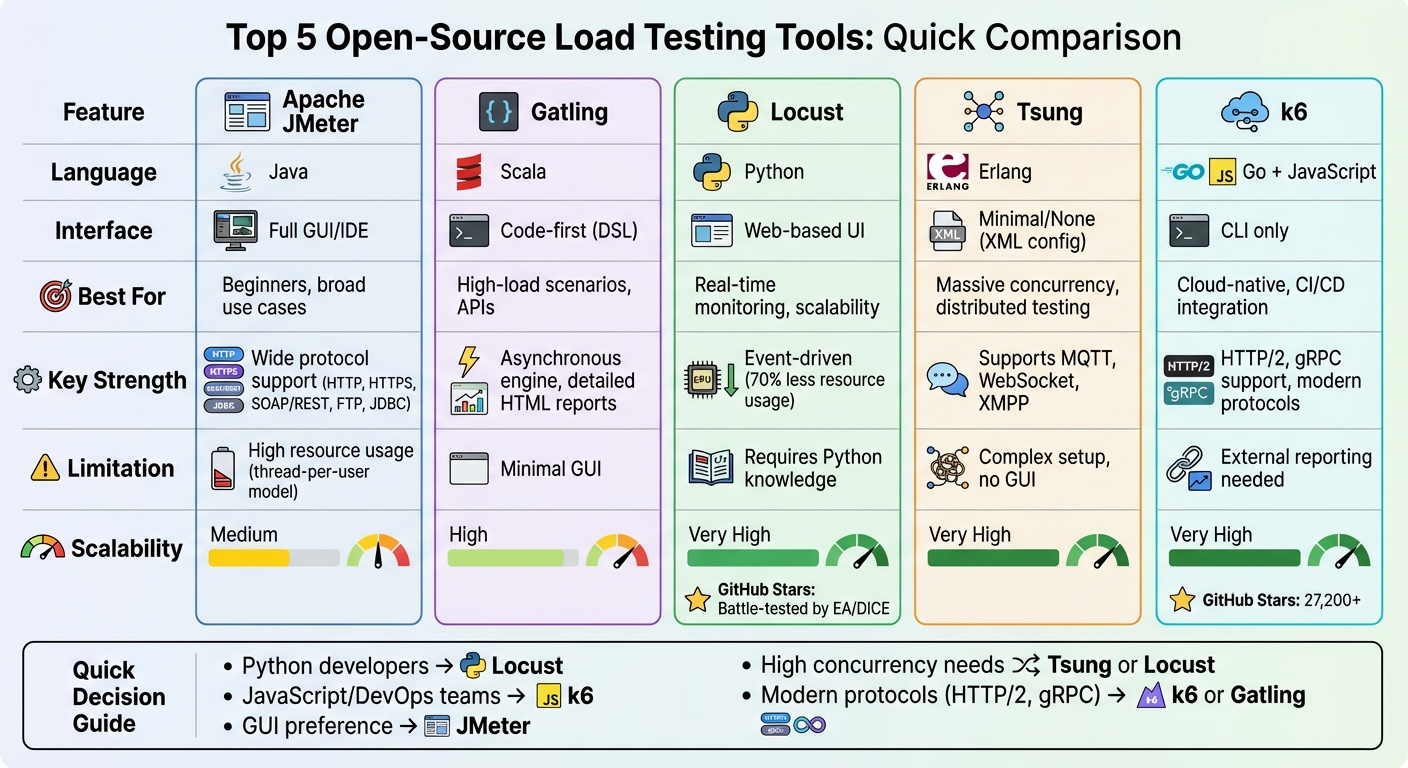
Open-Source Mobile App Load Testing Tools Comparison Chart
JMeter – How to test Mobile Applications (in 7 Steps)

sbb-itb-539ae66
Best Open-Source Tools for Mobile App Load Testing
Here’s a look at some of the most reliable open-source tools designed to tackle the unique challenges of mobile app load testing. Each tool brings something different to the table, whether you prefer GUI-based workflows or code-driven approaches that fit seamlessly into modern development pipelines.
Apache JMeter

Apache JMeter is a Java-based tool that supports a variety of protocols, including HTTP, HTTPS, SOAP/REST, FTP, and JDBC. Its built-in IDE allows you to record and debug test plans for native mobile apps or browsers without requiring any coding. However, JMeter’s thread-per-user model can place significant strain on memory and CPU during heavy loads. Keep in mind that JMeter operates strictly at the protocol level, meaning it doesn’t execute JavaScript found in HTML pages.
Gatling
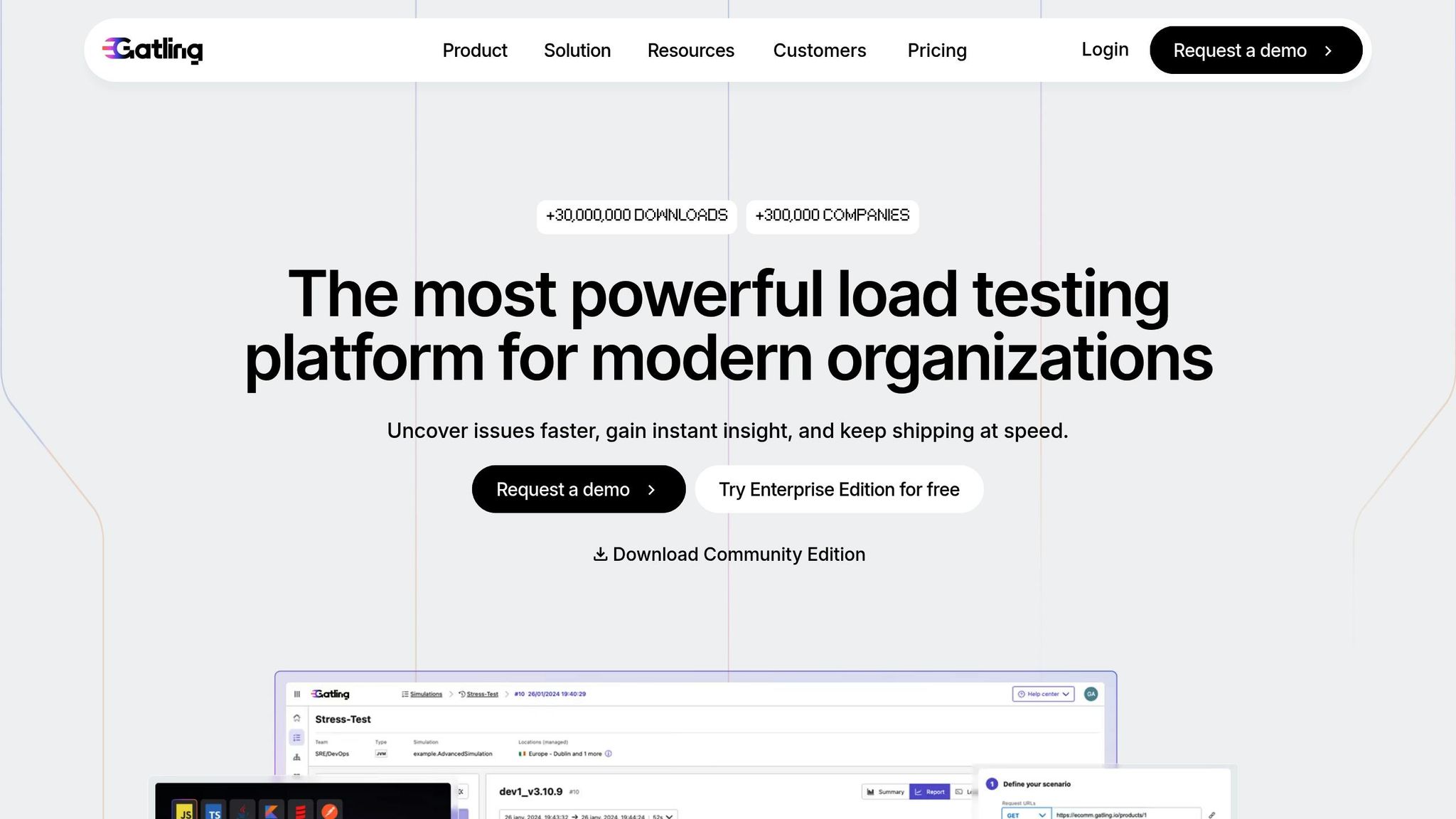
Gatling takes a code-first approach with its Scala-based Domain Specific Language (DSL) for writing test scripts. Its asynchronous, non-blocking engine – built on Scala, Akka, and Netty – handles high concurrency with impressive efficiency. After running tests, Gatling automatically generates detailed HTML reports, making it easy to pinpoint performance bottlenecks. While its GUI is minimal, Gatling includes a recorder that captures traffic and converts it into scripts. The tool is available as a free open-source version, but there’s also a commercial “Gatling Enterprise” edition for distributed testing and advanced capabilities.
Locust
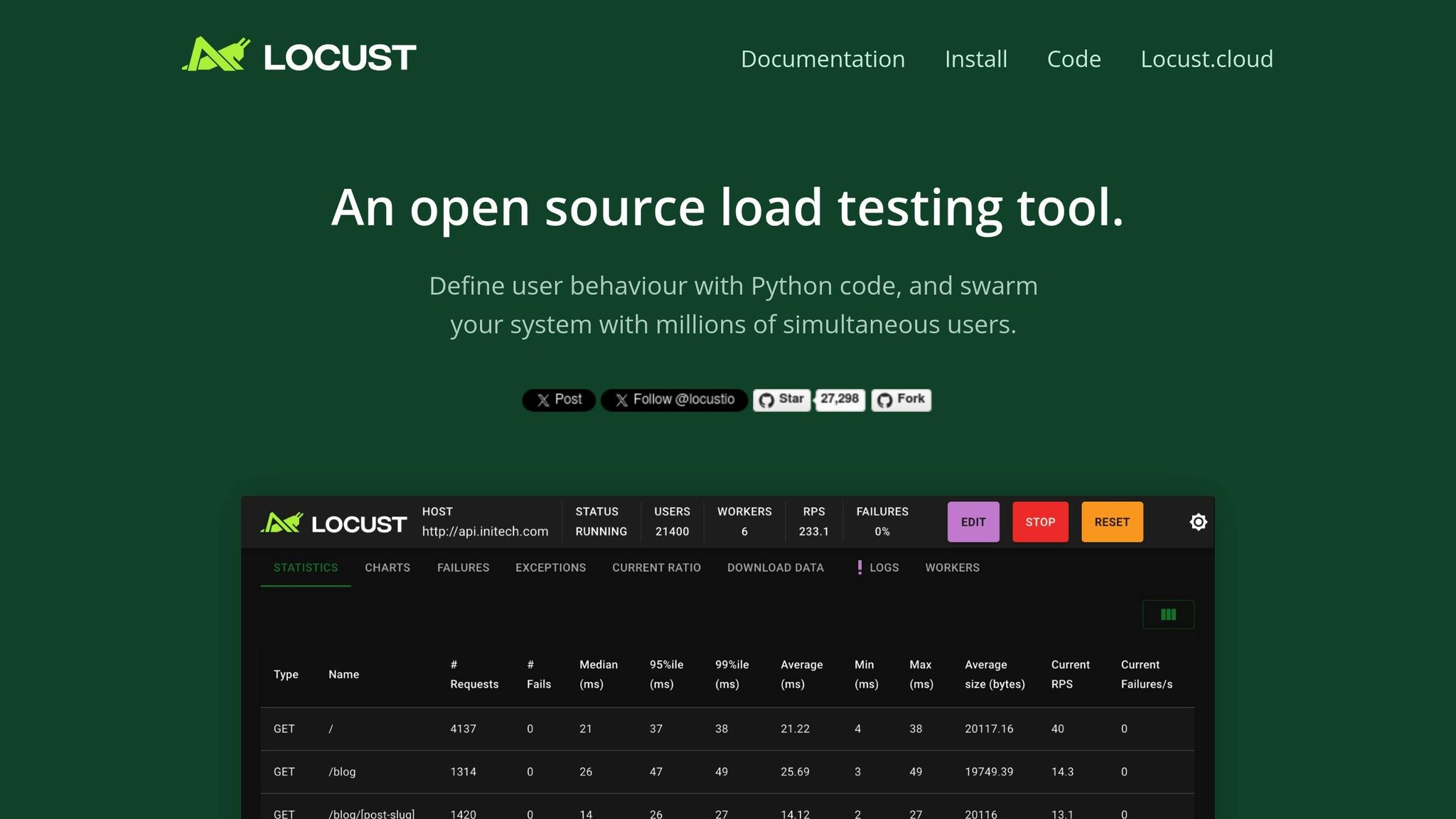
Locust stands out with its Python-based design, allowing you to define user behavior using plain code instead of XML or proprietary formats. Powered by a gevent event loop, Locust can simulate thousands of concurrent users with minimal resource consumption. In performance comparisons, Locust has demonstrated faster response times and higher average throughput than many other open-source tools when tested with 20 threads and 100,000 iterations. It also features a web-based UI for real-time monitoring and dynamic load adjustments. Locust has been battle-tested by companies like EA/DICE for large-scale projects like Battlelog. As Armin Ronacher, creator of Flask and Jinja2, put it: “I’m impressed not more people talk about Locust… The thing is awesome :)”. Locust is free under the MIT License, with optional commercial support available through Locust.cloud.
Tsung

Tsung is built with Erlang and excels in high-performance, distributed load testing scenarios. Its architecture is well-suited for simulating massive concurrency, even on mid-range hardware. Tsung supports several protocols commonly used in mobile and real-time applications, such as WebSocket, MQTT, and XMPP. Originally developed in 2001 for testing the Jabber (XMPP) protocol, it has since expanded to include HTTP and other modern protocols while retaining its distributed testing strengths. However, Tsung relies on XML configurations and lacks a graphical interface, which can make it harder for beginners to get started. The tool is completely free under the GPL license.
k6
k6 combines a Go-based engine with JavaScript (ES6) for scripting. This combination delivers high performance while keeping the syntax developer-friendly. Designed for cloud-native workflows, k6 integrates seamlessly into CI/CD pipelines and supports modern protocols like HTTP/2 and gRPC. With over 27,200 stars on GitHub, it has gained popularity among developers who appreciate its clean API and focus on usability. Although primarily command-line-based, k6 is well-suited for automation-heavy environments. A free open-source version is available, and additional features like managed scaling and advanced visualization can be accessed through Grafana Cloud k6. It’s an excellent option for teams looking to integrate performance testing into their DevOps processes.
Feature Comparison Table
Here’s a clear breakdown of the main features offered by these tools, along with insights into their strengths and use cases.
| Tool | OS Support | GUI Availability | Protocol Support | Scalability Model | Reporting Features |
|---|---|---|---|---|---|
| Apache JMeter | Cross-platform (Windows, Linux, macOS) | Full Test IDE (CLI recommended for load tests) | HTTP, HTTPS, SOAP/REST, FTP, JDBC, LDAP, Mail, TCP | Thread-per-user (resource heavy) | Dynamic HTML reports |
| Gatling | Cross-platform (any OS with JVM) | Recorder only (DSL-based execution) | HTTP, HTTPS, WebSockets, JMS, gRPC | Asynchronous, non-blocking (high efficiency) | Detailed static HTML reports |
| Locust | Cross-platform (any OS with Python) | Web-based UI for real-time monitoring | HTTP (extensible via Python for any protocol) | Event-based with greenlets (lightweight) | Real-time web UI and CSV exports |
| Tsung | Linux and Unix-like systems | Minimal/None (shell script-based) | HTTP, XMPP, LDAP, MQTT, SQL | Distributed Erlang architecture (very high) | Detailed metrics with live monitoring |
| k6 | Cross-platform (any OS with Go runtime) | CLI only (developer-centric) | HTTP/1.1, HTTP/2, WebSockets, gRPC | Go-based engine (very high performance) | CLI output with external backend integration (Grafana, Prometheus) |
Key Observations
JMeter relies on a thread-per-user model, which demands more CPU and memory. In contrast, Locust uses an event-driven approach that can cut resource usage by about 70%. This makes Locust a better fit for scenarios requiring tens of thousands of concurrent users, especially on limited hardware. For those seeking a balance between performance and modern protocol support, k6 and Gatling emerge as strong contenders. They excel in environments where HTTP/2 and gRPC testing are crucial, particularly in cloud-native setups.
When it comes to user interfaces, JMeter provides a comprehensive Test IDE, but running tests via CLI is often recommended for better performance. Locust, on the other hand, offers a web-based UI, allowing real-time adjustments to user counts and spawn rates during tests. This feature is particularly handy during exploratory testing phases.
For mobile app load testing, selecting the right tool depends heavily on your app’s architecture. If your app communicates through REST APIs or WebSockets, k6 and Gatling integrate seamlessly with modern development workflows. Meanwhile, Tsung stands out for its support of real-time protocols, making it a specialized choice for applications with unique requirements.
How to Choose the Right Load Testing Tool
What to Consider When Choosing a Tool
Selecting the right load testing tool depends heavily on your team’s technical expertise. For example, if your developers are fluent in Python, then Locust is a natural fit. Teams working in JavaScript might prefer k6, while those comfortable with Scala or Java will likely lean toward Gatling. On the other hand, if your team lacks strong coding skills, Apache JMeter offers a user-friendly GUI that allows you to create and record test plans without writing any code.
The architecture of your mobile app is equally important. Tools like k6 and Locust are particularly effective for testing APIs and microservices at the protocol level. Ensure the tool supports the specific protocols your app uses, such as HTTP/2, WebSockets, gRPC, or MQTT. For example, large-scale tests conducted by EA/DICE have shown Locust can handle simulations involving millions of concurrent users.
Scalability is another key factor. If your testing requires simulating massive user loads, look for tools that support distributed testing across multiple machines, such as Locust, JMeter, or Tsung. Additionally, consider resource efficiency. Tools like k6 (built with Go) and Tsung (based on Erlang) can handle high throughput with less hardware compared to Java-based tools.
Integration with CI/CD pipelines is also crucial for automated workflows. Modern tools like k6 and Gatling offer “test-as-code” capabilities, making them easy to integrate with platforms like Jenkins or GitHub Actions. Reporting needs should not be overlooked either – JMeter and Gatling provide detailed HTML reports out of the box, while k6 relies on external tools like Grafana or Prometheus for data visualization. These considerations help align your testing tool with your technical and performance goals.
Options for Small Businesses
For smaller teams with limited resources, there are plenty of practical and affordable choices. Apache JMeter is a strong option for teams without extensive coding experience, thanks to its intuitive GUI that lets you record test plans without writing scripts. If your team has basic Python skills, Locust offers a web-based UI for real-time monitoring and allows you to adjust load levels mid-test without stopping the process.
Managing multiple testing tools? Taurus simplifies the process by converting complex configurations into a unified YAML format, making it easier to switch between tools like JMeter and Locust. For businesses focused on API and real-time system testing, Artillery is another great choice. It uses simple YAML or JSON files for scenario definitions, keeping setup quick and straightforward.
However, keep in mind that while many tools are free, hidden costs can add up. You’ll need to budget for hardware or cloud resources to generate load, as well as the time required for initial setup. To streamline scaling, many open-source tools now offer commercial cloud versions, such as Locust.cloud, k6 Cloud, and BlazeMeter. These services take the hassle out of managing infrastructure, allowing you to focus on testing.
Conclusion
Thorough load testing plays a key role in ensuring mobile apps perform well under pressure. Picking the right open-source load testing tool often comes down to your team’s expertise and your app’s specific requirements. For developers fluent in Python, Locust is a natural choice. Teams working in JavaScript might lean toward k6 for its developer-friendly environment. On the other hand, Apache JMeter is a dependable option for those who prefer a GUI-based tool with broad protocol support, making it a versatile choice for non-coders.
The growing shift toward code-focused testing tools like k6 and Locust aligns with the increasing adoption of CI/CD pipelines. This is particularly important when you consider that poor app performance leads to 90% of users uninstalling the app.
Although these tools are free, they require resources for infrastructure, setup, and ongoing maintenance. Many teams benefit from starting with a single tool that matches their current capabilities, expanding their toolkit as their testing demands become more advanced.
Setting clear performance benchmarks and exit criteria is essential. It ensures that the data collected during testing leads to actionable insights rather than just filling dashboards with numbers. Whether you’re focusing on protocol-level API testing or simulating user actions with headless browsers, choose a tool that not only aligns with your team’s skills but also addresses the specific performance challenges your mobile app faces.
FAQs
What should I look for in a mobile app load testing tool?
When selecting a mobile app load testing tool, prioritize ease of use and flexibility. Tools that let you write test scripts in familiar programming languages like Python or JavaScript can streamline your workflow and make maintenance less of a hassle. It’s also helpful if the tool supports custom code and can mimic real mobile interactions effectively.
Another crucial factor is scalability. The tool should be capable of running large-scale tests with distributed execution while simulating realistic scenarios – think varying network speeds, different device types, and even GPS locations. This approach helps uncover performance issues on both the server and client sides.
Finally, focus on tools with robust reporting features and a strong user community. Clear dashboards, exportable performance metrics, and seamless integration with CI/CD pipelines can simplify tracking and automation. Plus, a tool backed by an active community and consistent updates is more likely to keep up with your evolving needs.
How can open-source load testing tools be used in CI/CD pipelines?
Open-source load testing tools are built to fit right into CI/CD pipelines, making it simple to automate performance testing as part of development. Tools like Locust and k6 can be run directly from the command line or within Docker containers, making them easy to integrate into CI/CD workflows.
Take Locust, for instance – it uses Python-based test scripts that you can version-control alongside your application code. On the other hand, k6 relies on JavaScript for its scripts and includes built-in thresholds to automatically determine if a job passes or fails based on metrics like response times or error rates. Both tools can output results in formats like JSON or CSV, which can then be used to create reports or feed into performance dashboards.
To integrate these tools into your pipeline, the process typically involves three steps:
- Add the tool or its Docker image to your CI environment.
- Run the test script with the load profile you’ve defined.
- Publish the results to ensure performance standards are met before progressing to the next stage.
This method works seamlessly with popular CI platforms like GitHub Actions, GitLab CI, Jenkins, and Azure Pipelines, enabling teams to keep a close eye on application performance without interrupting their workflows.
What are the benefits of using code-based load testing tools instead of GUI-based ones?
Code-based load testing tools let you craft test scenarios directly using a programming language, giving you the power to simulate user behavior in a way that feels closer to reality. With features like loops, conditionals, and access to third-party libraries, you can build test scripts that are not only flexible but also reusable. This approach moves beyond the limitations of pre-set options in graphical interfaces, offering a level of customization that’s hard to beat.
Another big plus is how well these tools support collaboration and automation. Since the tests are written in code, they can be version-controlled, reviewed, and edited just like any other piece of software. You can easily track changes, maintain scripts over time, and work seamlessly with your team. Plus, they integrate smoothly into CI/CD pipelines and can run across multiple machines, making them perfect for simulating large-scale user loads. For modern mobile app testing, they bring scalability, efficiency, and help streamline your workflows.
Related Blog Posts
- Top 7 Error Monitoring Tools for Cross-Platform Apps
- Top Tools for Mobile App Accessibility Testing
- How to Analyze App Test Results for Better Performance
- How to Stress Test Cross-Platform Apps
Last Updated on January 5, 2026 by Becky Halls
0 thoughts on “Best Open-Source Tools for Mobile App Load Testing”