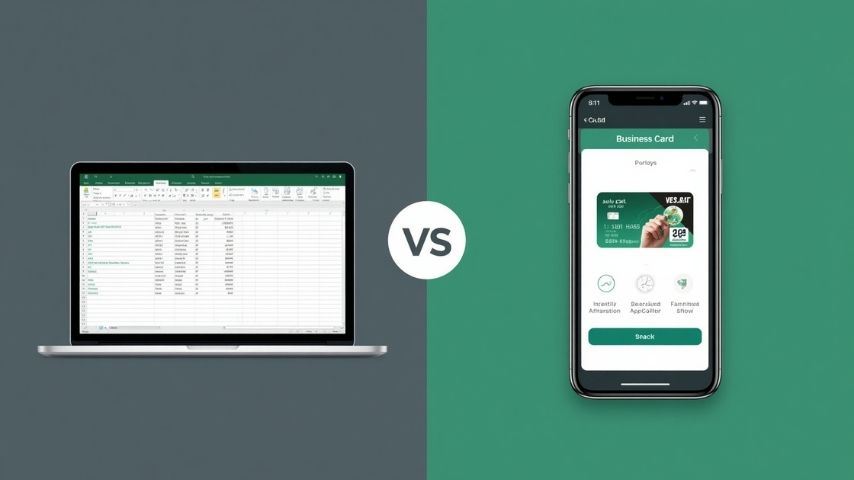
Here’s my AppBuild.diy vs Glide short version up top: Glide is one of the slickest tools around for turning a spreadsheet or database into a working app, fast, and teams love it for internal tools. But here’s what catches people out… Glide builds web apps and PWAs, not native apps you publish to the App Store and Google Play. AppBuild.diy does the native part, an app under your own brand on both stores, with loyalty and unlimited push built in, starting free, across 17 business types. So if you are building an internal tool off a spreadsheet, Glide is excellent. If you want a customer-facing app that lives on phones with a real store listing, I think AppBuild.diy is the one. Here is my honest take.
The 30-second version
- Glide is a hugely popular no-code tool that turns spreadsheets and databases into web apps and PWAs, great for internal tools and data-driven apps. Plans run from around $25/month (Maker) up to $249/month (Business), priced on apps, users and updates.
- AppBuild.diy is a no-code builder that publishes a native iOS and Android app under your brand, with loyalty, a shop, events and unlimited push, a free tier and AI-assisted setup, across 17 business types.
- Pick Glide if you want to turn data into an internal or web app quickly and do not need an App Store listing.
- Pick AppBuild.diy if you want a native, customer-facing branded app on both stores, with loyalty and push, starting free.
What Glide does well
Glide is genuinely one of the best at what it does, and I am glad to say so. Its strengths:
- Spreadsheet to app, fast, turning Google Sheets, Excel or a database into a working app with very little effort.
- Brilliant for internal tools, the kind of staff directories, trackers and dashboards a team needs yesterday.
- A clean, modern feel, with tidy layouts that look far better than a spreadsheet has any right to.
- Data at the centre, so apps that are really about records and lists come together quickly.
If your need is a data-driven internal tool or a quick web app, Glide does that genuinely well, and AppBuild.diy is not trying to be a spreadsheet-to-app engine.
Where AppBuild.diy goes further
Here is the honest read on Glide, and it is the thing I would want to know before signing up. Glide makes web apps and PWAs. A PWA can live on a home screen in a limited way, but it is not a native app with a real App Store and Google Play listing, and that difference matters a lot for a customer-facing business. AppBuild.diy is native from the start, and it carries the features a business actually sells with. That is the line between the two.
1. A real native app on both stores, not a PWA. AppBuild.diy publishes a genuinely native iOS and Android app under your brand, listed on the App Store and Google Play where customers look for it. That matters because Mobiloud reports app conversion rates running roughly three times higher than mobile websites, and a web app, however neat, still behaves like a website.
2. Loyalty and unlimited push built for customers. Glide is built around data and workflows. AppBuild.diy is built around bringing customers back, with native loyalty and unlimited push as standard. Business of Apps reports that users who receive push notifications are retained at roughly three times the rate of those who do not, and that is exactly the muscle a customer-facing app needs.
“Glide is superb for turning a spreadsheet into an internal tool, and I would happily recommend it for that,” says Becky Halls, Strategist at AppBuild. “But the moment you want a real app on the App Store, with push and loyalty bringing customers back, you have crossed into different territory. That is the bit AppBuild does, and you can start for free.”
3. A free tier and predictable, business-shaped pricing. Glide prices on apps, users and monthly updates, with overage charges that can creep up as you grow. AppBuild.diy is free to build and preview, then priced around your own branded app, with the business features included rather than metered.
4. It is built for 17 customer-facing business types. AppBuild.diy comes shaped for coffee shops, salons, gyms, clubs, radio, creators and more, and it can wrap existing Base44 and Lovable web projects into native store-ready apps. It is aimed squarely at businesses that want customers downloading their app, not just staff using a tool.
“Internal tools and customer apps are two different jobs, and I think mixing them up is where people waste money,” adds David Hall, CEO at AppBuild. “Keep Glide for your data tools. When you want a branded app on the stores with loyalty and push, build it native with AppBuild, free to start.”
Side-by-side comparison
| Feature | AppBuild.diy | Glide |
|---|---|---|
| What it is | A full branded app | Spreadsheet-to-app builder |
| Output | Native iOS & Android app | Web app / PWA |
| On the App Store & Google Play | Yes, under your brand | No native store path |
| Best for | Customer-facing apps | Internal tools & data apps |
| Digital loyalty rewards | Yes, native | Build it yourself |
| Unlimited push notifications | Yes, included | Limited on web/PWA |
| Pricing model | Free to start, business features included | Per apps, users & updates; overages |
| Range | 17 business types; wraps Base44/Lovable | Data-driven apps |
Features and pricing change frequently, so confirm current details with each provider before deciding.
The honest take
If you are turning a spreadsheet into an internal tool, a tracker or a data-driven web app, Glide is one of the best tools out there and I would point you to it without hesitation. For that job, it is fast, tidy and genuinely impressive.
But a web app or PWA is not a native app on the stores, and for a customer-facing business that gap is the whole game. If you want a branded app on the App Store and Google Play, with loyalty and unlimited push bringing people back, that is AppBuild.diy’s lane, and it starts free. Different jobs, different tools.
AppBuild.diy vs Glide – FAQ
Does Glide publish native apps to the App Store? Not as native apps in the usual sense. Glide builds web apps and PWAs. AppBuild.diy publishes genuinely native iOS and Android apps to the App Store and Google Play under your brand.
Is Glide better for internal tools? Yes, that is its sweet spot. Turning spreadsheets and databases into internal apps is where Glide shines. AppBuild.diy is aimed at customer-facing branded apps.
Which is cheaper to start? AppBuild.diy starts free to build and preview. Glide runs from around $25/month up to $249/month, priced on apps, users and updates, with overage charges. Always check current pricing.
Can AppBuild.diy do data-driven apps too? AppBuild.diy can include content, listings and connected data, but if your app is essentially a database front-end for staff, Glide may suit that better. For a customer app with loyalty and push, AppBuild.diy is the fit.
Do I need a developer? No. Both are no-code, and AppBuild.diy adds AI-assisted setup so you build and edit the app yourself.
AppBuild.diy vs Glide – The bottom line
Glide is the pick for turning spreadsheets into internal or web apps quickly. AppBuild.diy is the better fit when you want a native, customer-facing branded app on both stores, with loyalty and unlimited push, starting free.
Glide turns data into a tool. AppBuild.diy by AppInstitute turns your business into a native app. Start free with AppBuild.diy →
Last Updated on June 25, 2026 by Becky Halls
0 thoughts on “AppBuild.diy vs Glide: Native App or Spreadsheet Web App in 2026?”