If you run a restaurant or takeaway, you’ve probably had this moment.
A customer says:
“Do you have an app I can order from?”
You hesitate. Maybe you point them to a delivery marketplace. Maybe you say the website works fine.
But the reality is simple. Customers like ordering from apps. They open them faster, reorder more often, and tend to stay loyal to the businesses that make ordering easy.
The good news? Building your own food ordering app is no longer a complicated tech project. You don’t need developers, months of work, or a big budget.
With modern no-code tools, you can build a food ordering app quickly, often in less time than it takes to redesign a menu.
Let’s walk through how it works…
Why Restaurants Are Building Their Own Food Ordering Apps
Third-party delivery platforms helped restaurants get online fast. But they also come with downsides.
-
High commission fees
-
Limited access to customer data
-
Little control over branding
-
Difficulty building repeat customers
Your own restaurant ordering app solves these problems.
Instead of paying large commissions per order, customers order directly from you. Your branding stays front and centre, and you can communicate with customers whenever you want.
In our experience, restaurants often see higher repeat orders once customers start using their app. It simply becomes part of their routine.
What a Modern Food Ordering App Can Do
Before we get into how to build one, it helps to understand what today’s apps actually include.
A typical food ordering mobile app can provide:
-
Digital menu with images and descriptions
-
Secure online ordering
-
Collection or delivery options
-
Order tracking and notifications
-
Loyalty rewards and discounts
-
Push notifications for offers
-
Click-to-call or messaging
-
Easy re-ordering of favourite meals
We’ve seen many small takeaways launch an app with just their menu and ordering enabled, then add loyalty and offers later once customers start using it.
The key is to start simple.
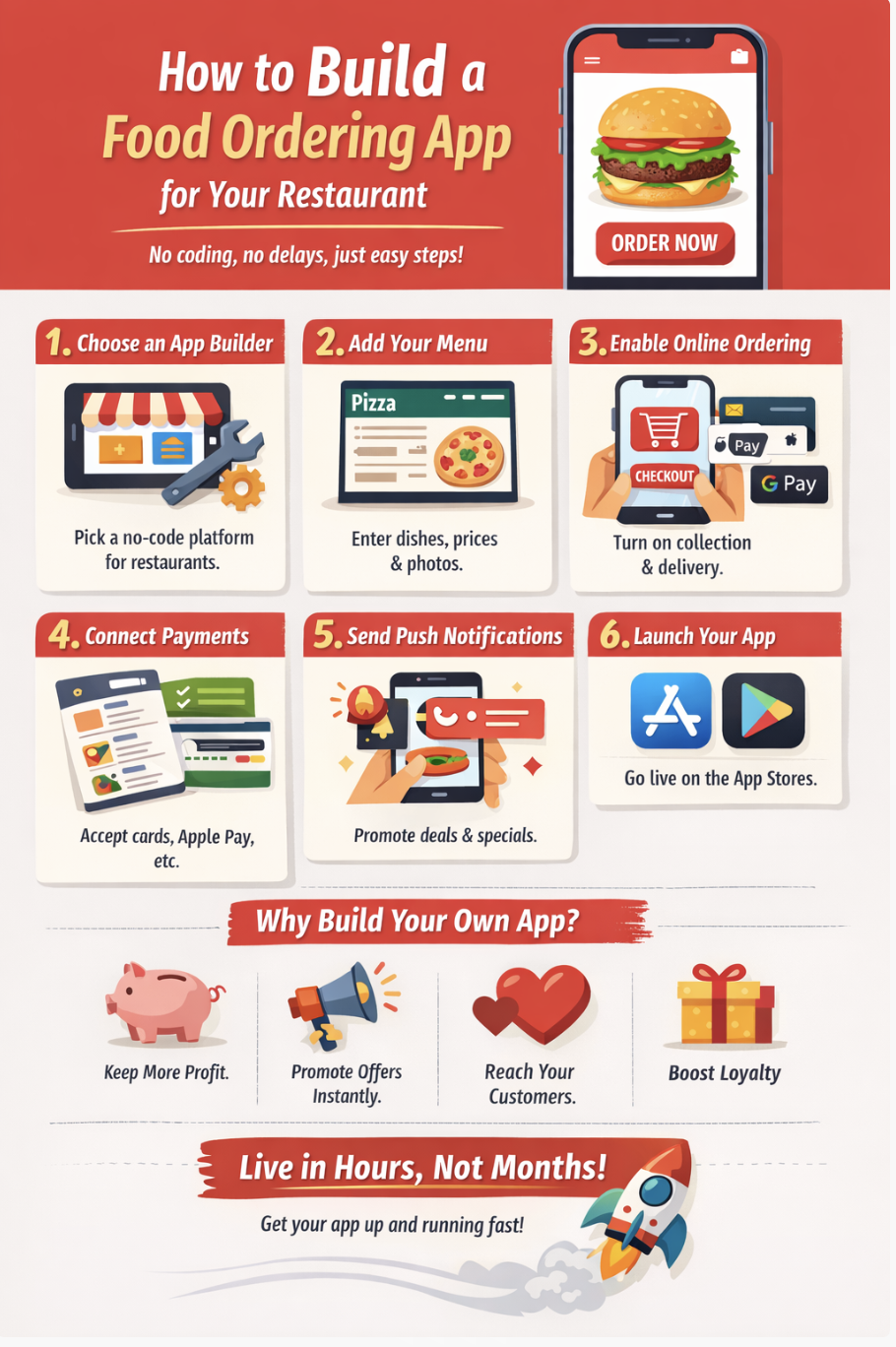
Step 1: Choose a Food Ordering App Builder
The first step is selecting the platform that will power your app.
Years ago, building an app meant hiring developers and writing code from scratch. Now, restaurant owners can use a food ordering app builder designed specifically for hospitality businesses.
These platforms provide ready-made templates and tools so you can create an app visually.
That means:
-
No coding required
-
Faster setup
-
Lower cost
-
Built-in ordering features
Instead of building technology, you focus on your menu and customers.
Step 2: Add Your Menu
This is usually the main setup step when you build a food ordering app.
Add your dishes with:
-
Dish names
-
Prices
-
Descriptions
-
Photos
Options can also include:
-
Size variations
-
Extra toppings
-
Meal deals or combos
Fast setup option
For first-time setup, you don’t necessarily have to enter everything manually.
On our platform, you can simply:
-
Upload a CSV file of your menu, or
-
Upload images or PDFs of your menu
The system can automatically read the menu and create the items for you.
That means your entire menu can often be added in minutes rather than typing each item one by one.
“In our experience, this is one of the biggest time-savers when restaurants build their first food ordering app.” AppBuild Team
Step 3: Enable Online Ordering
The core of any restaurant ordering app is the ordering system.
This allows customers to:
-
Browse the menu
-
Add items to their basket
-
Select delivery or collection
-
Pay securely
Orders can then be sent directly to the kitchen or point-of-sale system.
Many restaurants choose to start with collection orders only when they first build a food ordering app. Delivery can always be added later once the system is running smoothly.
Step 4: Set Up Payments
Customers expect simple and secure payments.
Most modern food ordering apps support:
-
Card payments
-
Apple Pay or Google Pay
-
Pay on collection
Once payments are enabled, orders can be processed instantly.
“In our experience, the smoother the payment experience, the more likely customers are to order again.” AppBuild Team

Step 5: Add Push Notifications
One of the biggest advantages of having your own app is communication.
Unlike social media or email, push notifications go straight to the customer’s phone.
Restaurants commonly use them to:
-
Promote special offers
-
Announce new menu items
-
Send lunchtime deals
-
Remind customers about loyalty rewards
We’ve seen restaurants fill quiet midweek evenings simply by sending a short push message offering a limited-time deal.
It’s one of the most powerful tools a food ordering mobile app provides.
Step 6: Launch Your App
Once your menu and ordering system are ready, the final step is launching the app.
Most food ordering app builders make this process straightforward.
Your app can be published to:
-
Apple App Store
-
Google Play Store
-
Progressive Web App (PWA) for instant access
Customers simply download the app and start ordering.
Some platforms even allow you to go live immediately with a web-based version while the app store listings are being approved.
That means you can start accepting orders almost right away.
How Long Does It Take to Build a Food Ordering App?
Restaurant owners are often surprised by the answer.
With modern tools, you can usually build a food ordering app in a single afternoon.
The process mainly involves entering your menu and configuring ordering settings.
In our experience, the longest part is often choosing menu photos rather than building the app itself.
The Biggest Advantage: No Barrier to Entry
One reason so many restaurants now build their own apps is the low barrier to entry.
You don’t need:
-
Technical knowledge
-
A development team
-
A large upfront budget
Many platforms allow you to create the app first and start using it immediately.
This means restaurant owners can test whether their customers like ordering through an app without taking on major risk.
Tips for a Successful Restaurant App Launch
Once you build a food ordering app, a few small steps can help it take off quickly.
Promote the App in Your Restaurant
Add simple messaging like:
“Download our app to order faster and get exclusive offers.”
Menus, packaging, and table cards work well for this.
Offer an App-Only Deal
Give customers a reason to install the app.
Examples include:
-
10% off first app order
-
Free drink with app purchase
-
Loyalty points for app users
Encourage Repeat Orders
Push notifications and loyalty rewards keep customers coming back.
In our experience, the restaurants that succeed most with their apps are the ones that actively use these features.
The app becomes part of their marketing.
The Future of Food Ordering
Customer expectations continue to change.
People increasingly expect to:
-
Order quickly
-
Pay digitally
-
Reorder favourite meals instantly
Restaurants that offer their own food ordering mobile app make this experience seamless.
Instead of relying entirely on third-party platforms, they create a direct connection with their customers.
And that relationship is often where the real long-term value lies.
Final Thoughts
If you’ve been wondering whether it’s worth creating an app for your restaurant, the answer is simpler than it used to be.
Today, you can build a food ordering app quickly, launch it without technical skills, and start taking direct orders from loyal customers.
No complex development.
No long delays.
Just a straightforward way to make ordering easier for the people who already love your food.
How to Build a Food Ordering App – FAQ
How much does it cost to build a food ordering app?
Costs vary depending on the platform, but modern no-code builders make it possible to create a restaurant app without hiring developers. Many services offer affordable monthly pricing rather than large upfront costs.
Can I build a food ordering app without coding?
Yes. A food ordering app builder allows restaurant owners to create apps visually using templates and simple configuration tools. No coding knowledge is required.
How long does it take to build a restaurant ordering app?
Most restaurant owners can build a food ordering app in a few hours once their menu and images are ready.
Can a takeaway app accept online payments?
Yes. Modern food ordering apps support secure online payments including cards and digital wallets.
Do customers actually use restaurant apps?
Yes. Many customers prefer apps because they make reordering quick and convenient. Apps also allow restaurants to send offers and loyalty rewards, which encourages repeat visits.
Last Updated on March 12, 2026 by Becky Halls
0 thoughts on “How to Build a Food Ordering App for Your Restaurant in an Afternoon”