You had your big idea on a Tuesday, maybe your own, maybe a fully worked one borrowed from somewhere like Prompt-King’s library of AI app-builder blueprints. By Thursday, Lovable (or Base44, or Bolt, or Cursor) had spat out a working app, and you sat there grinning at the screen like you’d just invented fire. It logs in, saves data, and even has a dark mode you didn’t ask for. Surely this vibe-coded project is ready for the App Store??
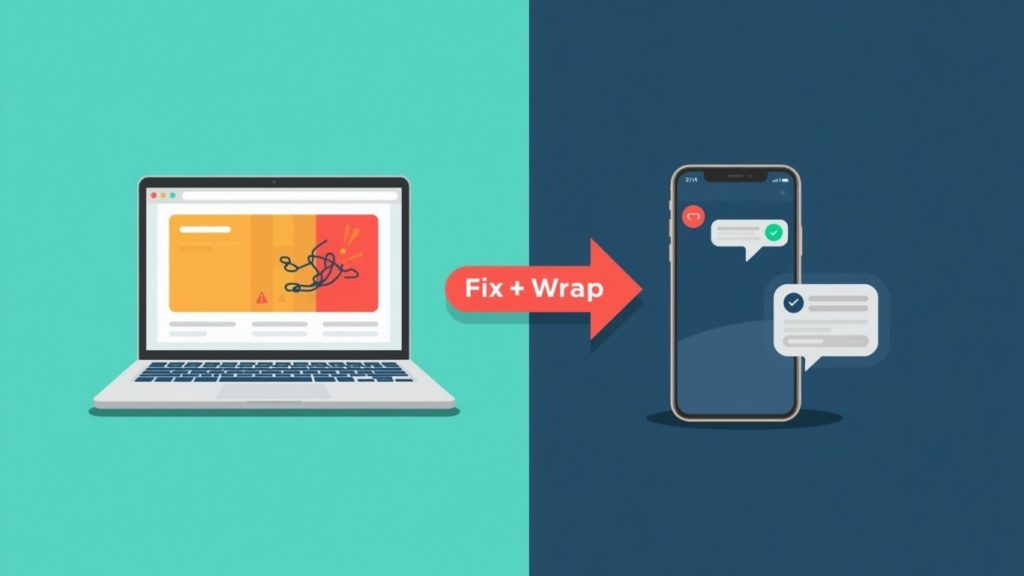
Slow down, tiger. There is a big gap between “it works on my laptop” and “it survives real humans, real phones and Apple’s review team.” Vibe coding is brilliant for getting from zero to something. It is much less brilliant at the boring, invisible plumbing that stops your app leaking data, crashing on an iPhone, or getting bounced from the store. That is exactly the gap AppBuild.diy plugs: we fix the niggles in your vibe-coded app first, then wrap it into a proper native iOS and Android app you can actually publish.
So before you hit launch, let’s run through what usually needs fixing…
Why do vibe-coded apps break when real people use them?
Here’s the thing nobody tells you when the AI hands over your shiny app: it optimised for “looks finished,” not “is finished.” The demo works because you clicked the buttons in the order the AI expected. Real users do not read the script. They tap back three times, lose signal on a train, paste an emoji into a phone-number field, and generally treat your app like a toddler treats a house plant.
That gap is not a rumour, it’s measured. Roughly 63% of people building apps with vibe coding and AI app builders have no coding background, which is fantastic for democratising software but does mean the safety net of “someone who knows what a race condition is” often isn’t there. The AI won’t flag it either, because it will happily generate confident code that runs perfectly and does entirely the wrong thing, with no error to warn you.
“The apps that get built in a weekend are amazing,” says Ian at AppBuild.diy. “But the last 10% is where the money and the reputation live. That’s the login that actually keeps people out, the payment that actually takes the money, the form that doesn’t fall over. AI gets you 90% there fast, then stops caring about the part that matters most.”
What are the most common bugs in a vibe-coded app?
Almost every AI-built app we see arrives with a familiar set of gremlins. The usual suspects:
Exposed API keys and secrets. The AI drops your Stripe or database keys straight into the front-end where anyone with a browser can read them. This is the digital equivalent of taping your house key to the front door.
Fake authentication. It looks like a login screen. It behaves like a login screen. It does not actually stop a determined user from viewing everyone else’s data, because it checks who you are but forgets to check what you’re allowed to see.
Zero error handling. When something goes wrong, the app just… stops. No message, no recovery, just a white screen and a confused customer.
Broken payments and unvalidated inputs. Prices that can be edited in the browser, forms that accept nonsense, and checkout flows that work right up until real money is involved.
The scale of this is genuinely eye-watering. Q1 2026 research pulling together five independent studies found that 91.5% of vibe-coded apps carry at least one security flaw. Not “might have.” Do have. Security firm Tenzai even built 15 identical apps across popular vibe-coding tools and found 69 vulnerabilities between them, six of them critical. So if your app has a niggle or two, you are in extremely normal company.
Will my app work properly on an actual phone?
This is the one that catches everyone. Vibe-coding tools build web apps. They render beautifully in a desktop browser, which is where you tested them, so of course you think you’re done.
Then you open it on a phone and the buttons are tiny, the keyboard covers the input box, the “sticky” header isn’t sticky, and there’s no way to get a home-screen icon or a push notification. A web app in a browser tab is not a native app, and customers can tell the difference in about four seconds.
“People fall in love with the idea on their laptop and forget the whole point is a phone,” says Becky at AppBuild.diy. “It’s like designing a gorgeous kitchen and only realising at the end that the fridge door won’t open. The layout needs to be built for a thumb, not a mouse, and half the time the vibe-coded version simply hasn’t been tested that way.”
Fixing mobile layout, touch targets, offline behaviour and performance is a big part of the “fix the niggles” work. Get this right and the app feels premium. Skip it and it feels like a website wearing a fake moustache.
Why does Apple keep rejecting AI-built apps?
Because Apple got wise. Through 2026, review teams started bouncing apps that are really just a website in a thin native shell, citing the minimum-functionality guidelines. If your “app” is a webview pointing at your Lovable URL with nothing native about it, expect a rejection email and a bruised ego.
The fix is not to give up on native. It’s to build it properly: real native navigation, proper offline states, push notifications, the home-screen presence, and a functioning app underneath. That’s the difference between a lazy wrap that gets rejected and a proper wrap that sails through. We handle the App Store and Google Play publishing side too, so you’re not learning Apple’s provisioning profiles at 2am.
Should I just fix it myself, or get it wrapped?
Honestly, you can try to fix it yourself, and some people do. But be warned: debugging AI-generated code is a special kind of pain. In one survey, 63% of developers said they’d spent more time debugging AI-generated code than writing it themselves would have taken. You built the thing in a weekend to save time. Spending three weeks hunting a race condition rather defeats the point.
“The smart move is to let the AI do what it’s brilliant at, which is the first draft, then hand the launch-critical bits to someone who does this every day,” says David at AppBuild.diy. “You keep the speed and the low cost, you just don’t bet your reputation on the 10% the robot skipped. We audit it, fix the security and mobile issues, wrap it for iOS and Android, and get it live.”
That’s the AppBuild.diy pitch in a sentence: you bring the vibe-coded app, we make it safe, mobile-ready and publishable. You can get started at appbuild.diy and go from “browser tab” to “in the app stores” without hiring a dev team.
What’s the quick pre-launch checklist?
Before you even think about shipping, run through these:
- Move every API key and secret out of the front-end. Nothing sensitive should be readable in the browser.
- Test the login by trying to see someone else’s data. If you can, so can a stranger.
- Break it on purpose. Bad inputs, no internet, wrong password. It should fail gracefully, not vanish.
- Open it on three real phones, not just the desktop preview. Old Android included.
- Check the money path end to end with a real (small) transaction.
- Decide native versus web honestly. If it’s a business, native wins on trust, push and store presence.
If any of those made you wince, that’s your niggle list. And that’s the bit we sort before wrapping.
Is my vibe-coded app ready – FAQ
Can AppBuild.diy fix an app I built on Lovable or Base44?
Yes. Lovable, Base44, Bolt, v0, Replit, Cursor: if it’s a vibe-coded web app, we can audit it, fix the common issues, and wrap it into a native iOS and Android app ready for the App Store and Google Play.
Do I need to know how to code?
No. That’s rather the point… You build (or vibe-code) the idea, we handle the launch-critical engineering and publishing.
Is my vibe-coded app safe to launch as-is?
Statistically, probably not without a check. With over 90% of vibe-coded apps carrying at least one security flaw, a quick audit before launch is cheap insurance against a very expensive mistake.
Is a wrapped app a “real” native app?
When it’s done properly, yes. Proper native navigation, push notifications, offline handling and a home-screen icon, not just a website in a shell. That’s also what keeps it from being rejected by Apple.
How long does it take until my vibe-coded app is ready?
Far less time than debugging it yourself or rebuilding from scratch. The app already exists, so we’re fixing and wrapping, not starting from a blank page.
Build fast with AI, absolutely. Just don’t confuse “it runs” with “it’s ready.” Fix the niggles, wrap it properly, then launch with your chest out.
Last Updated on October 2, 2026 by Becky Halls
0 thoughts on “Is my vibe-coded app ready to launch? The bugs to fix before you ship it”