You had the idea at 11pm, opened Lovable or Base44, typed a few sentences, and by midnight you had a working app! Genuinely magic! Then the next morning a slightly annoying question showed up and refused to leave: is this thing a website, an app, or a website wearing an app costume? And when you go to launch it properly, do you turn it into a PWA or a real native app on the App Store and Google Play?
If you have been Googling “PWA vs native app” at 1am, this one is for you. Let’s clear up what these words actually mean, when each one is the right call, and how to get your AI-built app onto people’s phones without losing your mind (or your weekend).
What is a PWA, and what is a native app anyway?
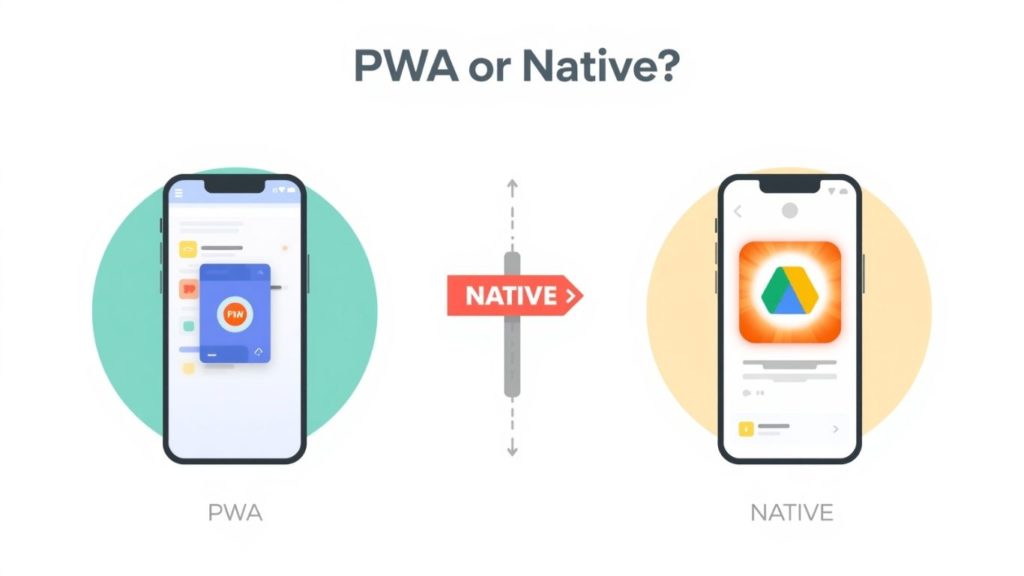
A PWA (progressive web app) is your web app with some upgrades. It can be “added to home screen” so it gets an icon, it can work a bit offline, and on modern phones it can even send push notifications. But under the bonnet it is still running in the browser engine. It lives on the web and pretends, quite convincingly, to be an app.
A native app is the real deal that installs from the Apple App Store or Google Play. It gets a proper home on the phone, taps into the good stuff (smooth performance, reliable push, camera, biometrics, the lot), and sits in the app stores where people go looking for apps.
Here’s what you need to know when you are vibe-coding: most AI builders spit out a web app. That is brilliant for speed and testing, but a raw web build is not automatically ready for the App Store. Which is exactly the fork in the road you are standing at.
“The tool built you a fast web app, and that is great,” says Ian at AppBuild.diy. “But a web app and a native app are two different things. The question is never really PWA vs native. It is: what does this app need to do for the people using it, and where do they expect to find it?”
Is a PWA good enough for my vibe-coded app?
Sometimes, yes. Let’s not be snobs about it.
If your app is a simple internal tool, a quick MVP to show a client, a hobby project, or something you just want a handful of people to poke at, a PWA is a perfectly sensible first step. It is cheaper, there is no app store review to sit through, and updates go live the second you push them. For casual, low-stakes stuff, that is a lovely deal.
PWAs have also got a lot better. Push notifications now work on iPhones (Apple added web push in iOS 16.4), so the old “PWAs can’t notify iPhone users” complaint is mostly retired.
But there is a ceiling, and you hit it faster than you think.
When does a PWA start to hurt?
Here is where the honeymoon ends for a lot of people.
Discovery is the big one. Your customers look for apps in the App Store and Google Play. A PWA is not there. You cannot say “download us from the App Store” because there is nothing to download. You are stuck sending people a link and hoping they remember the fiddly “add to home screen” dance, which roughly nobody does on the first try.
Then there is trust and stickiness. An icon that someone deliberately installed from a store gets opened. A bookmark gets forgotten. And the usage gap is not small: people spend around 94% of their smartphone time inside native apps and less than 6% in the mobile browser, according to Mobiloud’s 2026 data. If your whole plan lives in that 6% slice, you are fighting uphill in the dark.
Performance and polish matter too. That tiny lag, the scroll that is not quite buttery, the login that logs you out at the worst moment: on a web build these niggles get amplified on a real phone, and users are brutal about it.
“I always ask people one thing,” says Becky at AppBuild.diy. “Is this a project or a business? If it is a business, your customers need to find you where they already look, which is the app store. A link in a text message is not a shop front. An app store listing is.”
PWA vs native app: which one converts better?
Ah, the money question. And the honest answer has a twist.
You will see stats claiming PWAs “convert 36% higher,” and there is truth in there, but it is a bit of a magic trick. PWA traffic includes loads of casual browsers who wandered in. Native app users have already put their hand up and installed something, so of course they buy more. Comparing the two straight is a bit like comparing browsers to buyers.
What is less debatable is engagement. Native apps convert at roughly 3x the rate of the mobile web, and app users clock about 201.8 minutes a month in-app versus a measly 10.9 minutes on mobile web, per Mobiloud’s comparison. If you want people coming back again and again (and you do, because that is where the revenue lives), native is built for exactly that.
The pattern most sensible people land on: PWA to test the idea cheaply, native to actually grow the business.
Why not just wrap my web app into a native app?
Now we are talking. This is the sweet spot, and it is exactly what we do at AppBuild.diy by AppInstitute.
Wrapping means we take your vibe-coded app (Lovable, Base44, Bolt, v0, Replit, whatever you used) and package it into a proper native app for iOS and Android that publishes to the App Store and Google Play. You keep the app you already built and love, and it gains a real home on the phone, proper push notifications, an app store listing, and the native feel people expect.
But (and this is the important but) a lazy wrap is a fast route to rejection. Apple has been clamping down on thin apps that are just a website in a shell, and vibe-coded apps are getting caught in that net. So we do not just shove your web build in a box and cross our fingers.
First we help fix the niggles: the wobbly login, the forms that misbehave on mobile, the layout that breaks on a small screen, the offline behaviour, the performance stutters. We sort those out before wrapping, so the finished app clears review and, more importantly, does not embarrass you in front of real users. Fix first, wrap second, publish third.
“Vibe-coding gets you 80% of the way in an evening, and that last 20% is where the phone stuff lives,” says David at AppBuild.diy. “Push that works, a layout that behaves, an app store listing that gets approved. That is the gap we close. You bring the idea and the build, we get it onto phones properly.”
Is native worth it if I built the app for basically nothing?
Fair challenge. You made the app with AI for pocket change, so paying to ship it can feel odd.
But look at the scale of what is happening. The vibe-coding market hit an estimated $4.7 billion in 2026, and Lovable alone has passed 50 million projects with around a million new ones every week, according to FindSkill.ai’s 2026 roundup. Translation: a tidal wave of AI-built web apps is being created. The ones that become actual businesses are the ones that make the jump to real, findable, native apps. Building it was the easy part now. Standing out is the game, and “findable in the app store, works like a proper app” is how you stand out.
You did the hard, creative bit. Wrapping it neatly for mobile is the small, sensible step that turns a clever demo into something people download, keep, and pay for.
So what should I actually do next?
Quick decision guide, no waffle:
Building a quick test, an internal tool, or a hobby thing for a few people? A PWA is a fine, cheap start. Crack on.
Building something you want strangers to find, trust, download, and come back to? You want native, and the fastest path there is to wrap your existing vibe-coded app rather than rebuild it from scratch.
Not sure which camp you are in? Come and have a chat at appbuild.diy. Show us what you built with AI, and we will tell you honestly whether a PWA does the job or whether wrapping it into a native app is the move. No rebuild, no dev team, no five-figure quote.
PWA vs native app – FAQ
Can you turn a Lovable or Base44 app into a native app? Yes. That is the core of what we do. We take your vibe-coded web app, fix the mobile niggles, then wrap it into a native app for iOS and Android and handle publishing to the App Store and Google Play.
Is a PWA the same as a native app? No. A PWA is a web app with an icon and some app-like features, running in the browser engine. A native app installs from the app stores and behaves like a true phone app. They can look similar and feel very different.
Do PWAs work on iPhone in 2026? Mostly yes. Apple added web push in iOS 16.4, so PWAs can now send notifications to iPhones. They still cannot be listed in the App Store, which is the bigger limitation for most businesses.
Will Apple reject my AI-built app? It can, if the app is just a thin website in a wrapper with little real functionality. That is why we fix the issues and make sure it behaves like a genuine app before submitting, so it clears review.
Do I need to know how to code to get my app wrapped? Not at all. You built it with AI, we handle the wrapping and publishing. No coding and no dev team required on your side.
PWA or native for an e-commerce or booking app? For anything where people buy, book, or come back regularly, native almost always wins on engagement and repeat use. A PWA can be a decent testing phase, but native is where the revenue and retention sit.
Ready to get your vibe-coded app off the web and onto phones properly? Head to appbuild.diy and let’s have a look at what you have built.
Last Updated on October 2, 2026 by Becky Halls
0 thoughts on “PWA vs Native App: You Built an App With AI, So Which Way Do You Actually Ship It?”