
Educators and schools are increasingly using no-code platforms to create custom gradebook apps, saving both time and money. These tools allow teachers to build apps without coding, offering features like real-time updates, mobile access, and integrations with existing systems. Here’s a quick overview of five popular platforms:
- AppInstitute: Ideal for creating mobile apps with iOS/Android and PWA support. Pricing starts at $49/month.
- Adalo: Great for designing visually appealing apps with custom workflows. Plans begin at $45/month.
- Glide: Perfect for turning spreadsheets into apps quickly. Starts at $60/month.
- Bubble: Offers advanced customization for complex needs but has a learning curve. Pricing starts at $32/month.
- Google AppSheet: Best for Google Workspace users, with pricing starting at $5/user/month.
“We’ve seen no-code gradebook apps succeed because educators understand their workflows better than any developer. No-code tools let teachers build exactly what they need without translating requirements through a technical middleman.” Ian Naylor, Founder of AppInstitute
Each platform serves different needs, from simple spreadsheet-based apps to fully-featured mobile solutions. Below is a comparison to help you choose.
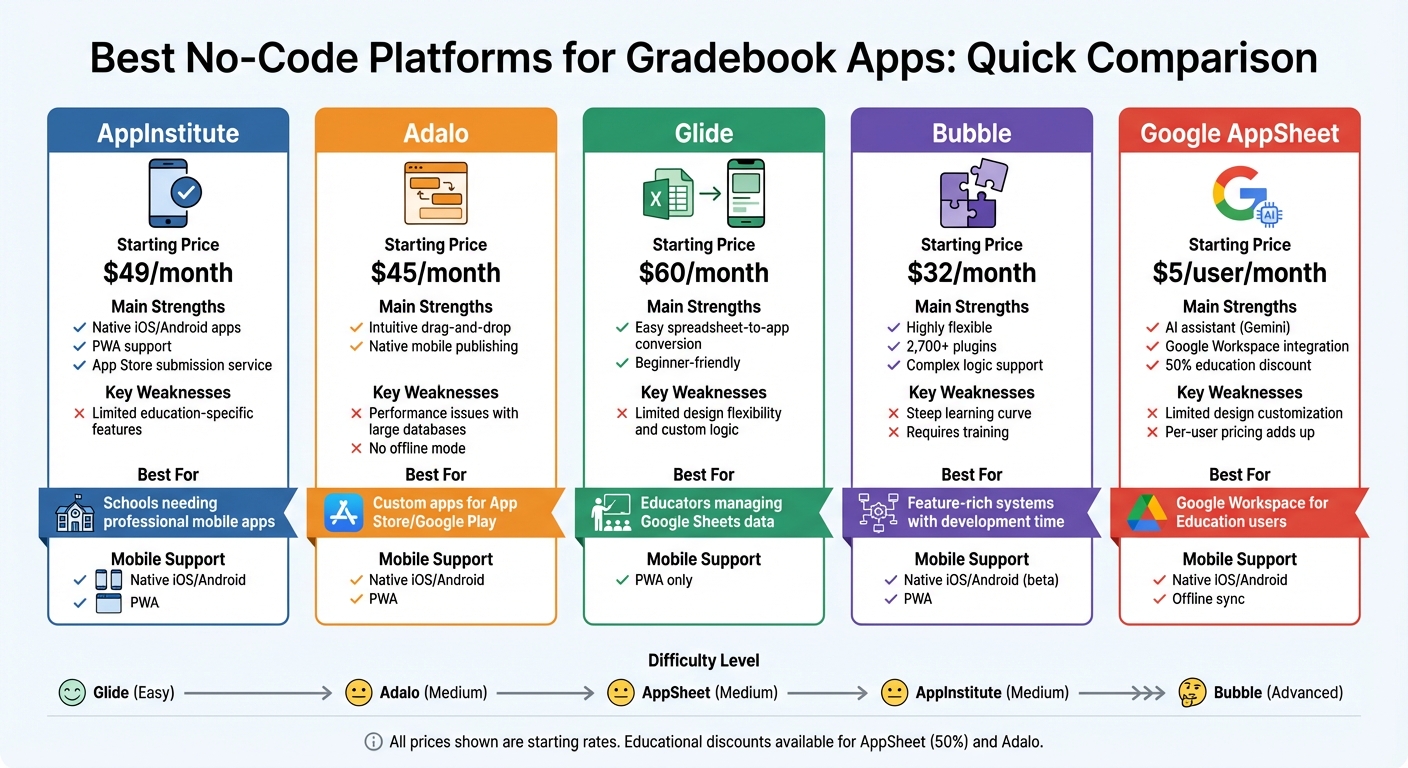
No-Code Platforms for Gradebook Apps: Feature and Price Comparison
Build a School Management System in Minutes Using Free Copilot

Quick Comparison
| Platform | Strengths | Weaknesses | Best For | Starting Price |
|---|---|---|---|---|
| AppInstitute | Native apps, PWA support, templates | Limited education-specific features | Schools needing mobile apps | $49/month |
| Adalo | Drag-and-drop, native publishing | Performance issues with large data | Custom apps for App Store/Play | $45/month |
| Glide | Easy to use, spreadsheet integration | Limited design flexibility | Spreadsheet-based apps | $60/month |
| Bubble | Advanced customization, plugins | Steep learning curve | Complex gradebook systems | $32/month |
| AppSheet | Google Workspace integration, AI tools | Limited design options | Google users | $5/user/month |
Choose the platform that aligns with your technical skills, budget, and app requirements.
1. AppInstitute
AppInstitute is a great option for educators looking to create gradebook apps without diving into coding. It works across iOS, Android, and Progressive Web Apps (PWAs), giving teachers the flexibility to reach users on various devices. PWAs, in particular, act like native apps but run directly in a browser, skipping the need for app store downloads. Teachers can simply share a web link or QR code, allowing students and parents to access the gradebook instantly from their phones, tablets, or computers.
Customization Options
With its drag-and-drop editor and templates designed specifically for education, AppInstitute makes customization simple. Teachers can tailor the app to track letter grades, percentages, or standards-based assessments. Additional features like push notifications and user management make it easy to send grade updates or assignment reminders right on time.
“In our experience, the biggest advantage of no-code gradebook apps is how quickly they can be adapted. When grading criteria or class structures change, updates can be made immediately instead of waiting weeks for development changes.” Ian Naylor, Founder at AppInstitute
Mobile and PWA Support
The platform’s Progressive Web App option stands out by enabling real-time updates from anywhere. For educators who prefer larger screens, the premium plan includes support for iPads and Android tablets, making it a versatile tool for classroom management.
Pricing
AppInstitute keeps its pricing straightforward with three tiers:
- Instant plan: $49/month, offering a Progressive Web App with push notifications and user management.
- App Stores plan: $99/month, adding full iOS and Android app store publishing along with submission support.
- App Stores Premium plan: $149/month, which includes tablet optimization, dedicated account management, and a “Hire A Pro” service for custom development.
With monthly billing and no long-term contracts, this platform fits well into academic budgets. Up next, we’ll see how other platforms compare in terms of customization, mobile support, and pricing.
2. Adalo
Adalo simplifies app creation with its drag-and-drop interface, making it easy for educators to design apps without any coding knowledge. Teachers can effortlessly add elements like lists, buttons, and forms, while the platform’s built-in relational database takes care of more complex tasks. For instance, it can link students, assignments, and classes through custom collections, which is perfect for tracking grades. Educators can even set up custom formulas to calculate GPAs automatically or use conditional logic to trigger actions, such as sending push notifications when a student’s grade falls below a certain threshold. These tools help streamline grade management and keep everyone informed.
Customization Options
Adalo’s visual editor allows schools to fully tailor their apps to reflect their branding. You can customize fonts, colors, and logos to align with your institution’s identity. Beyond the basics, Adalo’s component marketplace offers additional tools like QR code readers for attendance and progress trackers to visualize student performance. The platform also supports automated workflows – for example, you can set up email notifications for parents when final grades are posted or connect external APIs to import data seamlessly.
Mobile and PWA Support
Adalo offers flexible publishing options for apps, including native iOS and Android apps available on the Apple App Store and Google Play, Progressive Web Apps (PWAs) that can be accessed via a link or QR code, and responsive web apps. Native apps also enable access to device-specific features like cameras for scanning documents or GPS for location-based attendance. Recent updates have improved performance, even on older devices, ensuring a smooth user experience. With over 99% uptime and the ability to handle more than 20 million daily data requests, Adalo is a reliable choice for educators.
Integrations
While Adalo doesn’t have direct integrations with platforms like Google Classroom or Canvas, it bridges the gap through tools like Zapier, which connects to over 5,000 apps, and Pipedream for niche educational tools. This means schools can link gradebooks to Google Analytics to monitor student engagement or use Stripe to collect course fees. For those needing extra data processing power, Adalo supports external backends like Xano and Airtable, extending its capabilities beyond its internal database limits.
Pricing
Adalo offers a range of pricing plans:
- Free plan: Test apps with 200–500 records, ideal for experimentation.
- Starter plan: $45/month for one published app, including custom domain support.
- Professional plan: $65/month, which adds two published apps, five editors, and 25GB of storage.
- Team plan: $160/month, supporting up to 10 editors.
- Business plan: $250/month with unlimited editors.
Educational institutions benefit from discounted rates, with extra apps costing only $25/month each. This makes Adalo a cost-effective solution for districts managing multiple gradebook apps across various grade levels.
3. Glide
Glide transforms spreadsheets like Google Sheets, Excel, or Airtable into polished gradebook apps in minutes. Its drag-and-drop interface, combined with over 40 pre-built components, makes it easy for educators – even those without coding skills – to create professional-grade apps. Glide AI further simplifies the process by automatically generating UI elements like progress bars and interactive cards, making the design process seamless.
Customization Options
Glide automatically adjusts your app’s interface to work smoothly across desktop, tablet, and mobile screens, eliminating the need to create separate layouts for each device. Schools can tweak colors, fonts, and branding elements using the visual editor, and with a library of over 400 templates, educators get a head start on creating apps with common gradebook features. While the platform offers solid customization options, it doesn’t allow for pixel-perfect adjustments. Still, the flexibility provided ensures that apps can be tailored to meet most gradebook needs.
Mobile and PWA Support
Glide focuses on building Progressive Web Apps (PWAs), which act like native mobile apps but run directly in a web browser. Teachers and students can access gradebooks via a URL or QR code, skipping the hassle of app store downloads. These PWAs sync in real time with your data sources, making them perfect for managing spreadsheet-based gradebooks. However, Glide doesn’t support native push notifications, so educators may need third-party tools for alerts, such as email or SMS, to notify parents about grades or performance concerns.
Integrations
Glide enhances its functionality with a range of integrations. It connects to data sources like Google Sheets, Airtable, Excel, and SQL databases (e.g., PostgreSQL, MySQL), ensuring your gradebook stays in sync with master records. Automation tools like Zapier and Make expand its reach, while communication integrations with Gmail, Microsoft Outlook, Google Calendar, Slack, and Microsoft Teams simplify collaboration. For document management, Glide integrates with Google Drive and DocuSign, making it easy to generate report cards or certificates. Glide AI can even automate tasks such as drafting student feedback or extracting information from uploaded documents, further streamlining grade management.
Pricing
Glide offers flexible pricing to suit different needs. The free plan supports one published app with 10 users and up to 25,000 rows of data, making it a good option for small-scale trials. The Business plan costs $199/month (billed annually) and includes unlimited apps, 30 users (with additional users at $5 each), and 100,000 rows of data. For larger districts needing advanced features like Single Sign-On (SSO) and unlimited data rows, the Enterprise plan provides custom pricing. Glide’s pricing structure supports a range of educational budgets, and with a 4.7/5-star rating on G2 based on over 760 reviews, users frequently highlight its speed and user-friendly design. However, some reviewers mention its limitations for highly detailed customizations.
sbb-itb-539ae66
4. Bubble
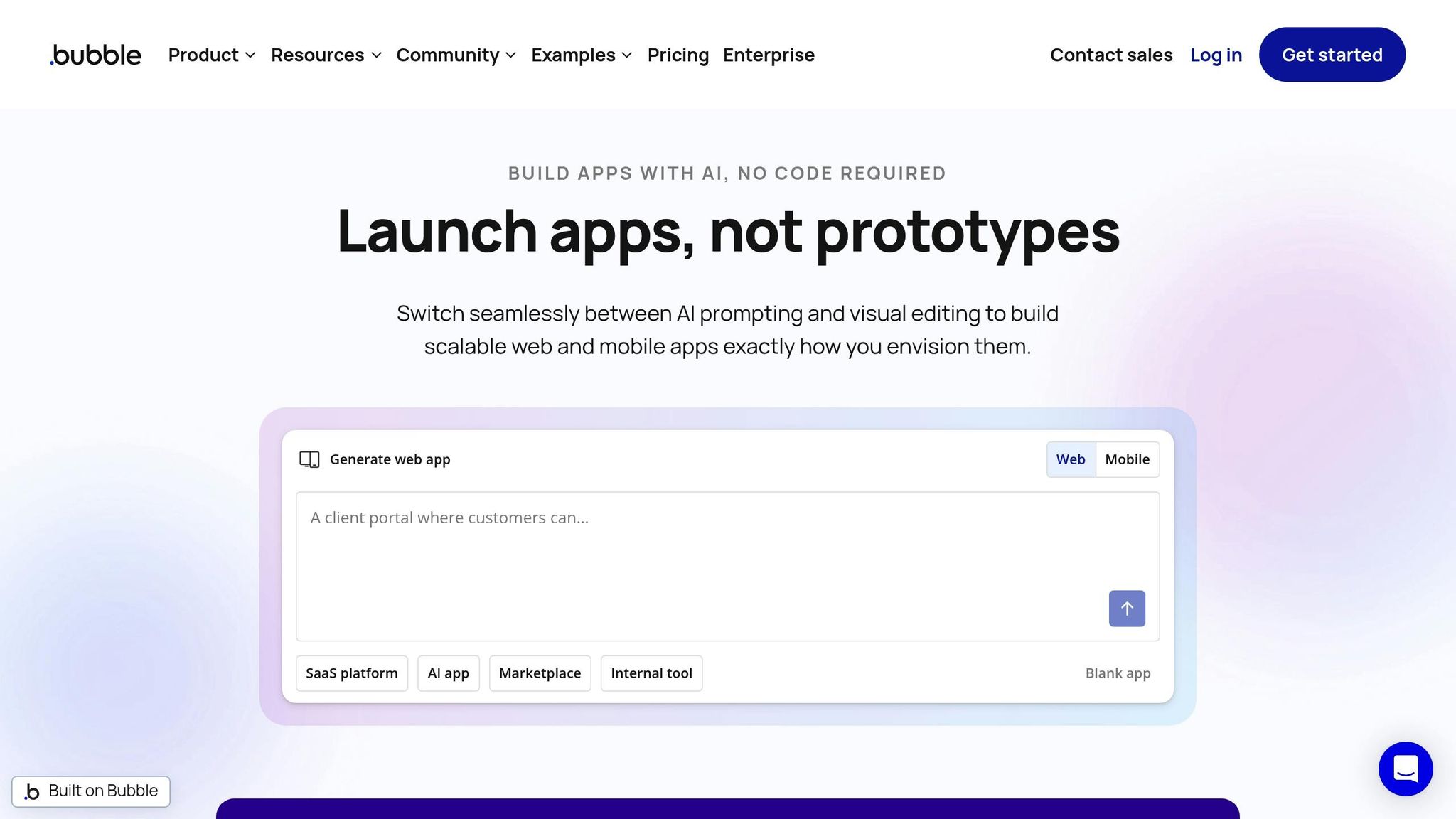
Bubble stands out from basic no-code tools by offering a feature-rich platform capable of handling more advanced academic requirements. It’s a full-stack no-code solution that allows educators to create intricate, custom gradebook apps. With its built-in relational database and visual workflow engine, Bubble supports functions like weighted grade calculations, automated notifications, and role-based permissions. These tools simplify managing student data. Plus, its AI engine can generate pages and data schemas from natural language input, speeding up the development process. With over 6 million apps built by 5 million users, Bubble has gained recognition for its flexibility, though it does require more time to master compared to simpler tools.
Let’s take a closer look at how Bubble’s customization options allow educators to design apps tailored to their unique needs.
Customization Options
Bubble’s expression composer is a powerful tool for educators, enabling them to build detailed calculations and set up conditional logic. This is particularly useful for tasks like calculating weighted averages across different assignment categories or setting up alerts when a student’s performance drops below a certain level. The platform gives users complete control over their app’s design, data, and functionality. With access to over 1,000 templates and 8,000+ plugins – like tools for PDF generation or calendar syncing – educators can customize their apps to fit specific requirements. The visual editor even supports responsive layouts that adjust seamlessly to different screen sizes. However, mastering all these features does require a significant time investment compared to more beginner-friendly platforms.
Mobile and PWA Support
For educators looking to create mobile-friendly tools, Bubble’s beta native mobile app builder is a game-changer. It generates React Native apps for both iOS and Android, supporting features like camera access and push notifications. Its responsive engine ensures web apps work well across desktops, tablets, and phones, while BubbleGo allows for real-time mobile testing. If a browser-based approach is preferred, Bubble also supports Progressive Web App (PWA) functionality. That said, native apps usually provide a more complete mobile experience.
Integrations
Bubble’s API Connector makes it easy to link gradebook apps with external services that offer REST APIs, such as learning management systems or school-specific databases. The platform also supports native integrations with tools like Google Workspace, Airtable, and Box, as well as automation platforms like Zapier and Make. This means educators can connect their gradebooks to thousands of other applications without needing to write any code. Additionally, Bubble integrates with AI models like OpenAI and Claude, which can assist with tasks like automated grading or data analysis. On the security front, Bubble is SOC 2 Type II compliant and adheres to GDPR standards, ensuring student data is well-protected.
Pricing
Bubble’s pricing is designed to accommodate various needs. A free plan is available for prototypes, while the Starter plan costs $29/month (billed annually) and includes custom domains and essential features. The Growth plan, priced at $134/month, offers advanced workflows and white-labeling, and the Team plan at $399/month includes enhanced security and collaboration tools. Pricing scales based on app usage, and discounts are available for students and nonprofits. With a 4.4/5 rating on G2, many users praise Bubble’s flexibility and its active community, though some point out the steep learning curve and the lack of options to export code as potential downsides.
5. Google AppSheet
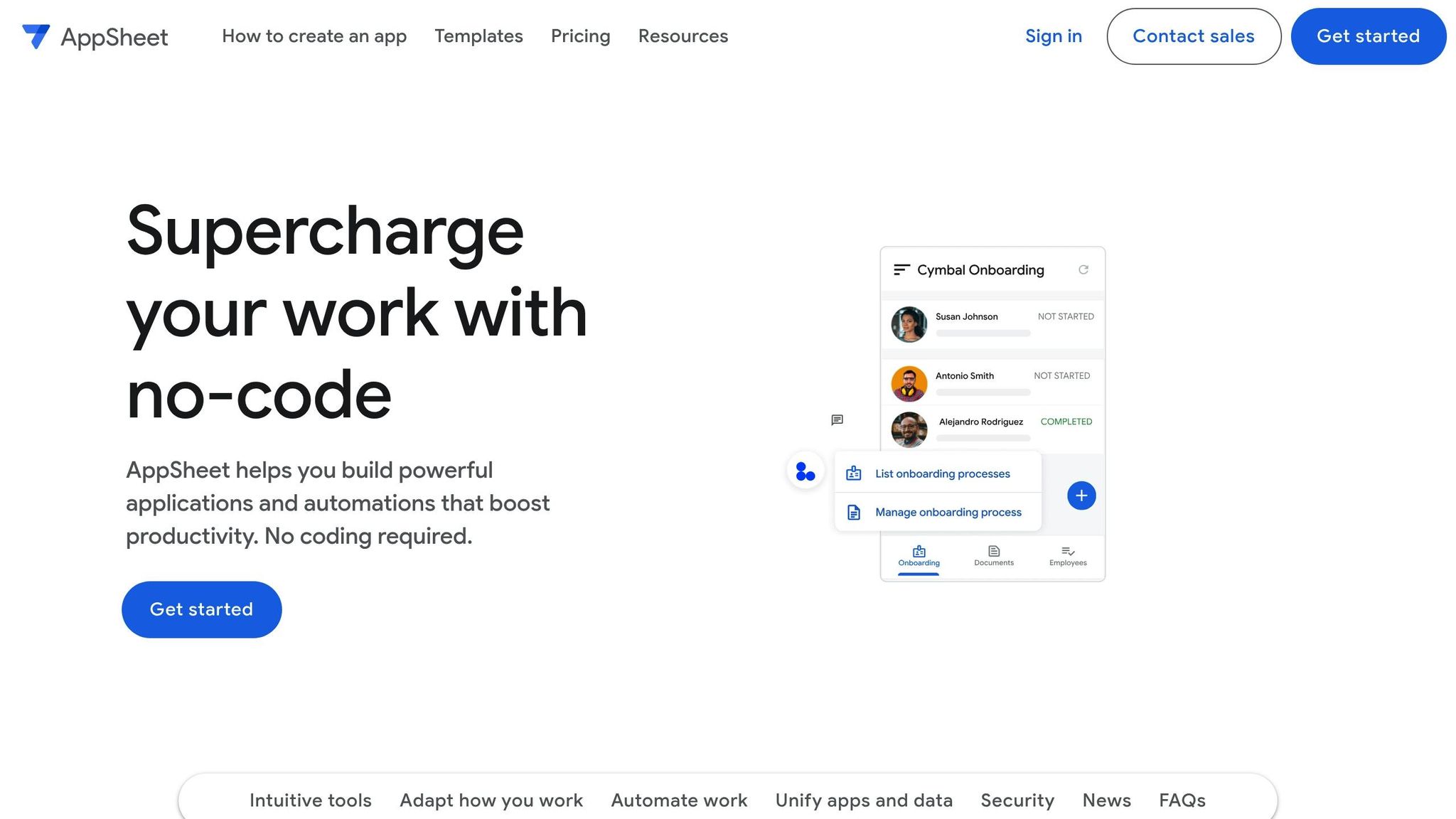
Google AppSheet allows educators to create apps directly from spreadsheets, making it a fantastic tool for those already familiar with Google Sheets or Excel. Using Gemini – an AI assistant – it can quickly generate app prototypes based on simple, natural language descriptions. For instance, a teacher could describe their gradebook needs in plain English, and within minutes, AppSheet delivers a functional app.
With a TrustRadius rating of 8.8/10 and a 96% repurchase intent, AppSheet transforms complex spreadsheets into mobile-friendly systems.
The platform’s standout feature is its seamless integration with Google Workspace. Educators can embed gradebook apps into Google Docs using Smart Chips or access them via Gmail as dynamic emails, simplifying everyday tasks.
“Our citizen developers like that AppSheet is close to the Spreadsheet model, has email/role-based access control, offers offline/mobile access, along with other features for quick wins.” – Alexis Schwertz, Product Manager at Veolia
Customization Options
AppSheet uses spreadsheet-like expressions to add advanced logic, much like writing formulas in Excel or Google Sheets. This allows teachers to automate grading rules, filter data by performance, and create dynamic UI elements. It also supports rich data capture, such as photos, signatures, GPS locations, and barcode scans, which can be used for tasks like tracking attendance or verifying student IDs.
Another highlight is workflow automation. Teachers can set up triggers and conditions to send notifications – via email, SMS, or push alerts – when grades are updated or attendance issues arise. Apps also work offline, syncing data to the cloud once internet access is restored. Additionally, educational institutions benefit from a 50% discount on paid plans, and the platform allows up to 10 users to test app prototypes for free.
Mobile and PWA Support
AppSheet ensures a consistent experience across devices. Educators can even create white-label versions of their apps for publication on the Apple App Store or Google Play Store. Mobile apps can access hardware features like cameras, barcode scanners, GPS, and signature collection – no coding required.
The offline functionality is particularly noteworthy. Teachers can record grades or track attendance without an internet connection, with all updates syncing to Google Sheets or other connected data sources once back online.
“In only two days, we created an AppSheet app to manage shopping mall incidents in real time, and made it available to 200 people on their phones.” – Matthieu Mauras, Chief Technology and Data Officer at Carrefour Property
Integrations
AppSheet integrates seamlessly with Google Workspace, including Sheets, Drive, Calendar, and Meet. Beyond Google, it connects with Office 365, Dropbox, Salesforce, Smartsheet, and SQL databases like Cloud SQL, Azure SQL, and AWS. For more complex workflows, developers can use REST APIs, webhooks, and Google Apps Script to integrate with school systems or other third-party tools.
The platform also works with automation tools like Zapier, enabling educators to link gradebooks with thousands of other apps. Teachers can publish apps directly in Google Chat or set up automated notifications across multiple channels.
“AppSheet has evened the playing field for small vs large businesses. We can develop and deploy custom, in-house built apps quickly to meet our exact needs, without hiring an outside firm.” – Ryan Holcomb, CEO of Pantechs Laboratories
Pricing
AppSheet offers a free tier for unlimited prototyping and testing with up to 10 users, giving educators room to experiment. The Starter plan costs $5 per user per month, while the Core plan is priced at $10 per user per month and is included in some Google Workspace for Education editions. For schools requiring advanced features and administrative controls, enterprise pricing is available. Educational institutions with tax-exempt verification enjoy a 50% discount on all paid plans. While some users note that the per-user pricing can add up for larger student populations, the platform’s deep integration with Workspace and offline capabilities often make it worth the cost.
Next, we’ll weigh these features against other platforms to see how AppSheet stacks up.
Platform Comparison: Strengths and Weaknesses
When choosing a platform, it’s essential to weigh factors like technical expertise, budget, and gradebook needs. Below is a table summarizing the key strengths, weaknesses, ideal use cases, and starting prices for each platform.
| Platform | Main Strengths | Key Weaknesses | Best For | Starting Price |
|---|---|---|---|---|
| AppInstitute | Native iOS/Android apps, Progressive Web App support, industry templates, drag-and-drop editor, App Store submission service | Limited educational-specific features | Schools needing a professional mobile app with full support | $49/month |
| Adalo | Intuitive drag-and-drop interface similar to creating slide decks; native mobile app publishing | Performance issues with large databases; no offline functionality | Teachers looking to publish custom apps to the App Store or Google Play | $45/month |
| Glide | Easy to use; quickly converts spreadsheets into apps, making it less intimidating | Limited custom logic and design flexibility | Educators managing data in Google Sheets | $60/month |
| Bubble | Highly flexible for complex logic, with access to over 2,700 free plugins; ideal for building intricate systems | Steep learning curve; may require formal training | Schools building feature-rich systems with time to invest | $32/month |
| Google AppSheet | AI assistant (Gemini) for plain-language app creation; seamless Google Workspace integration | Limited design customization; harder to master than visual builders | Institutions already using Google Workspace for Education | $5/user/month |
Each platform offers varying levels of ease of use. For example, Glide is beginner-friendly, especially for those already managing data in spreadsheets, while Bubble demands more time and training due to its complexity and flexibility. Adalo strikes a middle ground with its slide-deck-like interface, while Google AppSheet simplifies app creation through its AI assistant.
Pricing models also vary. Per-user pricing, as seen with Google AppSheet, can become expensive for larger groups unless educational discounts apply. On the other hand, platforms like Adalo and Glide offer per-app pricing, making budgeting more predictable. Bubble uses a usage-based model, which works well for smaller projects but can become less predictable as your gradebook grows.
Mobile functionality is another key differentiator. Platforms like AppInstitute, Adalo, and Google AppSheet support native iOS and Android apps, ensuring gradebooks are accessible on any device. Meanwhile, Glide and Bubble focus on Progressive Web Apps (PWAs). For schools in areas with unreliable internet, Glide and Google AppSheet stand out with their automatic syncing capabilities, which restore functionality once a connection is reestablished.
“Gradebook apps built with no-code platforms tend to get adopted faster. When the interface mirrors how teachers already think about grading, there’s far less resistance from both staff and students.” David Hall, CEO AppInstitute
Gradebook Apps – Conclusion
Choosing the right no-code platform depends on your technical skills, budget, and specific project needs. For those working with spreadsheet data and looking for a quick and easy setup, Glide is an excellent choice. It allows you to turn spreadsheets into polished apps in no time. If your school heavily relies on Google Workspace, AppSheet is a cost-effective option, priced at just $5 per user per month. Each platform brings its own advantages, as summarized below.
For educators seeking native mobile app capabilities, Adalo is a standout option. As The Adalo Team explains:
“Adalo is the only no-code tool which creates real, native mobile apps… it has a ton of functionality but keeps it entirely accessible to non-techies”.
Meanwhile, for schools aiming to establish a professional mobile presence with full App Store submission support, AppInstitute delivers native iOS and Android apps. Their App Stores plan, starting at $99 per month, also includes dedicated account management and Progressive Web App features.
Gradebook Apps – FAQs
What should educators look for in a no-code platform to create gradebook apps?
When selecting a no-code platform to build gradebook apps, educators should focus on a few essential features: ease of use, flexibility, and cost-effectiveness. A platform with a drag-and-drop editor and an intuitive interface can empower teachers to design and update apps without any coding skills. Look for options that offer education-specific templates or customizable tools to quickly set up grading fields, attendance trackers, and student lists tailored to your school’s needs.
Security and compatibility are equally important. The platform should support secure data handling and comply with regulations like FERPA to protect sensitive student information. It’s also helpful if the platform can integrate with existing tools, such as learning management systems (LMS) or spreadsheets, to streamline processes and reduce repetitive tasks.
Deployment options matter, too. Platforms that support iOS, Android, and Progressive Web Apps (PWAs) enable access across devices, making it easy for teachers, parents, and students to stay connected. Features like push notifications can further enhance communication by keeping everyone informed. By prioritizing these factors, educators can create a gradebook app that simplifies their workflow, improves communication, and stays within budget.
How does the pricing of no-code platforms impact their suitability for schools?
AppInstitute provides a pricing structure that’s budget-friendly, especially for schools managing limited resources. Schools can begin creating gradebook apps at no cost and choose to move to paid plans only when they require additional features. The monthly subscription options range from $60 to $180, giving schools the flexibility to expand their app’s capabilities as needed, without paying for features they don’t use.
What are the benefits of using Progressive Web Apps (PWAs) for gradebook apps?
Progressive Web Apps (PWAs) bring a native app-like experience to gradebook apps without the hassle of app store downloads. Instead, users can simply add the app to their home screen and access it with a single tap. This ease of use makes it a practical option for teachers, students, and parents who need quick access to important information.
One standout feature of PWAs is their support for push notifications, which deliver real-time updates for grades, assignments, or attendance alerts – even when the app isn’t open. Plus, PWAs are built to perform well under various conditions, loading quickly, functioning offline, and handling low-bandwidth scenarios seamlessly. They also ensure a secure experience across devices, whether you’re on a smartphone, tablet, or desktop.
Thanks to their speed, ability to work on multiple platforms, and lower development costs, PWAs offer a smart solution for creating reliable and accessible gradebook apps – all without the complexity of managing separate native codebases.
Related Blog Posts
- How to Build an App Without Coding Skills
- 5 Best No-Code LMS App Builders 2025
- Cost Breakdown: Building Apps with No-Code Tools
- How No-Code Platform Pricing Works
Last Updated on January 23, 2026 by Becky Halls
0 thoughts on “Best No-Code Platforms for Gradebook Apps”