
AppBuild Vibes · Base44
Get your Base44 app on the App Store
Base44 can generate AAB and IPA files, but an app file is not a finished store launch. Choose a managed wrapping route that covers listings, privacy paperwork, screenshots and review feedback while you keep building in Base44.
- Starts from your published Base44 URL, not an export
- We handle listings, privacy forms, screenshots and review
- Native push notifications with no per-message fees
- Keep editing in Base44, changes flow through to the app
Paid plans from $299/year or $49/month per app. Unlimited app users. No AppBuild commission.
- 10+Years submitting apps to Apple and Google
- 1000sApps submitted to the App Store and Google Play
- UnlimitedPush messages on every plan
- $0Cost per push message
Straight answer
Can a Base44 app go on the App Store?
Yes. A Base44 app can be published on the App Store and Google Play once it's wrapped as a native app. There are three ways to do it.
| Route | What it involves | Store listing |
|---|---|---|
| Do it yourself with Capacitor | Needs a Mac, Xcode, Android Studio, signing certificates and your own store submission. Thin web wrappers risk rejection under Apple guideline 4.2. | Yes, if approved |
| Web app (PWA) only | Customers add it from the browser. No native push on older iPhones, and no store presence. | No |
| AppBuild.diy | We wrap your app, add native push notifications and other phone features, and handle the App Store and Google Play submission. | Yes |
Whichever route you take, you still need your own developer accounts: an Apple Developer account ($99/year) and a Google Play developer account ($25 one-off).
After the export
A Base44 export is the start of submission
Exporting from Base44 gets you a build to submit. The remaining work is the submission itself: describing the app, declaring its data use, supplying screenshots and responding when reviewers ask for changes. That is the part AppBuild manages.
Export and approval are separate
Base44's file generation and the store's review process are different jobs. Having an AAB or IPA does not complete the listing or its declarations.
Preserve the Base44 experience
Keep the Base44 experience you have built. AppBuild's URL-based wrapper displays the published project rather than asking you to recreate its screens.
Hand over the release work
Get help with the work after file generation: store metadata, privacy policy, data-safety forms and rejection handling. Your Base44 project and your store submission have different checklists, and we take care of the release side.
Head to head
Base44 publishing vs AppBuild.diy
Base44 can generate your AAB and IPA files, but that's only step one. Here's what happens after.
| Feature | Base44 (DIY) | AppBuild.diy |
|---|---|---|
| App file generation (AAB/IPA) | Included (Builder plan, $49/mo) | Included (from $49/mo) |
| Store submission | You do it yourself | We do it for you |
| Privacy policy | You write it | We generate and host it |
| Data safety forms | You fill them out | We handle it |
| App store screenshots | You take and upload them | We create them |
| App descriptions and metadata | You write them | We write them |
| Rejection handling | You deal with it alone | We handle resubmissions |
| Push notifications | Not included | Full API and dashboard included |
| Approval guarantee | None | 90-day Go Live Guarantee |
| Instant availability | No, wait for store approval | PWA live in minutes |
| Support during review | No store submission support | We manage the entire review |
From Base44's own documentation: "Base44 support does not check on the status of your submission, contact Apple or Google on your behalf, or manage store review feedback for you."
Your release checklist
What a Base44 export leaves on your checklist
What Apple and Google actually ask for
- Developer accounts with verification
- Privacy policies and data safety declarations
- App screenshots in specific sizes and formats
- Login and permission compliance reviews
- Age ratings and content declarations
- Rejection feedback and resubmission cycles
What we handle for you
- App store screenshots in every required size
- App descriptions and metadata
- Privacy policies and data safety forms
- Age ratings and content declarations
- Rejection reviews and resubmissions
- Same-day submission once your app, account access and required information are complete
Beyond the Base44 export
What AppBuild.diy adds to your Base44 app
A release service for Base44 builders who want more than exported app files: the wrapping and submission service around your published Base44 experience, including the paperwork and review follow-through.
Push notifications
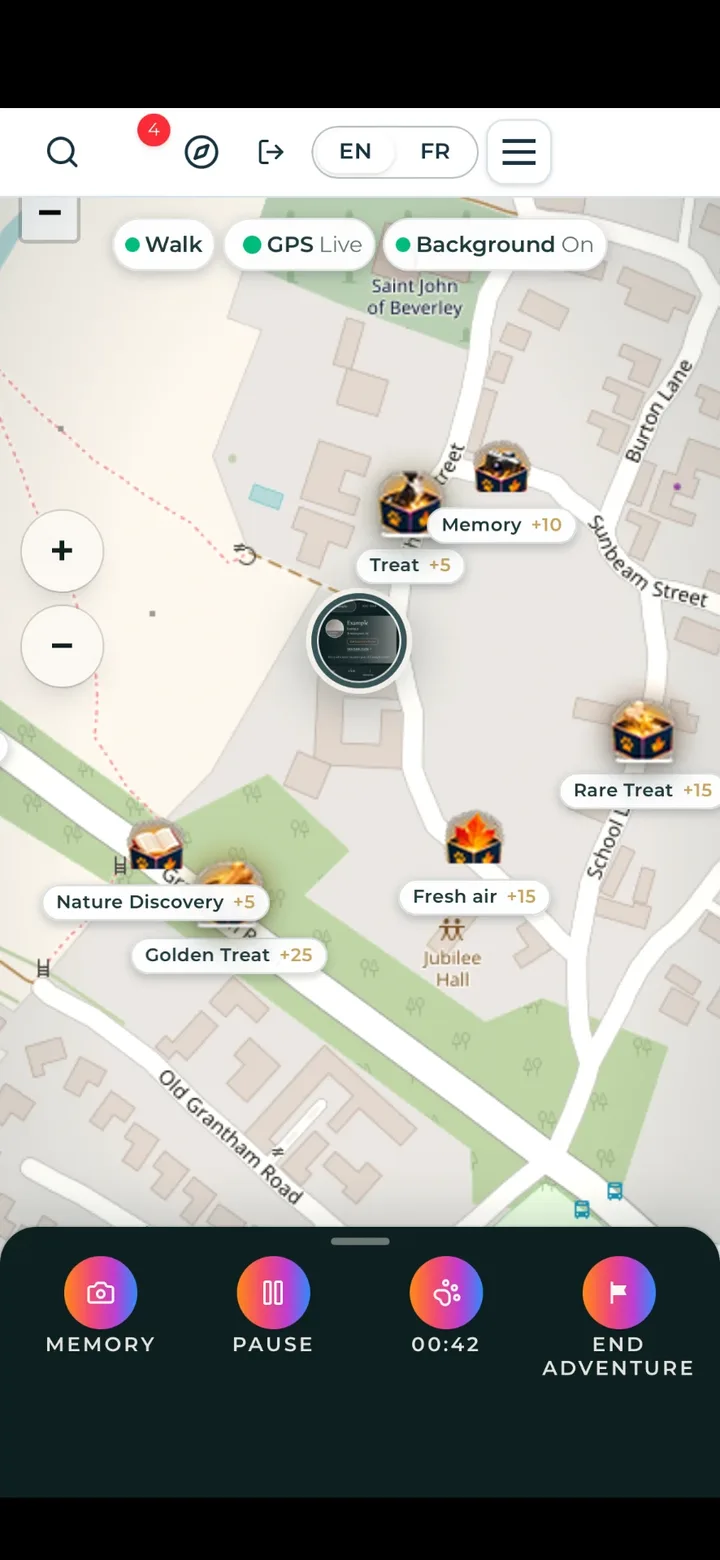
Reach people using your wrapped Base44 app through AppBuild's dashboard or Push API. Notification delivery is an added service around your project, not something to infer from an exported file.
Fully native experience
Package the Base44 experience for phones with the icon, splash screen and system behaviour expected of an installed app. Safe areas and system gestures are handled by the mobile shell.
Store compliance
Turn the Base44 project into a documented submission: privacy policy, age ratings, data-safety forms and applicable safety declarations.
Login and auth compatibility
Review the Base44 sign-in journey on a phone using the setup guidance and ready-written prompts before sending the build for review.
Native app and PWA included
Choose store distribution and an installable web version for the same Base44 project, rather than managing each launch as an unrelated product.
Keep your Base44 project
Carry on refining the published Base44 app. The wrapper keeps loading that project, so content edits are not a new app-file submission.
How it works
From Base44 project to managed release
Choose the managed release route for your Base44 project.
- 1
Choose your hosted Base44 project
Provide the published Base44 URL, name and logo for the wrapper. This route starts from the hosted project, rather than asking you to upload Base44's AAB or IPA export.
- 2
Review the wrapper settings
Scan your QR code and inspect your Base44 project in the phone preview, choose its mobile settings and configure push if needed. Check the customer experience before moving on to the store release.
- 3
Choose your setup option
Follow our integration prompts with support, or let our team configure and test your project for you.
- 4
Test, then publish
Try your native builds through TestFlight and Google testing before AppBuild handles public store submission.
Ready to submit? We submit the same day once your app, account access and required information are complete. Apple and Google determine review and approval times.
Push notifications
Base44 ships the app logic. Push isn't included.
Base44 builds the experience. AppBuild.diy wraps it natively and adds the push notification layer your users actually open, with no Firebase juggling and no rebuild.
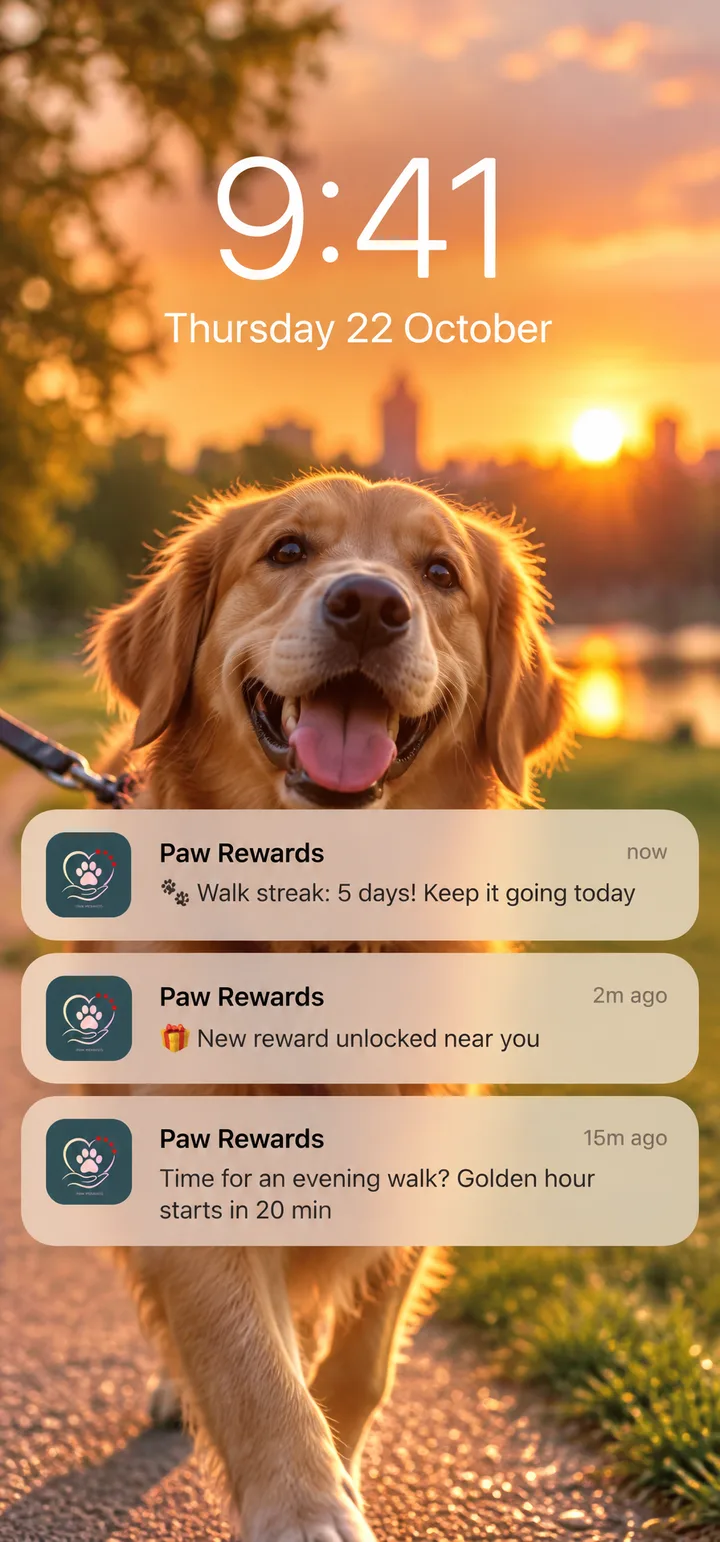
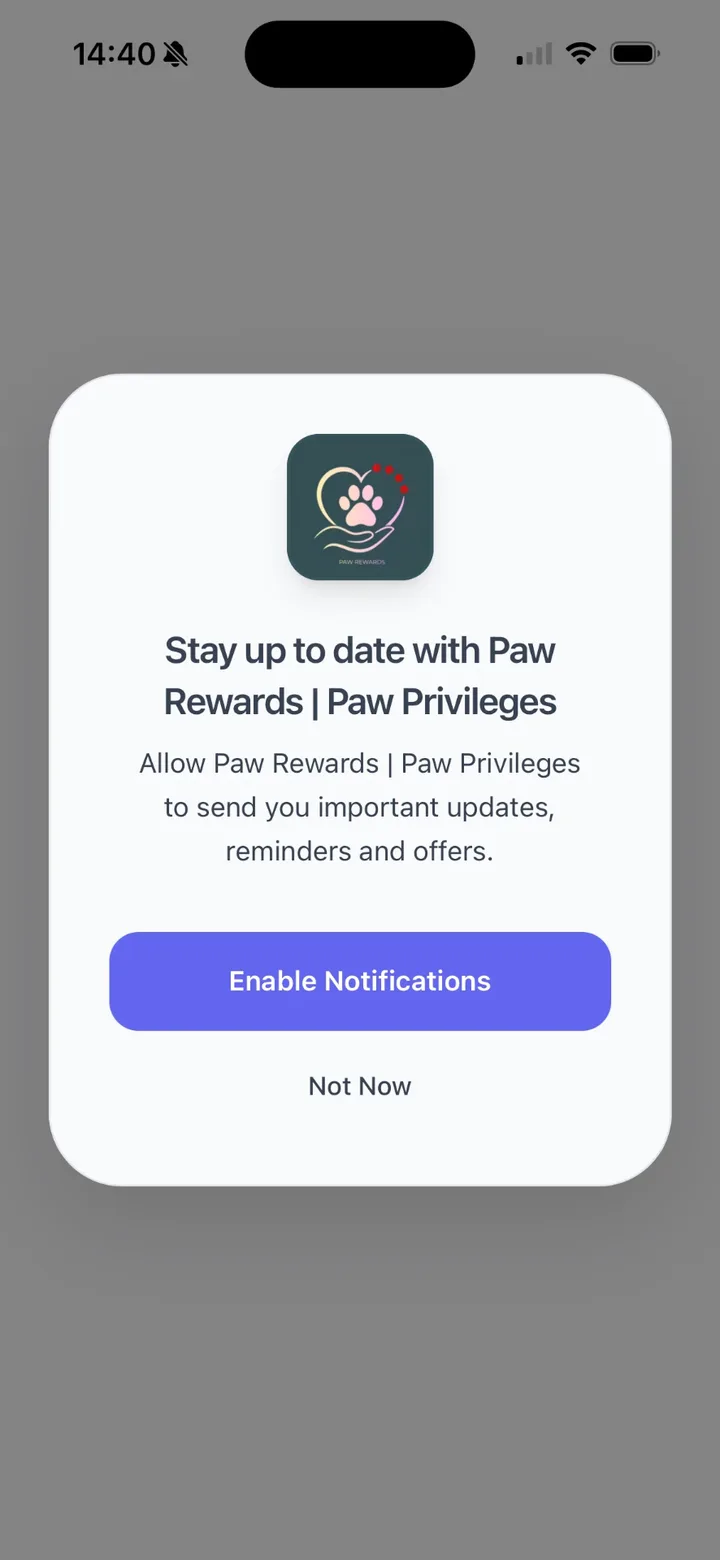
Send unlimited push to every user who installs your wrapped Base44 app, from the AppBuild dashboard or triggered from your own project through the Push API. No per-message fees, included on every plan.
Payments
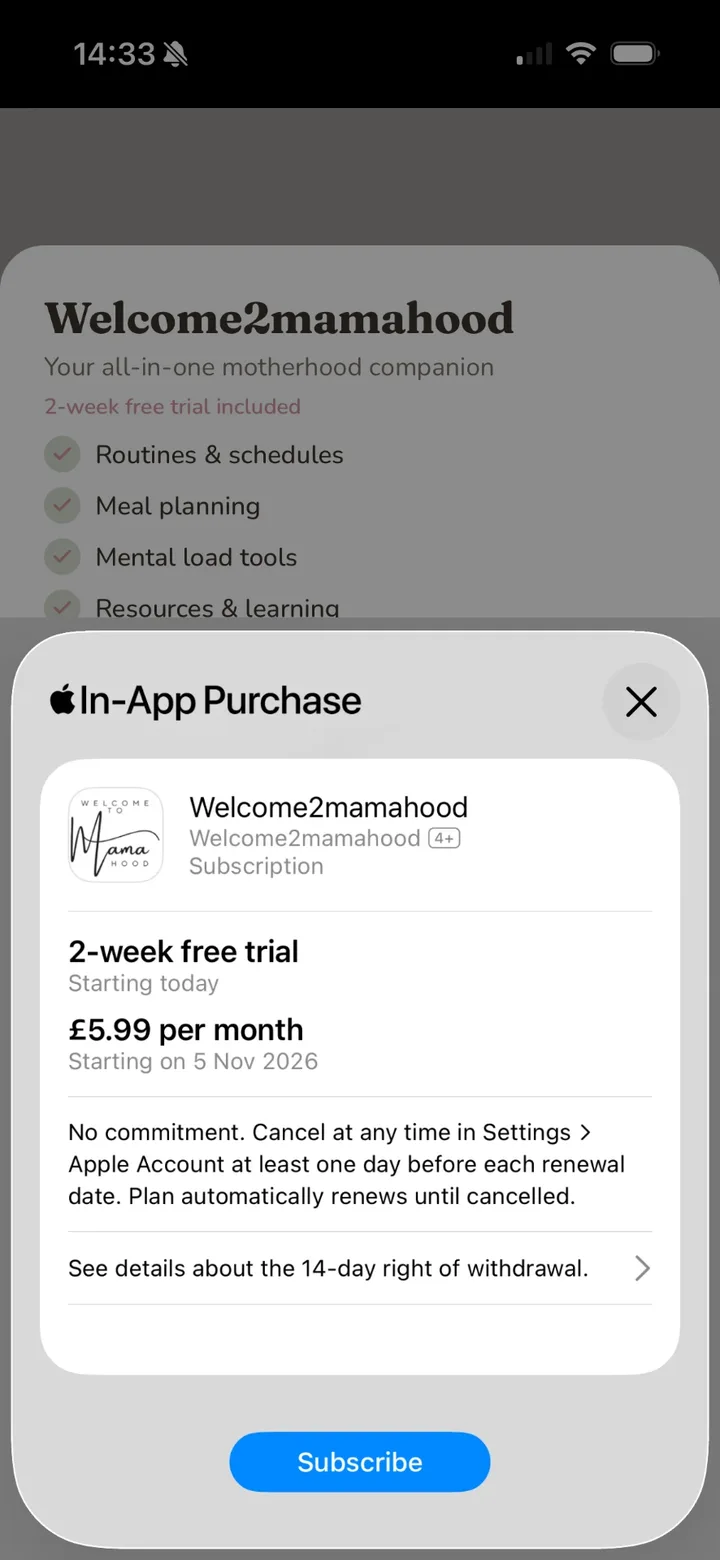
Sell subscriptions in the App Store from your Base44 project
Base44 projects with a web paywall normally get rejected at App Store review. Keep your web checkout for web and PWA users. For the store builds, we plug in the native Apple and Google payment sheets so you stay compliant and your existing subscription gating keeps working.
| Where | How payments work |
|---|---|
| Web and PWA | Your Base44 web checkout, unchanged. No store fees, so you keep about 97% of every dollar. |
| iOS App Store | The Base44 mobile release uses Apple's native subscription sheet, including receipts and restoring access after purchase. |
| Google Play | For Google Play distribution, Base44 subscribers purchase through the native billing sheet; product access matches the iOS entitlements. |
What you don't have to build: StoreKit and Google Play Billing integration, receipt validation and webhooks, entitlement sync into your existing user model, restore purchases and grace-period handling, and App Store and Play Store review compliance.
Subscription status is passed back into your Base44 app through the same bridge we use for push, so any UI you've gated behind a subscription keeps working inside the iOS and Android builds, with no parallel codebase. Purchases run through your own RevenueCat project and AppBuild takes no commission. How in-app subscriptions work
Approval
Is this allowed? Will my app be approved?
A Base44 build is the starting point, not evidence that every login or payment flow is ready for store review. Check the mobile journey as well as the web app.
No-code apps are allowed
Using Base44 does not remove the store's normal requirements. Your wrapped app still needs suitable login, permissions, privacy information and payment handling.
Base44 apps are approved regularly
LifeHom, the home and life management companion in our showcase, is tagged Base44 and has store listings. It is a concrete Base44 example, not evidence that any export is automatically approved.
Rejections are normal and fixable
Reviewer feedback may concern your own screens or the native package. We handle the submission conversation, make the native changes needed and resubmit. Resubmissions are unlimited.
90-day Go Live Guarantee
Complete the required setup actions and we'll work to get your app live. If we can't publish it within the 90-day guarantee period, we refund your AppBuild subscription payments for that app.
What this is / what this isn't
What this is
- More than a Base44 app-file exportA managed mobile release around the Base44 experience you already published.
- A messaging layer for Base44 usersUse AppBuild's messaging service alongside your Base44 project.
- Managed listings for your Base44 appListings and release support beyond Base44's app-file generation.
- A web route alongside the exportDistribute an installable web version while store review proceeds.
What this isn’t
- Not another Base44 development workspaceBase44 remains your workspace for changing the underlying experience.
- Not a recreation of your Base44 logicThe wrapper uses your Base44 URL instead of recreating its app logic.
- Not a DIY review administration taskUse a guided handover rather than administering the exported build alone.
- Not a requirement to learn store paperworkGet release guidance without learning the whole store submission process.
Share Base44 before the store listing is ready
A Base44 store export still needs review before customers can download it from a store. The installable web app gives Base44 users a home-screen entry, with push alongside, so you can share the web version while the listing and submission are being handled.
Get started with PWAPricing
One app. Unlimited users. Choose how much help you want.
Both options include managed native builds and store publishing. The difference is how much of the integration we do for you.
Guided setup
Use our wizard and integration prompts to connect your project, with technical support when you need it. AppBuild handles native builds and store publishing.
$299/year
Billed annually · equivalent to $24.92/month · saves $289 vs monthly
$49/month
Billed monthly · or $299/year billed annually
- Step-by-step integration prompts for your AI tool
- Help from our team when you get stuck
Included in both
- Unlimited app users and usage
- One app across iOS and Android
- Native plugin maintenance and updates
- Native testing builds (TestFlight and Google testing)
- Managed store submission
- Unlimited resubmissions
- Technical support
- 90-day Go Live Guarantee
We do it for you
Our team handles SDK integration, supported native plugin configuration, project preparation and core-flow testing.
$599/year
Billed annually · equivalent to $49.92/month · saves $589 vs monthly
$99/month
Billed monthly · or $599/year billed annually
- Expert initial integration and testing
- Continuing hands-on help adding future supported plugins
Included in both
- Unlimited app users and usage
- One app across iOS and Android
- Native plugin maintenance and updates
- Native testing builds (TestFlight and Google testing)
- Managed store submission
- Unlimited resubmissions
- Technical support
- 90-day Go Live Guarantee
Each subscription covers one app. Publishing multiple apps requires a subscription for each app.
No AppBuild purchase commission or separate standard setup charge. Developer accounts, store commissions and any RevenueCat or other third-party charges are paid separately. Bespoke development is quoted separately if requested.
What a Base44 export leaves on your checklist
Generating an AAB or IPA in Base44 does not supply a finished listing, privacy policy, data-safety response or screenshot set. Decide who will manage those tasks and the review conversation before you submit.
| Developer accounts with verification | Privacy policies & data safety declarations |
|---|---|
| App screenshots in specific sizes & formats | Login & permission compliance reviews |
| Age ratings & content declarations | Rejection feedback & resubmission cycles |
"Is this allowed? Will my app be approved?"
The right question after a Base44 export is what remains before submission. Review considers the experience, disclosures and listing, not simply whether a file was generated.
No-code apps are allowed
Base44's generated files still go through Apple's or Google's review. Prepare the app's declarations and customer-facing experience, not just the export.
Base44 apps are approved regularly
LifeHom, the home and life management companion in our existing showcase, is tagged Base44 and has store listings. It is a concrete Base44 example, not evidence that any export is automatically approved.
Rejections are normal and fixable
A rejection is a review task beyond Base44's file export. AppBuild manages the feedback and resubmissions instead of leaving you to interpret the response alone.
100% Go Live Guarantee
If your app isn't approved after our best efforts, you get a full refund. Zero risk.
Trusted App Store Experts
No code. No app store knowledge needed.
We handle everything for you.
10+
Years Experience
Submitting apps to Apple & Google
1000s
Apps Submitted
To App Store & Google Play
100%
Success Focus
Full refund if not approved
AppInstitute has been submitting apps to Apple & Google for over a decade.
You're in expert hands.
Base44 app questions
How do I turn my Base44 app into an iPhone app?
You have three routes: wrap it yourself with Capacitor (you'll need a Mac, Xcode, signing certificates and store submission), keep it as a web app (PWA) with no store listing, or let AppBuild.diy wrap it for you. AppBuild adds native push notifications and other phone features, then handles the App Store and Google Play submission. Your Base44 project keeps running as it is.
Will Apple reject a wrapped web app?
Apple can reject apps that are only a thin copy of a website under App Store guideline 4.2 (minimum functionality). The risk falls when the app does things a website can't, such as native push notifications and other phone features. AppBuild adds those native features and prepares the submission with that guideline in mind. Nobody can guarantee approval, though.
Can a Base44 app send push notifications?
Yes, once it's wrapped as a native app. AppBuild.diy adds native push notifications on iPhone and Android, and you can send them from the AppBuild dashboard or trigger them from your Base44 app.
Do I need a Mac?
Not with AppBuild.diy: we build and submit the iPhone app for you. If you wrap the app yourself with Capacitor, you need a Mac with Xcode to build and sign the iPhone version.
Does AppBuild start from my Base44 export or my published URL?
The wrapper creation flow takes your published Base44 URL, app name and logo. It creates a mobile shell around that hosted experience, rather than asking you to upload the AAB or IPA produced by Base44. You keep editing the underlying project in Base44.
What is still missing after Base44 generates an AAB or IPA?
The app files are only part of a release. You still need store listings, screenshots, privacy information, data-safety declarations and a submission that meets the review requirements. AppBuild manages those release tasks when you choose the wrapping service.
Is push delivery part of the managed Base44 wrapper?
AppBuild adds a notification layer around the Base44 project, with a dashboard and Push API for reaching installed app users. This is a separate capability from generating a mobile file. Configure it for your wrapped app and check delivery on the phones you intend to support.
Who handles review feedback on a Base44 DIY submission?
On the Base44 DIY route, you manage the submission and responses from Apple or Google. The documentation quoted above says Base44 support does not track submission status, contact the stores or manage review feedback. With AppBuild, that review conversation and resubmission work is managed for you.
Do I have to wait for a Base44 store listing before sharing the app?
Not if you choose the installable web app route. You can share that experience while the store release is prepared and reviewed. A PWA is a separate way for people to access the project; it does not mean an AAB or IPA has passed review.
Where do I edit the Base44 screens after wrapping?
Make changes in your Base44 project and publish them to the address used by the wrapper. The app loads that hosted experience. Changes to the mobile identity or phone capabilities are handled separately from edits to the project content.
How does managed wrapping differ from Base44's file generation?
The head-to-head table shows the distinction: Base44 generates AAB and IPA files, while the DIY builder handles the listing, privacy policy, screenshots and review. AppBuild combines wrapping with those release services. Choose based on whether you want to administer the submission yourself or hand that work over.
Will my Base44 project be recreated in another builder?
No. AppBuild saves the published Base44 destination and loads it in the wrapper. Your app logic and screens remain in the Base44 project. The settings let you change the project URL or custom domain without rebuilding the experience in a different editor.
What should I check in a Base44 subscription app before submission?
Generating app files does not by itself check the payment journey. For digital subscriptions, store builds use native Apple and Google payment sheets. The wrapping setup passes subscription status back to your Base44 screens; verify purchases, restores and access to gated content before sending the release for review. Your web payments remain on the web.
Do I need a developer account?
Yes. You need your own Apple Developer account ($99/year) and Google Play Developer account ($25 one-off). Apple and Google require this to publish apps, and we guide you through the setup.
What if my app gets rejected?
We handle the reviewer correspondence, make the native changes needed and resubmit, with unlimited resubmissions. Some fixes may need changes in your own project, with our guidance. Your plan is backed by our 90-day Go Live Guarantee: if we can't publish your app within the guarantee period, we refund your AppBuild subscription payments for that app.
Is there a free plan?
You can enter your project details, start the wrapping process, get a QR code and try a usable web-app preview on your phone with push notifications enabled, before paying. A subscription is needed for full native wrapping, native testing builds and store submission.
What's the difference between the yearly and monthly prices?
Guided setup is $299/year or $49/month. We do it for you is $599/year or $99/month. Yearly billing saves $289 or $589 against paying monthly. Both include unlimited app users, managed native builds, store submission, unlimited resubmissions and technical support. The difference is how much of the integration we do for you.
Are there any hidden fees, commissions, or per-user charges?
No. Every paid plan includes unlimited app users and usage, and AppBuild takes no commission on purchases and has no separate standard setup charge. Developer accounts, store commissions and any RevenueCat or other third-party charges are paid separately.
Can I cancel anytime?
Yes. Cancelling stops renewal. Your app keeps working until the end of the paid period, then shows an unavailable message when opened. We don't remove your store listing or change your RevenueCat project, and cancelling AppBuild doesn't cancel your users' Apple or Google subscriptions.
Do I need a developer account?
Yes, you'll need your own Apple Developer account ($99/year) and Google Play Developer account ($25 one-time fee). This is required by Apple and Google's terms and conditions for publishing apps. Don't worry - we'll guide you through the setup process.
What if my app gets rejected?
We have a 100% Go Live Guarantee. If your app isn't approved by the app stores, you'll receive a full refund. With 10+ years of app store submission experience, rejections are rare - but you're covered if it happens.
Is there a free plan?
Yes. The Free plan is $0 forever for up to 10 app users with all features included — push notifications, analytics, custom branding, even App Store and Google Play publishing. Most Base44 wrappers go straight to Business at $299/year (up to 1,000 app users), which is cheaper than paying $49 monthly. Need unlimited users? Business Pro is $99/month or $499/year — but you can absolutely start free.
What's the difference between $299/year and the monthly tiers?
Business is $49/month or $299/year for up to 1,000 app users. Business Pro is $99/month or $499/year for unlimited app users. Yearly billing costs less; monthly lets you pay as you go. These are the same prices as on our pricing page. Pick whichever fits — there's no contract either way.
Are there any hidden fees, commissions, or per-user charges?
No. Every plan is a flat monthly or yearly fee. We never take a cut of your sales, subscriptions, donations, or in-app purchases. What you charge your users is yours.
Can I cancel anytime?
Yes. Monthly plans cancel any time — your app stays live until the end of the period. Yearly plans don't auto-renew until you confirm, so there are no surprise charges. You can also drop back to the Free plan anytime.
More on vibe coding
Publishing guides for every tool
Vibe coding hub
How publishing an AI-built app works, pricing and the guarantee.
Choose Your Perfect Publishing Path
How to publish a Lovable, Base44, Bolt or Replit project to the App Store, Google Play…
Give your SaaS Push Notifications without rebuilding
Turn your SaaS web app into branded iOS and Android apps with push notifications and store…
Launch Your Vibe Coded App on the App Store
Wrap your Lovable web app in a branded native iOS and Android app — push notifications,…
Wrap My App
Wrap your website or web app as native iOS and Android apps with push notifications and…
Your vibe-coded app can use the phone properly — and go live on both stores
Plain-English answers for vibe coders: which phone features your Lovable or Base44 app can use, how…
Your Base44 app is built. Take the next step towards the stores.
Try your project on your phone, then choose guided setup or let AppBuild handle the integration.
Built with Lovable instead? · All vibe-coding platforms · Which publishing route fits?