
AppBuild Vibes · Wrap my app
Wrap your web app as native iOS and Android apps
Wrap your website or web app as native iOS and Android apps with push notifications and store publishing, from AppBuild.diy by AppInstitute. Keep building where you are while we handle native builds, store submission and ongoing native maintenance.
- Works with Lovable, Base44, Bolt, Replit, v0, Cursor, Claude and more
- Try a free web-app preview on your phone first
- Publish through your own developer accounts
- Unlimited app users and no AppBuild commission
Paid plans from $299/year or $49/month per app. Unlimited app users. No AppBuild commission.
- $299/yrGuided setup, per app
- UnlimitedApp users and usage
- $0AppBuild commission
- 90 daysGo Live Guarantee
What wrapping is
What does wrapping my app actually mean?
Wrapping turns your existing web project into a branded native app for iPhone and Android. Your app loads your own web address inside the native app, with your branding, so you don't rebuild anything. Your project, code, backend and hosting stay where they are, and you keep building in your current platform.
AppBuild adds native push notifications and supported phone features, then handles the App Store and Google Play submission. Ordinary web changes you publish flow through to the app without a new native build.
It works with Lovable, Base44, Bolt, Replit, v0, Cursor, Claude Code, Windsurf, Bubble, Softr, custom code and other tools that produce a web app with a public address. Lovable and Base44 have the most guided integration.
Straight answer
Three ways to get your web app on a phone
Once it's wrapped as a native app, your project can be published on the App Store and Google Play. There are three ways to get there.
| Route | What it involves | Store listing |
|---|---|---|
| Do it yourself with Capacitor | Needs a Mac, Xcode, Android Studio, signing certificates and your own store submission. Thin web wrappers risk rejection under Apple guideline 4.2. | Yes, if approved |
| Web app only | People add it from the browser. Limited phone features and no store presence. | No |
| AppBuild.diy | We wrap your app, add native push notifications and supported phone features, and handle App Store and Google Play submission. | Yes |
Whichever route you take, you need your own developer accounts: Apple Developer ($99/year) and Google Play ($25 one-off).
How it works
From project to published app
- 1
Connect your project
Tell us what you built and connect it through our guided setup.
- 2
Try it on your phone
Scan your QR code and explore your free web-app preview, including push notifications.
- 3
Choose your setup option
Follow our integration prompts with support, or let our team configure and test your project for you.
- 4
Test, then publish
Try your native builds through TestFlight and Google testing before AppBuild handles public store submission.
Ready to submit? We submit the same day once your app, account access and required information are complete. Apple and Google determine review and approval times.
What you get
More than a website on a phone
Native features need integration in your project and the right phone permissions. They don't switch on automatically.
Push notifications
Reach users with updates and reminders on iPhone and Android.
Native purchases
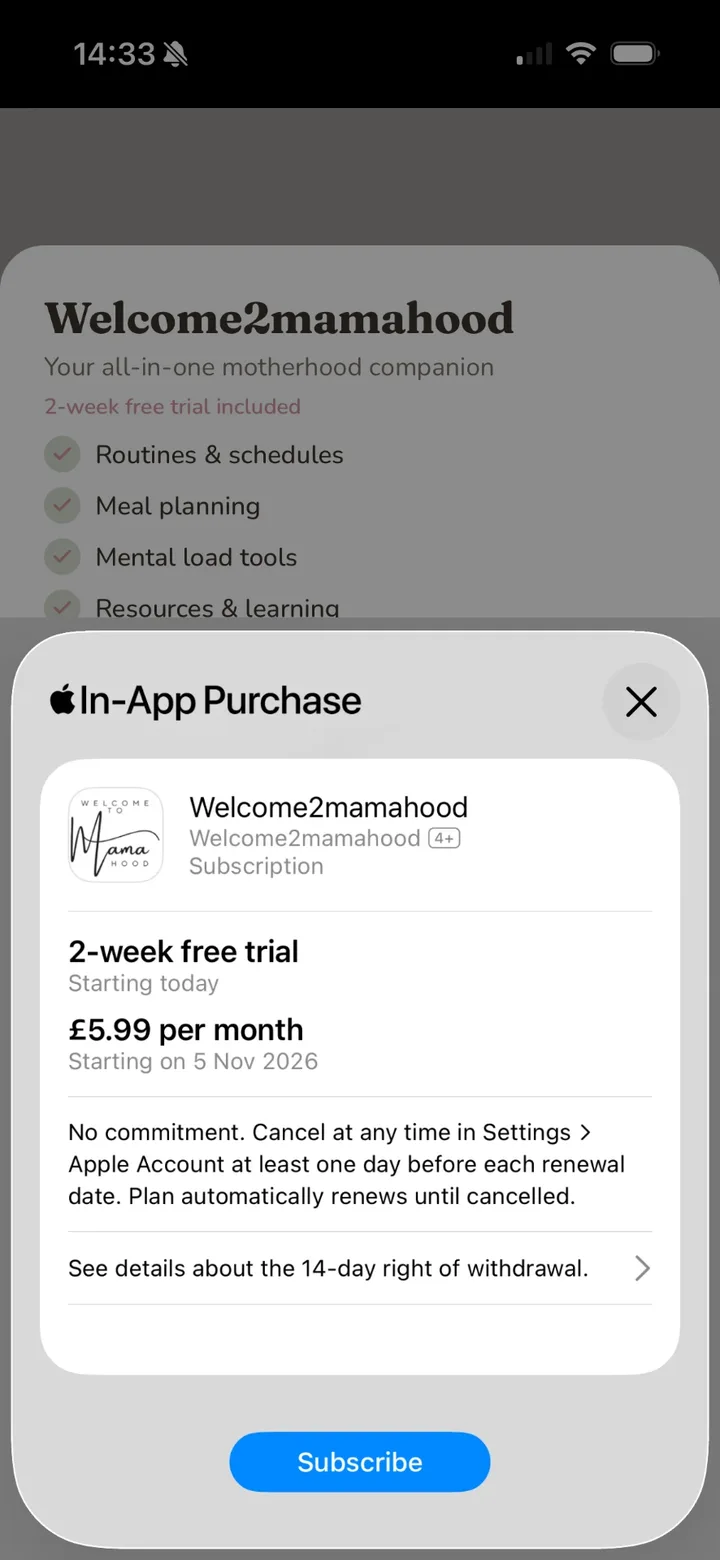
Offer subscriptions, permanent unlocks and consumable purchases through the RevenueCat integration.
Phone capabilities
Use supported features such as the camera and QR scanning, location, sharing and native sign-in.
Keep developing where you are
Ordinary web updates you publish from your existing platform flow through to the app.
Native features in action
A walk becomes an adventure
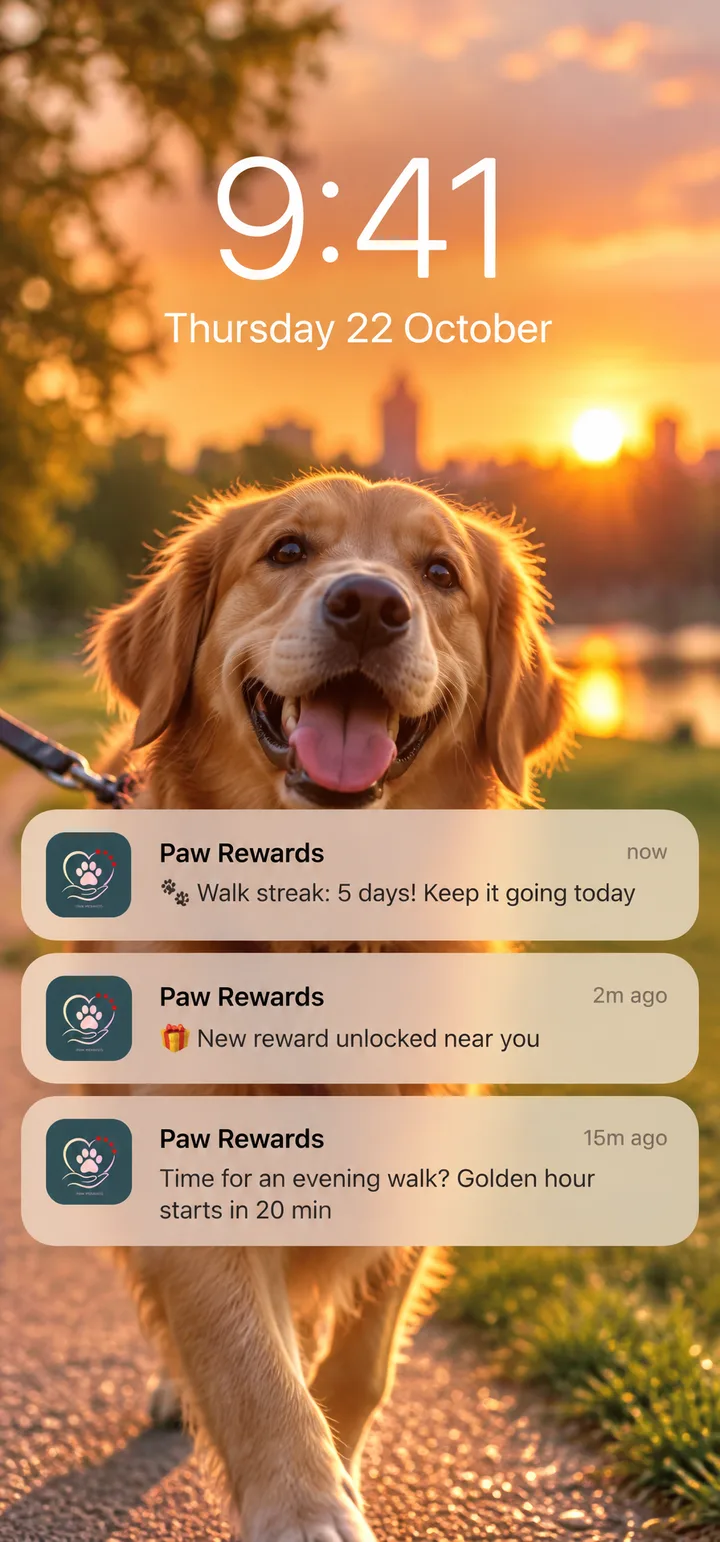
Paw Rewards brings a live map, GPS walk controls and reward markers into the experience. Its permission screens explain why location is needed before the phone asks for access.
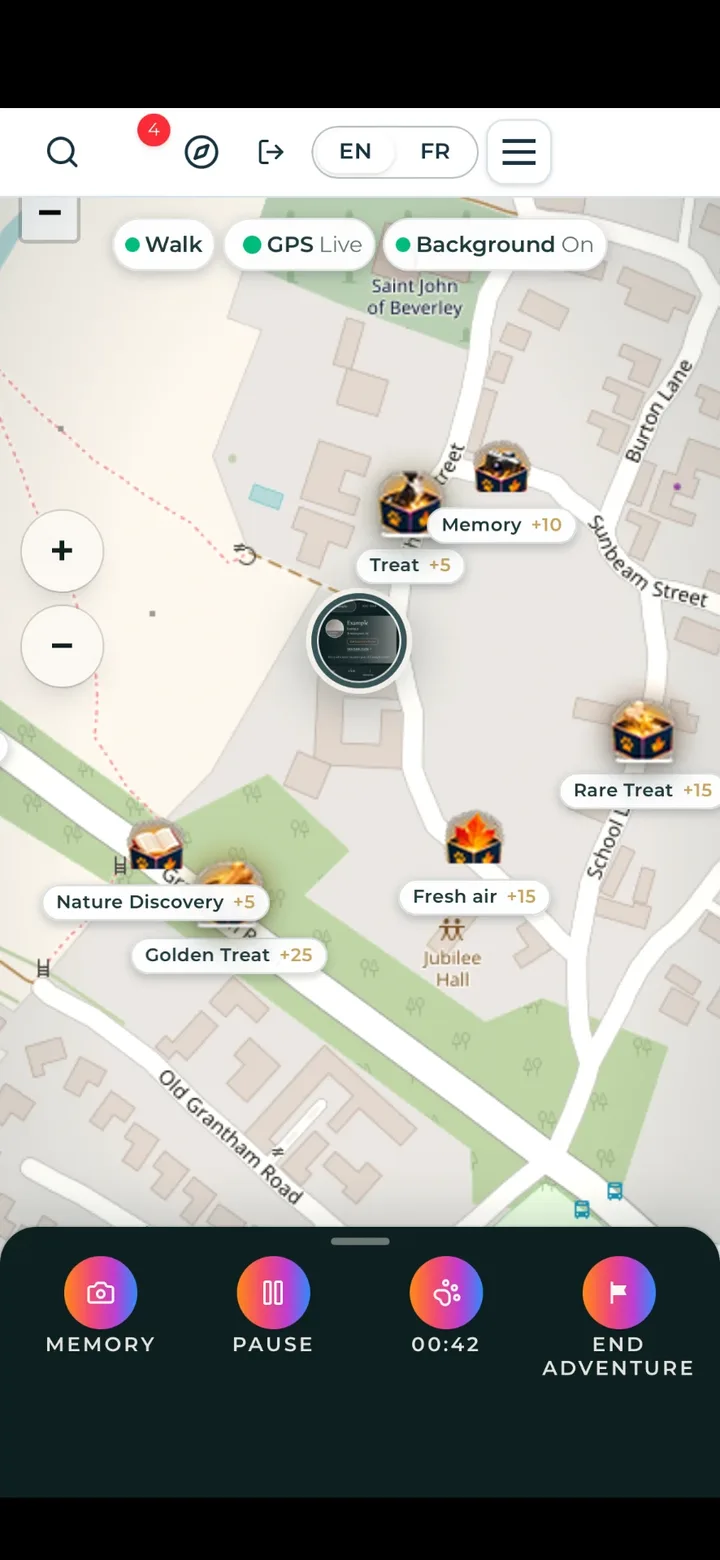
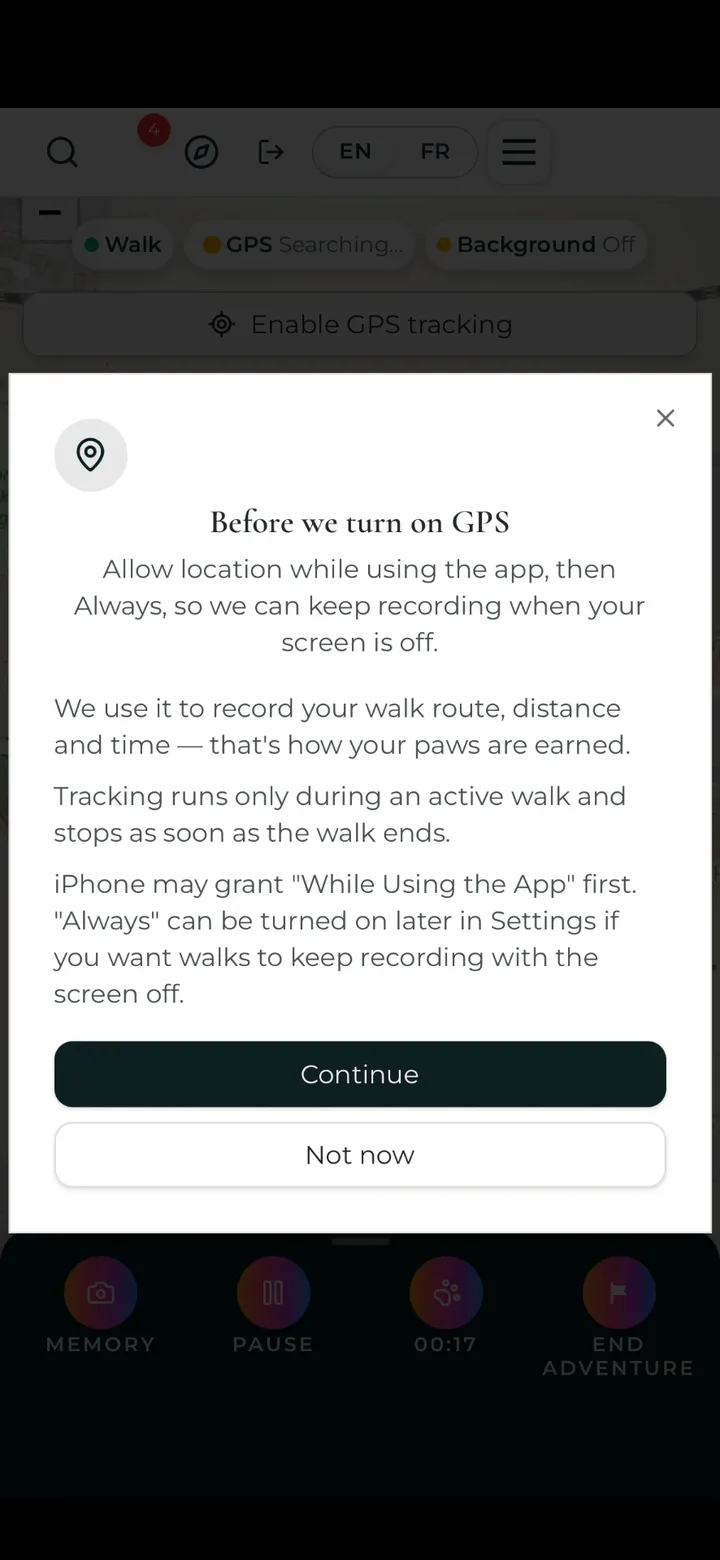
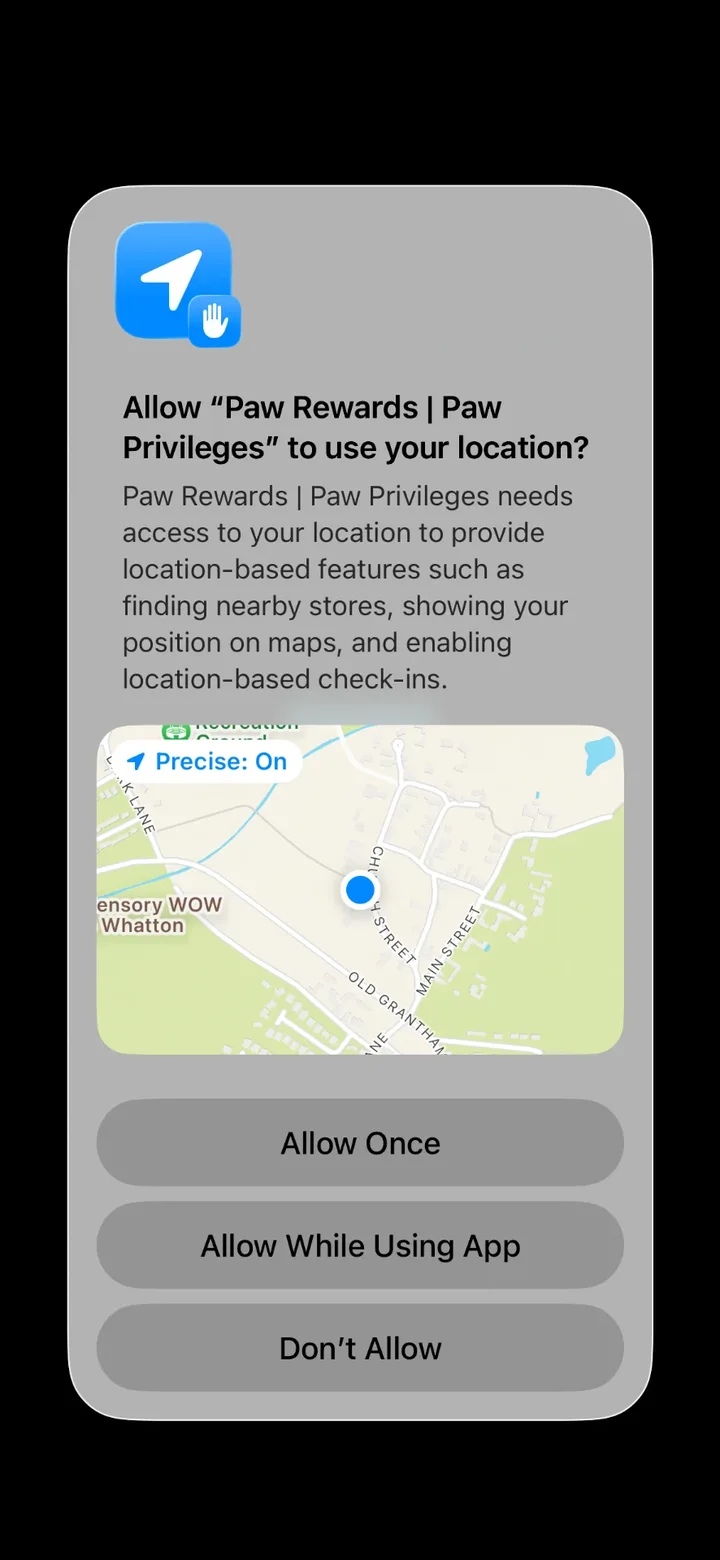
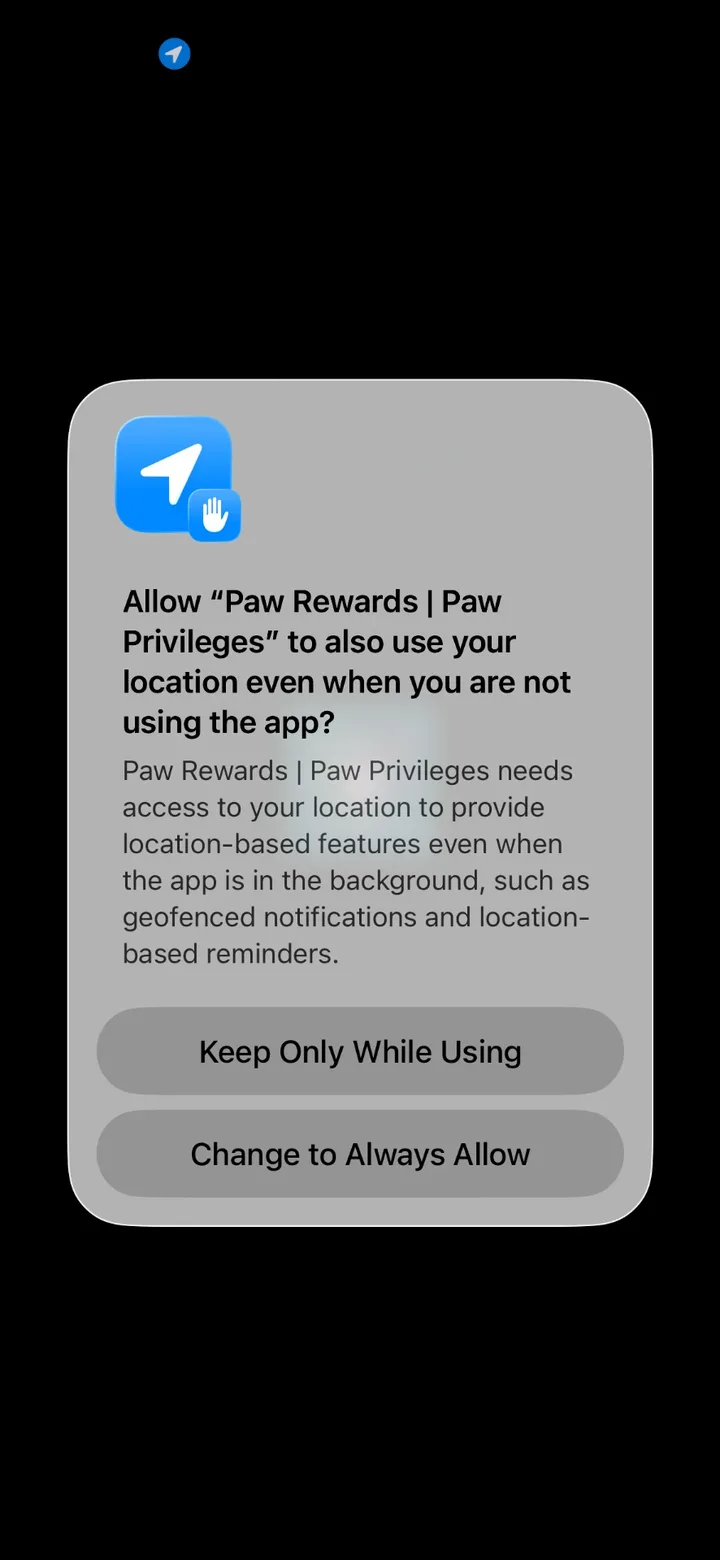
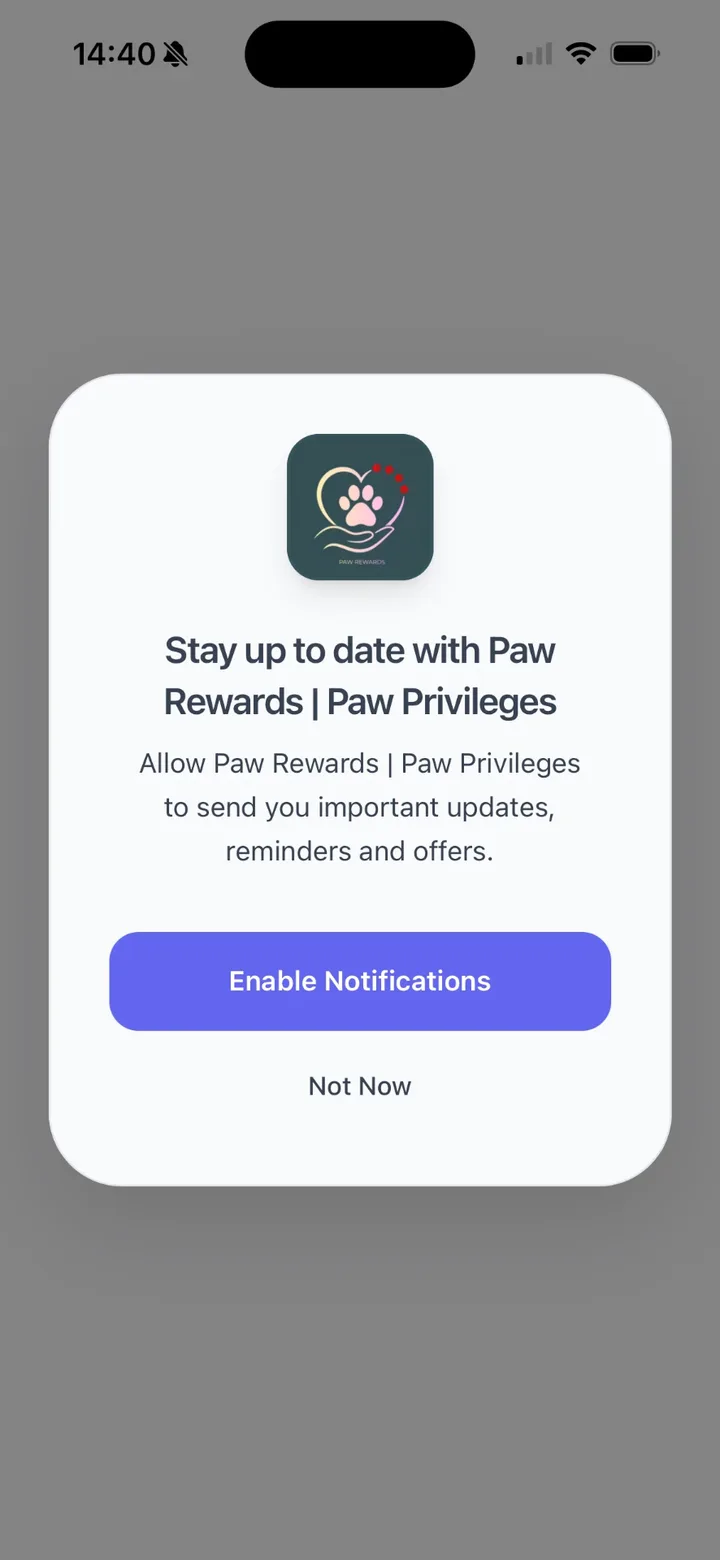
Background tracking is an advanced integration: it requires suitable native configuration, separate permissions and store review. Not every project needs it. Push messages are unlimited, with no per-message charges.
In-app purchases
Sell subscriptions and in-app purchases from your existing app
Native subscriptions, permanent unlocks and consumable purchases are supported through your own RevenueCat project, including purchase restoration.
- Your customer pays through the native Apple or Google purchase flow.
- RevenueCat handles supported purchase validation and entitlements.
- AppBuild connects supported native purchase features to your existing project.
- Connected account APIs automate supported product setup and syncing.
- You own and control your RevenueCat project.
- AppBuild takes no commission.
Your existing paywall keeps working. Subscription status is passed into your web app, so screens you already gate can stay as they are. You can keep your existing web checkout for the web; inside the store apps, purchases use the Apple or Google purchase flow.
After launch
Launch is the start. We keep the native side maintained.
Your app stays connected to an actively maintained native service. On the done-for-you plan, we also keep giving hands-on help when you add future supported plugins.
Native plugins maintained
Native plugins maintained as the underlying technology changes.
Store requirement changes
Native changes needed as Apple and Google requirements evolve.
New builds and publishing
New native builds and ongoing publishing support.
Technical help
Technical help connecting your project to supported phone features.
Ownership
Your project. Your developer accounts. Your RevenueCat project.
- Keep developing in your existing platform.
- Keep your project code, backend and hosting.
- Use a new store listing or update an existing one.
- Connect accounts with standard invitations and API access. No passwords shared.
- Keep control of your Apple, Google and RevenueCat accounts.
The AppBuild native wrapper is our proprietary software and requires an active subscription. Your existing project remains yours.
Pricing
One app. Unlimited users. Choose how much help you want.
Both options include managed native builds and store publishing. The difference is how much of the integration we do for you.
Guided setup
Use our wizard and integration prompts to connect your project, with technical support when you need it. AppBuild handles native builds and store publishing.
$299/year
Billed annually · equivalent to $24.92/month · saves $289 vs monthly
$49/month
Billed monthly · or $299/year billed annually
- Step-by-step integration prompts for your AI tool
- Help from our team when you get stuck
Included in both
- Unlimited app users and usage
- One app across iOS and Android
- Native plugin maintenance and updates
- Native testing builds (TestFlight and Google testing)
- Managed store submission
- Unlimited resubmissions
- Technical support
- 90-day Go Live Guarantee
We do it for you
Our team handles SDK integration, supported native plugin configuration, project preparation and core-flow testing.
$599/year
Billed annually · equivalent to $49.92/month · saves $589 vs monthly
$99/month
Billed monthly · or $599/year billed annually
- Expert initial integration and testing
- Continuing hands-on help adding future supported plugins
Included in both
- Unlimited app users and usage
- One app across iOS and Android
- Native plugin maintenance and updates
- Native testing builds (TestFlight and Google testing)
- Managed store submission
- Unlimited resubmissions
- Technical support
- 90-day Go Live Guarantee
Each subscription covers one app. Publishing multiple apps requires a subscription for each app.
No AppBuild purchase commission or separate standard setup charge. Developer accounts, store commissions and any RevenueCat or other third-party charges are paid separately. Bespoke development is quoted separately if requested.
Backed by our 90-day Go Live Guarantee
Complete the required setup actions and we'll work to get your app live. If we can't publish it within the applicable 90-day guarantee period, we'll refund your AppBuild subscription payments for that app. The 90-day period starts on the date you pay and applies to either plan, as long as you complete the actions we ask for and provide the required information within that time.
Wrap my appQuestions about wrapping your app
Do I need to rebuild my existing app?
No. AppBuild wraps your existing web project as a native iOS and Android app. Your project, code and backend stay where they are, and you keep building in your current platform.
Which AI coding platforms are supported?
Lovable, Base44, Bolt, Replit, v0, Cursor, Claude Code, Windsurf, Bubble, Softr, custom code and other tools that produce a web app with a public address. Lovable and Base44 have the most guided integration.
Do I need a Mac?
Not with AppBuild: we build and submit the iPhone app for you. If you wrap the app yourself with Capacitor, you need a Mac with Xcode to build and sign the iPhone version.
What about my custom domain?
Keep it. Your app loads your own web address inside the native app, with your branding.
What can I try before paying?
You can enter your project details, start the wrapping process, get a QR code and try a usable web-app preview on your phone with push notifications enabled. A subscription is needed for full native wrapping, native testing builds and store submission.
What is the difference between guided setup and done-for-you?
Both include native builds, managed publishing and support. With guided setup you follow our integration prompts with help from us. With done-for-you our team handles the SDK integration, plugin configuration, project preparation and core-flow testing, and keeps giving hands-on help when you add future supported plugins.
Does one subscription cover both iOS and Android?
Yes. Each subscription covers one app, including its iOS and Android versions.
Are there download, registered-user or active-user limits?
No. Every paid Vibes subscription includes unlimited app users and usage. This doesn't cover your own hosting, AI tools or other third-party services.
Do you take a percentage of my revenue?
No. AppBuild takes no commission on purchases. Apple, Google and RevenueCat charges, and developer-account fees, are separate.
Can you publish through my existing developer accounts?
Yes. You own and control your Apple and Google developer accounts. Personal and organisation accounts are both supported; organisation accounts are recommended.
Do I need to share my account password?
No. We use standard account invitations and API access.
How quickly do you submit the app?
We submit the same day once your app, account access and required information are ready. Apple and Google decide review and approval times.
Will Apple reject a wrapped web app?
Apple can reject apps that are only a thin copy of a website under App Store guideline 4.2 (minimum functionality). The risk falls when the app does things a website can't, such as native push notifications and other phone features. AppBuild adds those features and prepares the submission with that guideline in mind, but nobody can guarantee approval.
What happens if Apple or Google rejects the app?
We handle the reviewer correspondence, make the native changes needed and resubmit. Resubmissions are unlimited. Some fixes may need changes in your own project, with our guidance.
Do changes in my existing project appear in the app?
Ordinary web changes you publish appear in the app without a new native build. Native plugin, permission or configuration changes need a new build, and significant changes may need store review.
What happens if I cancel?
Cancelling stops renewal. Your app keeps working until the end of the paid period, then shows an unavailable message when opened. We don't remove your store listing or change your RevenueCat project. Cancelling AppBuild doesn't cancel your users' Apple or Google subscriptions.
Can my AI assistant manage my apps directly?
Yes. AppBuild has an MCP server. Connect Claude Desktop, Claude Code or Cursor with an account key from your dashboard, and your assistant can start wrapping an app, fetch integration prompts, send test push notifications and check build status.
More on vibe coding
Publishing guides for every tool
Vibe coding hub
How publishing an AI-built app works, pricing and the guarantee.
Choose Your Perfect Publishing Path
How to publish a Lovable, Base44, Bolt or Replit project to the App Store, Google Play…
Get Your Base44 App on the App Store
Turn your Base44 project into a branded native mobile app for iOS and Android. Push notifications,…
Give your SaaS Push Notifications without rebuilding
Turn your SaaS web app into branded iOS and Android apps with push notifications and store…
Launch Your Vibe Coded App on the App Store
Wrap your Lovable web app in a branded native iOS and Android app — push notifications,…
Your vibe-coded app can use the phone properly — and go live on both stores
Plain-English answers for vibe coders: which phone features your Lovable or Base44 app can use, how…
Your app is built. Take the next step towards the stores.
Try your project on your phone, then choose guided setup or let AppBuild handle the integration.