
AppBuild Vibes · For SaaS products
Give your SaaS push notifications without rebuilding
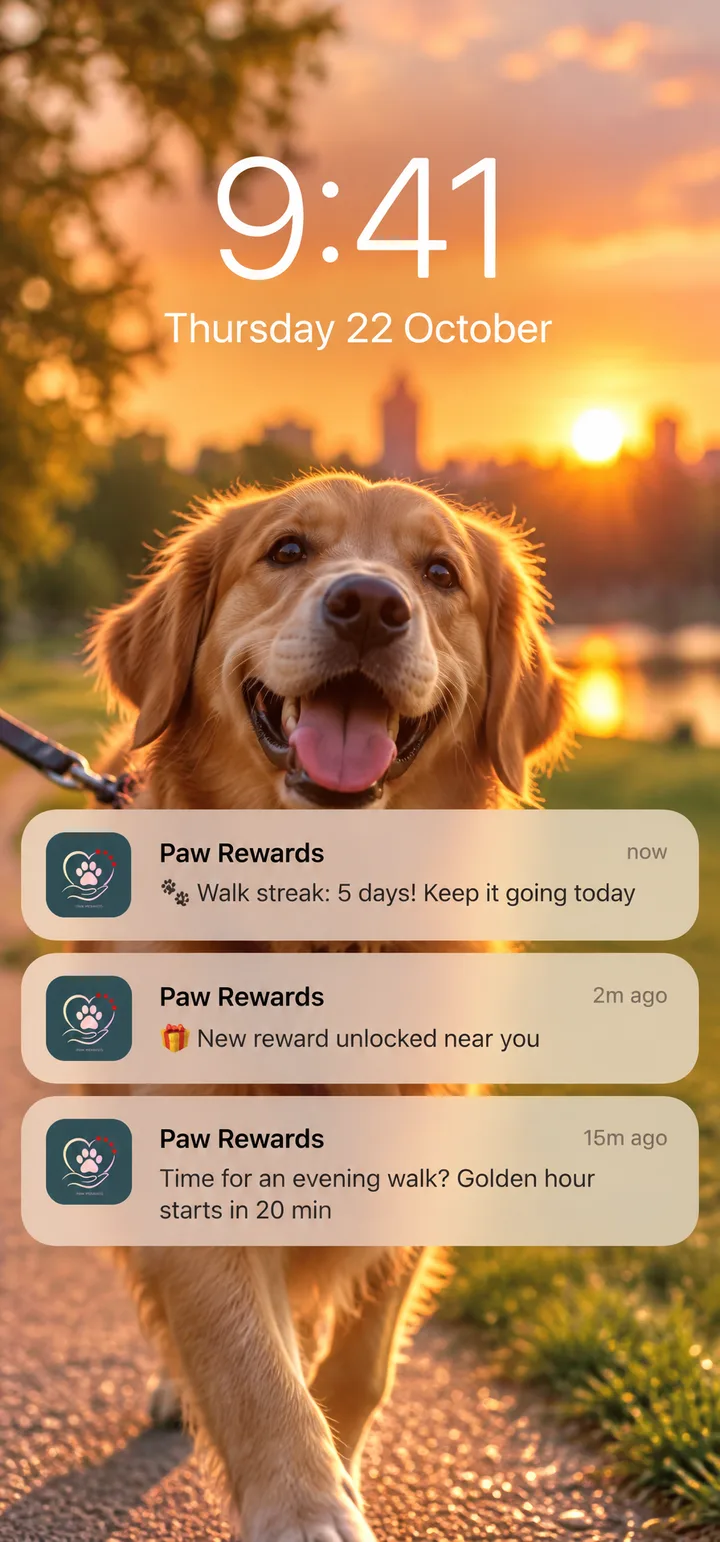
Wrap your existing web app as an installable mobile app. Your users scan a QR code inside your product, install it to their home screen, and get real push notifications that deep-link straight into the right screen.
- No rebuild or migration
- One small code change, snippet provided
- Installs from a single QR scan
- Works on iPhone and Android
Free plan includes push for up to 10 users. No credit card required.
The problem
Your SaaS closes the moment the tab does
Email open rates keep falling and in-app messages only reach people who are already logged in. When something important happens, a payment, a support reply, an alert, your users find out late, or not at all.
-
Email gets ignoredRead hours later, not seconds.
-
In-app messages need a loginUsers only see them when they happen to come back.
-
No home-screen presenceOut of sight, out of mind, and churn follows.
-
Native apps are a second productMonths of work and a separate codebase to maintain.
How it works
From your live SaaS URL to a push-enabled app in four steps
The only code change is the SDK snippet in step 2, and we provide the snippet and full support at every step.
- 1
Paste your SaaS URL
Your product stays exactly where it is. No rebuild or migration.
- 2
Add the SDK snippet
One small snippet to register signed-in users via the wrapped URL. We provide the code and full support.
- 3
Brand and switch on push
Your icon and colours, then real push notifications on iPhone and Android.
- 4
Show the QR code
Users scan it in your dashboard, install, and stay connected.
One simple change · Full developer support
Your events, their phones
Notify users about what matters
You choose which events in your product trigger a notification. Your users choose which types they want to receive. Every tap opens the exact screen they need.
A payment lands
“You just received $49 from Acme Ltd”. Tap to open the invoice.
A customer needs you
“New support message from Sarah”. Tap to open the conversation.
Something needs attention
“Usage spike detected on Project X”. Tap to open the alert.
A milestone happens
“10 new sign-ups today”. Tap to open your dashboard.
Built so users stay subscribed
Per-user preferences
Users pick the notification types they want, so they stay subscribed instead of uninstalling.
Deep links into screens
A tap opens the invoice, the conversation or the alert, not a generic home page.
A real app icon
Your brand on their home screen keeps your product one tap away, every day.
The user journey
One QR code, inside your product
No store listings to find, no instructions to write. Show the install QR code in your settings or notifications page and your users do the rest.
- 1User opens your notification settings and scans the QR code
- 2They install the app to their home screen when prompted
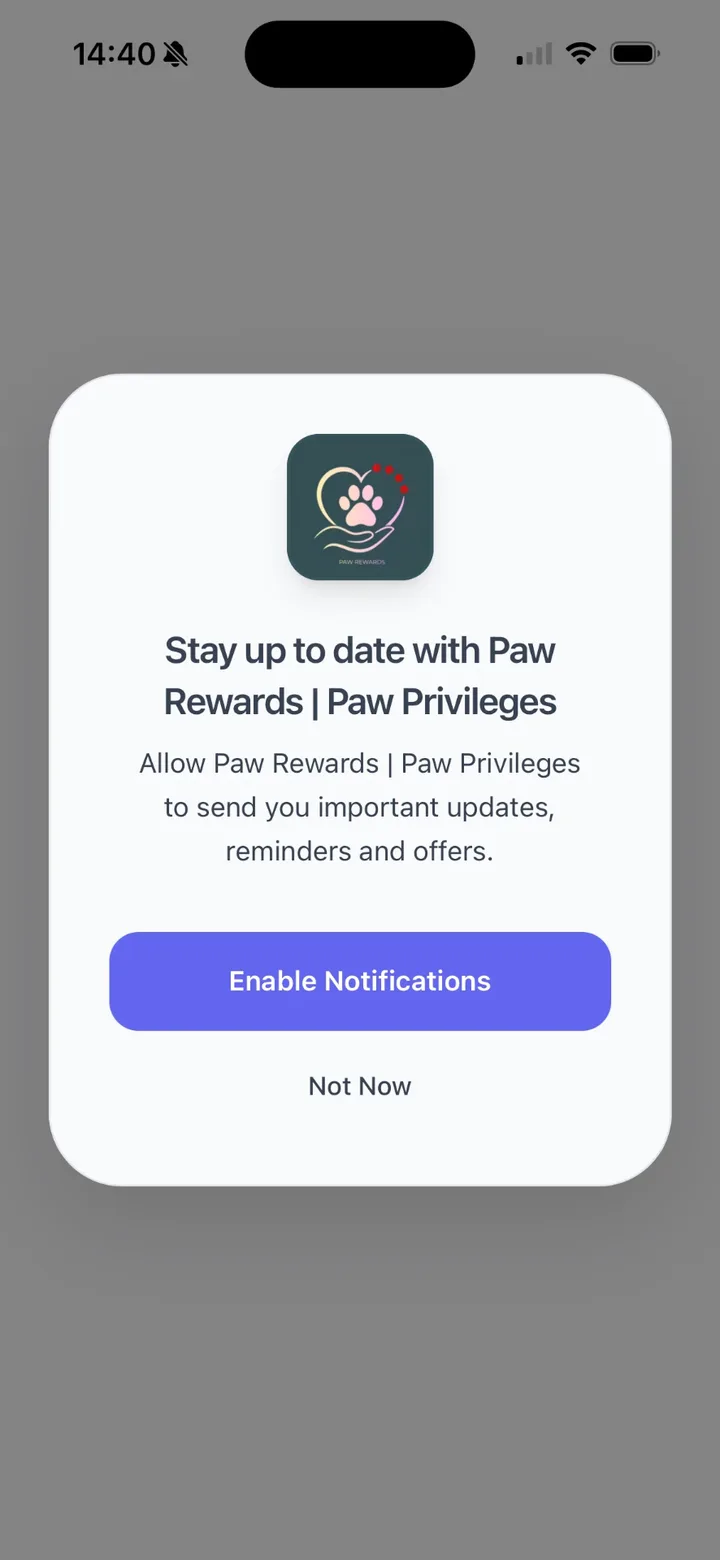
- 3They sign in with their existing account and allow notifications
- 4From then on, your events reach their phone in seconds
“Scan this code to get notifications”
That's the entire instruction. It sits inside your product, where your users already are.
- No App Store search or listing needed
- Works on iPhone and Android
- Your branding, your name, your icon
App stores? Only if you want them
Start with the QR install. Add the stores later if you need them.
The QR-code install is the whole journey for most SaaS products. If you also want a store presence for discovery, we can build, sign and submit to the App Store and Play Store for you.
QR install (start here)
- Live in minutes, no review process
- Users install straight from your product
- Real push notifications included
- Free for up to 10 users, forever
App stores (optional)
- Discoverability and credibility with new users
- We handle signing, listings and reviewer questions
- Same wrapped app, nothing to rebuild
- Available on paid wrapper plans
Start free, scale as you grow
Everything you need is in every plan
Free forever for up to 10 app users, the people who use your published app. No credit card required.
- Unlimited push notifications
- Works with any SaaS that has a public URL
- QR code install for your users
- Custom branding, icon and splash
- Keep your custom domain
- Instant PWA deployment
- Optional App Store and Play Store publishing
Store publishing requires your own Apple Developer ($99/year) and Google Play Developer ($25 one-off) accounts. Full refund if we can't get your app live.
Pricing
One app. Unlimited users. Choose how much help you want.
Both options include managed native builds and store publishing. The difference is how much of the integration we do for you.
Guided setup
Use our wizard and integration prompts to connect your project, with technical support when you need it. AppBuild handles native builds and store publishing.
$299/year
Billed annually · equivalent to $24.92/month · saves $289 vs monthly
$49/month
Billed monthly · or $299/year billed annually
- Step-by-step integration prompts for your AI tool
- Help from our team when you get stuck
Included in both
- Unlimited app users and usage
- One app across iOS and Android
- Native plugin maintenance and updates
- Native testing builds (TestFlight and Google testing)
- Managed store submission
- Unlimited resubmissions
- Technical support
- 90-day Go Live Guarantee
We do it for you
Our team handles SDK integration, supported native plugin configuration, project preparation and core-flow testing.
$599/year
Billed annually · equivalent to $49.92/month · saves $589 vs monthly
$99/month
Billed monthly · or $599/year billed annually
- Expert initial integration and testing
- Continuing hands-on help adding future supported plugins
Included in both
- Unlimited app users and usage
- One app across iOS and Android
- Native plugin maintenance and updates
- Native testing builds (TestFlight and Google testing)
- Managed store submission
- Unlimited resubmissions
- Technical support
- 90-day Go Live Guarantee
Each subscription covers one app. Publishing multiple apps requires a subscription for each app.
No AppBuild purchase commission or separate standard setup charge. Developer accounts, store commissions and any RevenueCat or other third-party charges are paid separately. Bespoke development is quoted separately if requested.
Questions SaaS teams ask
Do my users have to go through the App Store?
No, and that's the point. Your users scan a QR code inside your product and install the app straight to their home screen. There's no store listing to find, no search, no friction. If you later want an App Store and Play Store presence too, we can submit store builds as well, but it's entirely optional for this use case.
How do notifications actually get sent?
Your SaaS tells us when something happens, such as a payment, a support message or an alert, and we deliver it as a real push notification to the user's phone. You choose which events trigger notifications, and your users choose which types they want to receive.
What happens when someone taps a notification?
It deep-links them straight into the relevant screen in your product, the invoice, the conversation or the alert, not just a generic home page. They land exactly where they need to act.
Does this work with my existing web app?
Yes. Anything with a public URL works, whether it's built with Lovable, Base44, Replit, Bubble, a custom React or Next.js stack, or anything else. Your code, backend and database stay exactly where they are.
Can users pick which notifications they get?
Yes. You can offer per-event notification settings inside your product, for example payment alerts on but marketing messages off, so users stay in control and don't uninstall.
What does it cost?
The PWA wrapper is free forever, including push notifications for up to 10 users. Paid wrapper plans (from $49/month) unlock unlimited users and optional App Store and Play Store submission. No credit card required to start.
Do my users have to go through the App Store?
No — that's the point. Your users scan a QR code inside your product and install the app straight to their home screen. There's no store listing to find, no search, no friction. If you later want an App Store and Play Store presence too, we can submit store builds as well, but it's entirely optional for this use case.
How do notifications actually get sent?
Your SaaS tells us when something happens — a payment, a support message, an alert — and we deliver it as a real push notification to the user's phone. You choose which events trigger notifications, and your users choose which types they want to receive.
More on vibe coding
Publishing guides for every tool
Vibe coding hub
How publishing an AI-built app works, pricing and the guarantee.
Choose Your Perfect Publishing Path
How to publish a Lovable, Base44, Bolt or Replit project to the App Store, Google Play…
Get Your Base44 App on the App Store
Turn your Base44 project into a branded native mobile app for iOS and Android. Push notifications,…
Launch Your Vibe Coded App on the App Store
Wrap your Lovable web app in a branded native iOS and Android app — push notifications,…
Wrap My App
Wrap your website or web app as native iOS and Android apps with push notifications and…
Your vibe-coded app can use the phone properly — and go live on both stores
Plain-English answers for vibe coders: which phone features your Lovable or Base44 app can use, how…
Your SaaS, on every user's home screen
Paste your URL, switch on push, show the QR code. That's the whole job. Free plan includes push for up to 10 users, no credit card required.