
Features / Loyalty & Rewards
Loyalty Stamp Cards
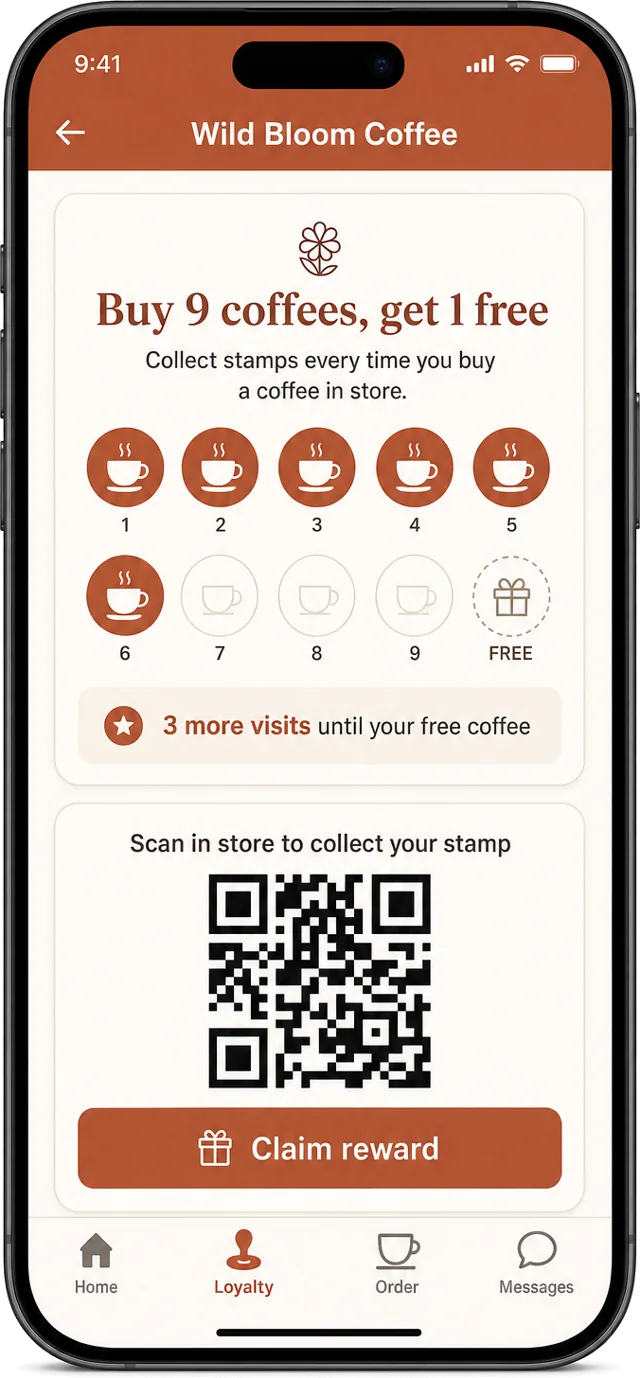
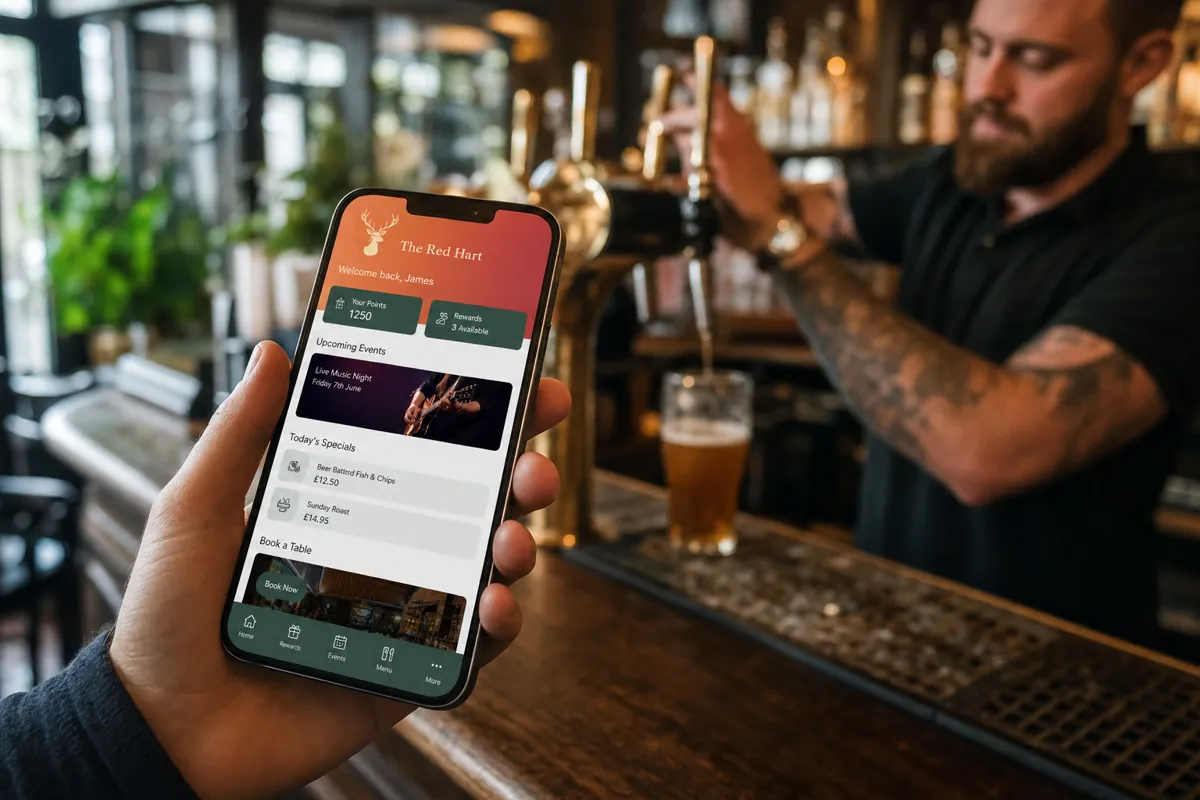
The paper card, without the paper. Customers claim a card in your app, show a QR code at the till, and watch the stamps fill up. When the card is full, the reward is redeemed and the card starts again.
- Any number of cards, each with its own stamp count and reward
- Staff add stamps by scanning a QR code or searching the card ID, with any phone
- Self check-in option so customers stamp their own card at your venue
Included on every plan, including Free. No credit card required.
Loyalty Stamp Cards: the quick answer
- What it is
- A digital stamp card in your own app. Customers collect stamps on their phone, staff add them with any phone, and the reward is redeemed in a tap.
- Cost
- Included on every AppBuild.diy plan, including Free for up to 10 app users. Business is $49/month for up to 1,000 users and Business Pro is $99/month for unlimited users.
- Works on
- Your app on the App Store, Google Play and as an installable web app, from one setup.
- Setup
- Add it in the AppBuild.diy editor and fill in your details. No code.
- Popular with
- Coffee shop, Barbershop, Fish and chip shop, Pub and bar
What loyalty stamp cards do for your business
Repeat visits are the cheapest revenue you have. A card on their phone keeps you in front of them.
Bring regulars back more often
A visible count of stamps to go nudges the next visit. Pair it with a push notification when someone is one stamp away.
Know who your loyal customers are
Every card is tied to a customer account, so you can see who collects, how often, and who has gone quiet.
Stop paying for card printing
No reprints, no lost cards, no stamps copied with a felt tip. One card design, updated from the editor in minutes.
How it works
Set it up once in the AppBuild.diy editor. Your customers get it in the app the same day.
You set it up
- Add Loyalty Stamp Cards to a pageIn the editor, open Pages, tap Add Page or Function and choose Loyalty Stamp Cards.
- Set the stamps and the rewardName the card, choose how many stamps it takes and what the reward is, for example a free drink after nine visits.
- Style itPick a stamp icon, background and card colour so it matches your brand.
- Add stamps in Data ManagerOpen Loyalty in the free Data Manager app, scan the customer's QR code or search the card ID, and tap Stamp.
Your customers see
- Claim a cardThey open the loyalty page, sign in or create a free account, and tap Get This Card.
- Show the QR codeEach card has its own ID and QR code to show at the till.
- Watch the stamps fill upStamps appear instantly, with how many visits are left.
- Redeem the rewardWhen the card is full they tap Claim, the reward is recorded and the card resets.
Full step-by-step guide with screenshots: AppBuild.diy user guide →
Who uses it
Anywhere a customer comes back weekly: the stamp card is the oldest loyalty tool there is, and it still works.
Included on every plan
- Free for up to 10 app users, then $49/month for up to 1,000
- Works in the web app (PWA), on iOS and on Android
- 0% commission on paid plans
- Unlimited push notifications to go with it
- Switch it on or off from the editor at any time
Works well with
Loyalty Points
Points per visit or per pound spent, redeemed at a threshold you set. The right loyalty model for retailers and venues where spend varies.
Coupons
Time-limited offers your customers redeem in store or against an order. Create, schedule and switch off coupons from the editor in minutes.
Push Notifications
Unlimited push notifications on every plan, including Free, at $0 per message. The lock-screen channel that email and social cannot match.
Loyalty Stamp Cards questions
Do staff need special hardware to add stamps?
No. Staff use the free Data Manager app on any phone to scan the customer's QR code, or search the card ID and tap Stamp.
Can customers stamp their own card?
Yes, if you turn on Self Check-In for the card. That suits venues where staff are busy, such as a gym or a church café.
Can I run more than one card?
Yes. A café might run a coffee card and a lunch card at the same time, each with its own stamp count and reward.
Is there a fee per stamp or per reward?
No. Loyalty is included on every plan with no per-customer or per-redemption fees, including the Free plan.
What is Loyalty Stamp Cards in AppBuild.diy?
A digital stamp card in your own app. Customers collect stamps on their phone, staff add them with any phone, and the reward is redeemed in a tap.
Does Loyalty Stamp Cards work on iPhone and Android?
Yes. It works in your app on the App Store and Google Play, and in the installable web app, from the same setup.
Do I need to code to add Loyalty Stamp Cards?
No. You add Loyalty Stamp Cards in the AppBuild.diy editor and fill in your details. Most businesses are live in 5 to 15 minutes.
Which businesses use Loyalty Stamp Cards?
It is popular with Coffee shop, Barbershop, Fish and chip shop, Pub and bar, among others.






Put your stamp card on their phone today
Free for up to 10 app users. No card printing, no commission, no credit card to start.