Features / Fitness & Clubs
Membership Fees
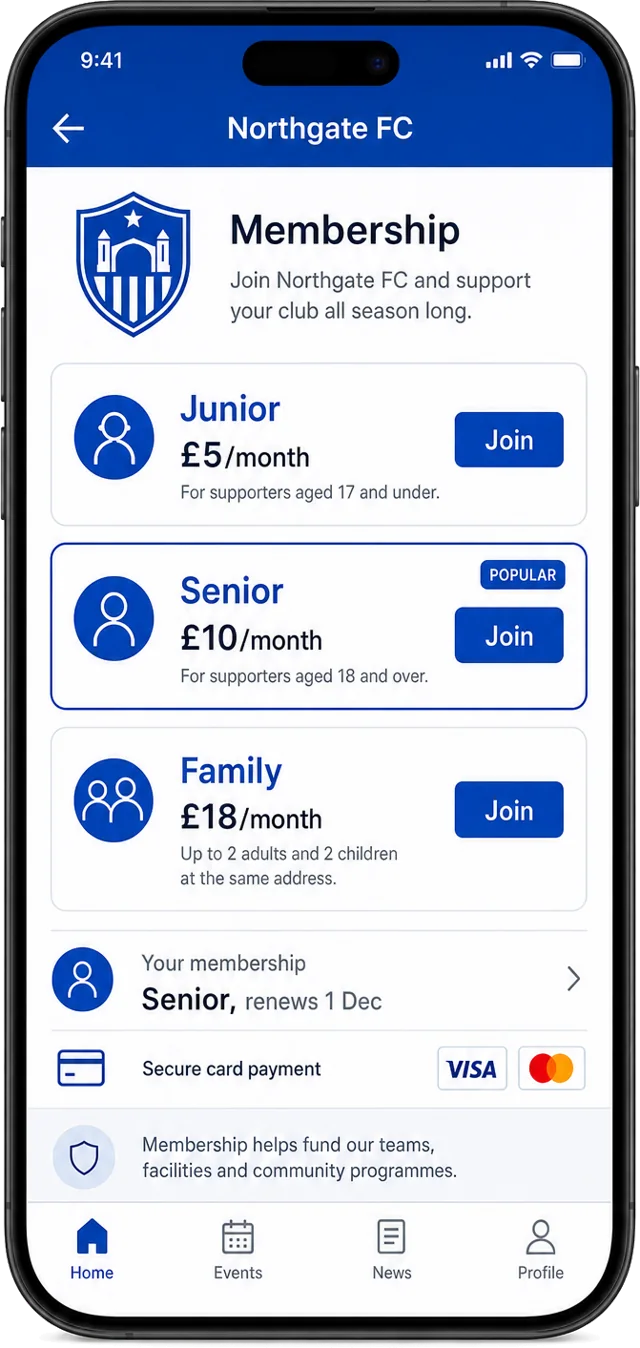
Collect subscriptions from the app and stop chasing standing orders. Set tiers such as Junior, Senior and Family, connect Stripe, and members join and renew in a tap. Access to classes, content and the social wall can depend on the tier.
- Tiers with monthly, yearly or one-off pricing
- Automatic renewals through Stripe, 0% commission on paid plans
- Tier-based access to classes, videos and members-only pages
Included on every plan, including Free. No credit card required.
Membership Fees: the quick answer
- What it is
- Monthly, yearly or one-off membership tiers paid through Stripe, renewing automatically. For gyms, clubs and communities, with no platform commission.
- Cost
- Included on every AppBuild.diy plan, including Free for up to 10 app users. Business is $49/month for up to 1,000 users and Business Pro is $99/month for unlimited users.
- Works on
- Your app on the App Store, Google Play and as an installable web app, from one setup.
- Setup
- Add it in the AppBuild.diy editor and fill in your details. No code.
- Popular with
- Creator, Sports club, Gym, Climbing gym
What membership fees do for your club
Predictable income, less admin, and a clear member list.
Get paid on time
Renewals run through Stripe without a reminder from you.
Know who is a member
Active, lapsed and new, all in Data Manager.
Make membership worth it
Gate classes, videos and the social wall by tier.
How it works
Set it up once in the AppBuild.diy editor. Your customers get it in the app the same day.
You set it up
- Add Membership FeesOpen Pages, tap Add Page or Function and choose Membership Fees.
- Create tiersName, price, billing period, what is included.
- Connect StripeMembers can pay once Stripe is connected; tiers show before that.
- Gate contentChoose which pages each tier unlocks.
Your customers see
- Choose a tierClear cards with price and benefits.
- PayCard, Apple Pay or Google Pay.
- Use the appGated pages open.
- Renew without thinkingAutomatic, with a push notification before renewal.
Full step-by-step guide with screenshots: AppBuild.diy user guide →
Who uses it
Sports clubs, gyms, churches with giving plans, creators and member communities.
Included on every plan
- Free for up to 10 app users, then $49/month for up to 1,000
- Works in the web app (PWA), on iOS and on Android
- 0% commission on paid plans
- Unlimited push notifications to go with it
- Switch it on or off from the editor at any time
Works well with
Class Booking
Group classes with capacity, instructors, timetables and waitlists. Members book from the app and get a push notification when a spot opens.
Workout Videos
Guided workouts with video, instructions and timers, organised into programs. Sell them behind a membership through Stripe, with no platform cut.
Social Wall
A members-only community feed inside your app. Members post updates and photos, react and comment, with nothing shown to the public.
Membership Fees questions
Does AppBuild take a cut of memberships?
No. 0% commission on paid plans; Stripe's processing fee applies.
Can members cancel in the app?
Yes, if you allow it in the settings.
Can I offer a free trial?
Yes, through Stripe's trial settings on the tier.
What is Membership Fees in AppBuild.diy?
Monthly, yearly or one-off membership tiers paid through Stripe, renewing automatically. For gyms, clubs and communities, with no platform commission.
Does Membership Fees work on iPhone and Android?
Yes. It works in your app on the App Store and Google Play, and in the installable web app, from the same setup.
Do I need to code to add Membership Fees?
No. You add Membership Fees in the AppBuild.diy editor and fill in your details. Most businesses are live in 5 to 15 minutes.
Which businesses use Membership Fees?
It is popular with Creator, Sports club, Gym, Climbing gym, among others.