Features / Workforce
Job Board
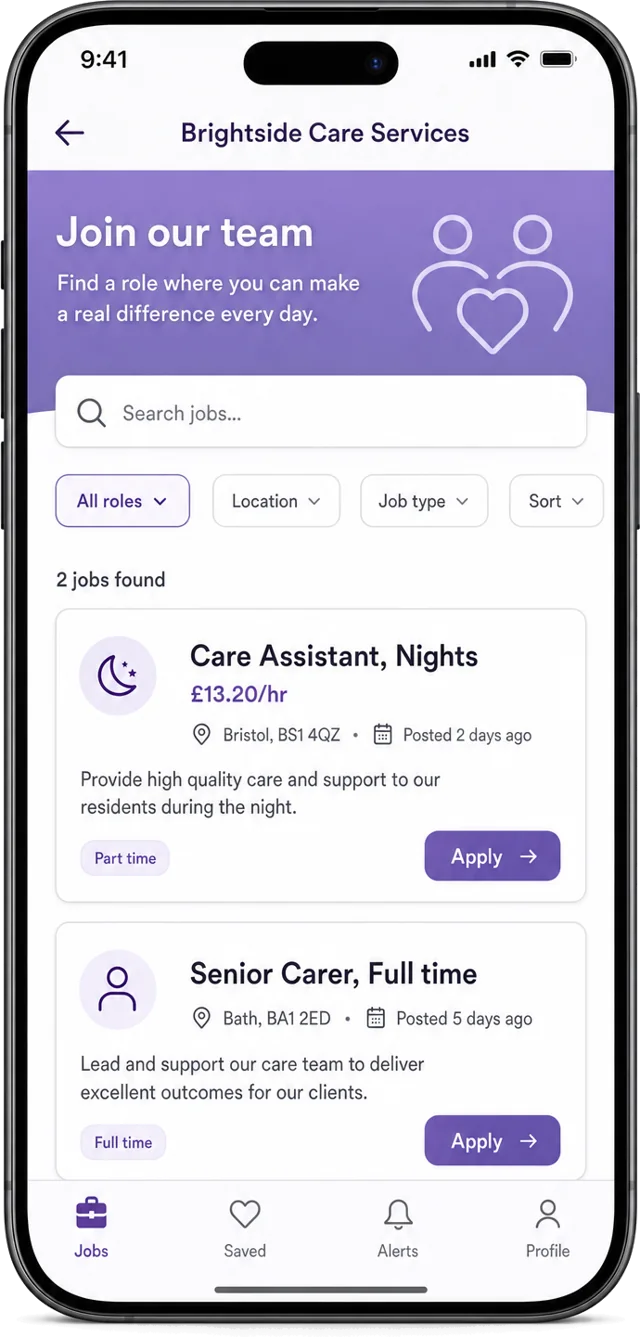
Your vacancies, in front of the customers, members and staff who already use your app. Post a role, add screening questions, and applications arrive in Data Manager with CVs attached.
- Vacancies with pay, hours, location and description
- Applications with CV, cover letter and your screening questions
- Push notification when a new role goes up
Included on every plan, including Free. No credit card required.
Job Board: the quick answer
- What it is
- Post vacancies in your app and take applications with CV, cover letter and screening questions. Recruit from the people who already know you.
- Cost
- Included on every AppBuild.diy plan, including Free for up to 10 app users. Business is $49/month for up to 1,000 users and Business Pro is $99/month for unlimited users.
- Works on
- Your app on the App Store, Google Play and as an installable web app, from one setup.
- Setup
- Add it in the AppBuild.diy editor and fill in your details. No code.
What the job board does for your business
The best hires are often already customers.
Recruit from your community
Regulars, members and their friends see the role first.
Screen before you read
Screening questions filter applicants before you open a CV.
Keep applications together
Everything in Data Manager, not scattered across job sites.
How it works
Set it up once in the AppBuild.diy editor. Your customers get it in the app the same day.
You set it up
- Add Job BoardOpen Pages, tap Add Page or Function and choose Job Board.
- Post a roleTitle, pay, hours, location, description, closing date.
- Add screening questionsYes/no or short answers.
- Review applicationsCVs and answers in Data Manager.
Your customers see
- Browse rolesCards with pay and hours.
- ApplyUpload a CV, answer the questions.
- Hear backPush notification when you reply.
Full step-by-step guide with screenshots: AppBuild.diy user guide →
Who uses it
Hospitality, care, retail, gyms, clubs and schools.
Included on every plan
- Free for up to 10 app users, then $49/month for up to 1,000
- Works in the web app (PWA), on iOS and on Android
- 0% commission on paid plans
- Unlimited push notifications to go with it
- Switch it on or off from the editor at any time
Works well with
Shift Scheduler
Publish rotas with roles and locations, let staff pick up open shifts and request swaps, all from the app with push notifications for changes.
Timesheets
Staff clock in and out from the app, against a job or site, with breaks and weekly submission. Hours land in your dashboard, not on paper.
Form Builder
Custom forms for quotes, requests, applications and feedback. Build from scratch or a template; responses arrive in your dashboard with email alerts.
Job Board questions
Can applicants upload a CV?
Yes, along with a cover letter and answers to your screening questions.
Can I close a role automatically?
Yes. Set a closing date.
Is it public?
Roles are visible to anyone with the app; applications need an account.
What is Job Board in AppBuild.diy?
Post vacancies in your app and take applications with CV, cover letter and screening questions. Recruit from the people who already know you.
Does Job Board work on iPhone and Android?
Yes. It works in your app on the App Store and Google Play, and in the installable web app, from the same setup.
Do I need to code to add Job Board?
No. You add Job Board in the AppBuild.diy editor and fill in your details. Most businesses are live in 5 to 15 minutes.